In this article
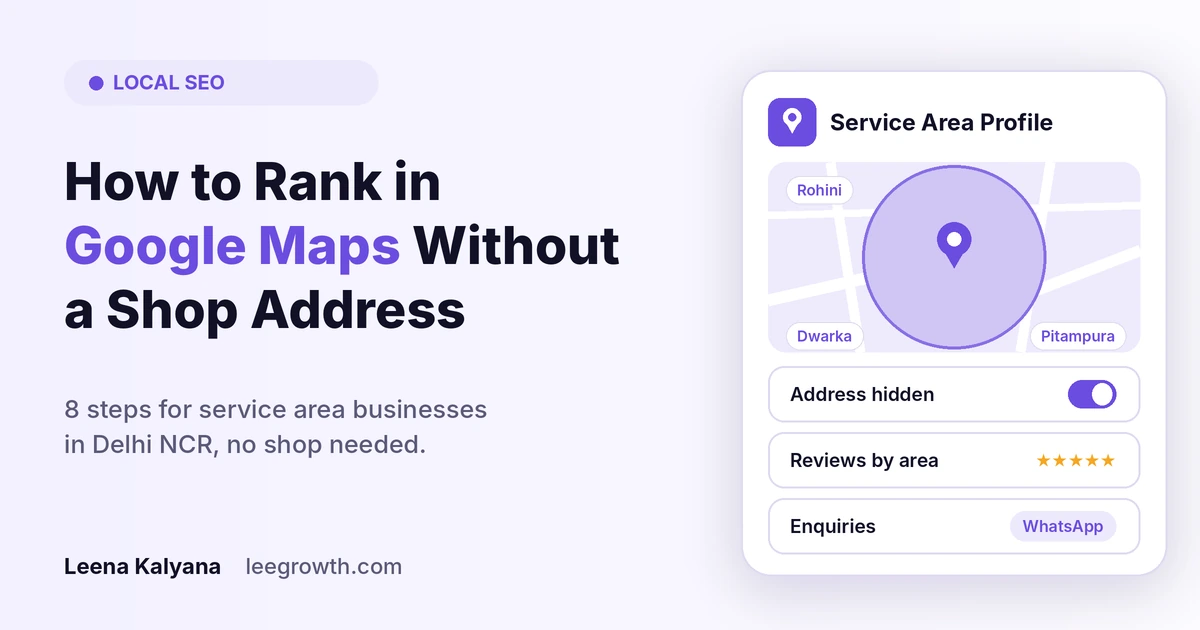
You can rank in Google Maps without a shop. Verify one profile at a real base, hide the address if customers do not visit, list your service areas and build reviews and pages for each.
Plumbers, electricians, AC technicians, movers, home tutors and mobile beauticians will find 8 steps here, one limit that competing guides skip, Delhi NCR examples and 6 mistakes to avoid.
Last updated: November 2026
In short
- You need a real base to operate from. Virtual offices, P.O. boxes and mailbox addresses do not count.
- Hide the address if customers do not visit you, then add your service areas.
- You rank most strongly near your base. Listing a town does not make you rank there.
- Website pages, reviews and local mentions carry the towns far from your base.
- Never buy fake check-ins, click boosters or reviews.
Can you rank in Google Maps without a shop address?
Yes, with one honest limit: you rank most strongly near your real base. Google does not show a pin at a shop for you, so it leans on your category, reviews and website. Listing a town as a service area tells customers you serve it. It does not make you rank there by itself.
- What you can win: Searches like “AC repair in Rohini” or “plumber near me” from people around your base, when your profile and pages match.
- What is harder: Towns far from your base, and searches from people standing next to a competitor’s shop.
- What is not allowed: A fake shop, a virtual office or a borrowed address. These risk a suspension.
What counts as a service area business?
A service area business goes to the customer instead of receiving customers at its address.
Google separates three types, as described in its guide to service-area businesses:
- Storefront: Customers come to you. The address shows. Example: a clinic, salon or coaching institute.
- Service area business: You travel to customers. The address is hidden. Example: a plumber, electrician or home tutor.
- Hybrid business: Customers visit you and you also travel to them. The address shows and you add service areas. Example: a salon that does home visits.
Google also allows only one profile for the whole area a service area business covers. You do not make one profile per locality.
Cloud kitchens and delivery-only food brands fall in the service area group too. Google’s guidelines say delivery-only brands must add service areas and hide the address. Google allows them when they have distinct branded packaging and a distinct website. Read the food brand rules in Google’s guidelines before you list one.
Step 1: Do you have an eligible base?
You need a real place your business operates from. You do not need a shop.
These do not count as a base:
- A virtual office, a mail forwarding service or a rented mailing address where you do not work
- A P.O. box or a mailbox at a remote location
- A co-working desk, unless it has clear signage, receives customers and is staffed during business hours
A home counts as a base when you operate from there. Keep it hidden when customers do not visit. A purely online service with no in person work does not fit a Google Business Profile. Confirm the current wording in Google’s guidelines for representing your business.
Does your base match where your customers are?
Check where your jobs come from before you lean on one base. Your verified base is the point Google measures distance from, so it shapes where you can rank.
- Open your lead log or WhatsApp chats and count jobs by locality for the last 3 months.
- Find your strongest area. Plan pages and reviews around the 2 or 3 localities that bring most paid jobs.
- Spot the gap. Jobs from a place far from your base mean a harder map ranking there. Use website pages for that area.
- Do not fake a closer base. A mailbox, virtual office or friend’s shop address is not a fix. A second profile is only fine for a genuine second place with staff and signage.
Step 2: Should you hide or show your address?
Hide the address when customers do not come to you. Show it when customers walk in.
- Work from home and travel to every job: Hide.
- Yard, warehouse or office with no customer visits: Hide.
- Staffed shop with permanent signage, and you also travel: Show, and add service areas.
- Shop with no permanent signage: Hide. Without signage it does not count as a storefront.
How to hide the address in your dashboard (the steps follow Google’s guide to removing your address):
- Open your Business Profile and choose Edit profile.
- Select Location.
- Next to “Business location”, select Edit (the pencil icon).
- Turn off “Show business address to customers”.
- Save.
Google says profile changes usually show within about 10 minutes, and in some cases take up to 30 days. Google also says to hide the address only if you are a service area business. If you hide it and add no service area, Google picks a local area for you, so add your own in Step 5.
During new profile setup, leave the address field empty and choose the option that says you deliver goods and services to customers. Google changes its setup wording, so follow the labels you see.
A hidden address does not hurt your profile. Showing an address that does not meet the shop rules puts the whole profile at risk. Hiding it also keeps strangers from learning where you and your family live, which matters to home based owners.
Step 3: How do you verify a profile with no shop?
Google decides which verification method you get, and you cannot choose it. Options include phone, text, email, a postcard or a live video call. The full list is in Google’s verification guide.
For a video call, Google asks you to show your location and your business. For a mobile business, keep these ready:
- Your work vehicle with any branding
- Tools and equipment you use on jobs
- Printed material such as visiting cards or a price sheet
- The place you operate from
Google recommends video verification when your profile is eligible. It also says live video calls run only within the business hours of your location. Google’s video verification page lists what to show.
Create the profile from a Google account you own, with an email tied to your business. Do not let a freelancer or an agency create it under their own account, since you can lose control of the profile if they leave. After you verify, Google lets you add a freelancer as a manager while you stay the owner.
If you ask for a postcard, follow these Google rules while you wait:
- Most codes arrive within 14 days, and codes expire after 30 days.
- Do not edit your business name, address or category, or the code will not work.
- Do not request a new code, because it cancels the one in the mail.
A missing postcard has alternatives such as phone, email or video. Check your dashboard for the options Google offers your profile. Indian owners often get stuck here, so see the Google Business Profile setup guide for India for fixes to the usual verification problems.
Google says a verification review can take up to 5 business days. Do not create a second profile while you wait. For a stuck or rejected verification, see what to do when a Google Business Profile is suspended.
Step 4: How do you pick the right primary category?
Pick the most specific category for the one service that earns you the most money.
Choose “Plumber”, not “Home service”. Choose “Air conditioning repair service”, not “Repair shop”. The primary category is the label that shows under your business name on Maps. A specific category tells Google which searches you match. Google’s own advice is to use as few categories as possible and to make them as specific as possible, as its guidelines explain. Confirm the exact label in your dashboard. The full method, with a 3 question test for extra categories, is in our guide on how to pick primary and secondary Google Business categories.
Step 5: How do you set your service areas?
List only the areas you can reach within about 45 minutes of driving and want more jobs from.
How to add them in your dashboard:
- Open your Business Profile and choose Edit profile.
- Select Location.
- Next to Service area, select Edit.
- Choose a suggested area or type your own.
- Save. Approved edits can take up to 48 hours to show.
Google’s current rules, as of November 2026 (confirm on its service area help page):
- Limit: 20 service areas
- Set by: city, postal code or other area type, not by a radius
- Distance: within about 2 hours of driving from your base
- Quality: specific and accurate areas
Our advice is stricter than the limit. List 5 to 10 real localities where you take jobs, such as Rohini, Pitampura, Dwarka, Janakpuri, Gurugram Sector 56 or Noida Sector 62. A long list of far areas looks false and adds no ranking.
Example (illustrative, not a client case): An AC technician based in Rohini lists Rohini, Pitampura, Shalimar Bagh, Prashant Vihar, Model Town and Ashok Vihar. The website carries 3 service pages (AC repair, AC installation, gas refill) and 3 area pages for the localities that bring the most jobs. Gurugram stays off the list because it is too far for fast service.
Serving Noida or Gurugram from a Delhi base? You do not need a profile in each city. Add those areas to your service area list and build a page for each, as our local SEO checklist for Delhi explains.
Why do you rank mainly near your base?
Google ranks local results on relevance, distance and prominence, and distance is measured from the person searching.
- Relevance: How well your profile and website match the search.
- Distance: How far you are from the searcher. You cannot change it.
- Prominence: How well known you look. Reviews, mentions and links feed it.
Google does not list service areas as a ranking factor. Local SEO work shows that service area businesses appear most strongly around their base. They appear less in farther towns, even when those towns are listed. Google does not state this directly, so treat it as observed behaviour and plan for it. Our guide to near me SEO shows how to test this from several spots around your base.
Hiding your address hides it from customers, not from Google. Google still holds the base you verified, so you cannot rank well far from it by hiding or editing the public listing.
Google’s local ranking help page also says there is no way to request or pay for a better local ranking. Be careful of anyone who sells you one.
What can you do for towns far from your base?
Use your website, reviews and, if needed, paid ads. The map listing alone will not carry far areas.
Your profile is tied to one point. Your website is not. For a search like “plumber in Pitampura”, normal results sit below the map. A strong page for that locality can win there even when your map listing does not reach.
- A real page for each far area: Only for areas where you take jobs. Add local landmarks, common problems in that area and real jobs done there.
- Reviews from that area: Ask customers there to mention the job and locality.
- Google Ads: A paid option while organic work builds. This is paid visibility, not a ranking. Google explains how to advertise your business on Google.
Never open a second profile at a mailbox address to “be local” in a far town. Removal costs you the profile and its reviews.
Step 6: What does your website need?
Your website carries more of your ranking than a shop owner’s does. Without a pin, Google needs written proof of what you do and where.
- One page per service: “AC repair”, “AC installation”, “geyser repair”. One job per page, with real photos, process and what affects the price.
- A few real area pages: “AC repair in Rohini”. Write these only for areas you serve.
- No copied pages: The same page repeated 30 times with a new area name is a doorway page, meaning a page made only to rank for one place. Google’s spam policies cover doorway abuse and treat it as low value.
Write fewer pages and make each one strong. Start with the profile and 3 service pages, then add area pages as jobs come in. If you need help writing them, see our SEO content writing services or our WordPress website development service.
- Job write ups: Publish one short post a month: the problem, the fix and the locality, with real photos and the customer’s permission. It gives Google local proof and gives customers a real example.
- Structured data: Add LocalBusiness or Service schema, which is code that tells search engines what your business does and where. Google explains the format in its local business structured data guide. List the areas you serve. Do not put a hidden home address in your schema or on any page.
- Local guides: Answer questions customers ask you on calls, such as which AC size suits a 150 sq ft room in a Delhi summer or why a geyser trips. Write each as a short page that links to your service page.
- Phone ready pages: Add tap to call and WhatsApp buttons near the top, and keep pages fast on mobile data. Test your speed with Google’s free PageSpeed Insights. Most of your customers search on a phone.
Step 7: How do you get reviews that help you rank?
Ask for a review the same day as the job, on WhatsApp, in the customer’s language.
- Send the review link right after the work. The customer still remembers the job.
- Use two short messages. One in English and one in Hinglish. Our near me SEO guide has ready WhatsApp templates in both.
- Let the customer write freely. Never script a review. Never buy one.
- Reply to every review. Mention the job and area in plain words, such as “Thanks for choosing us for the AC gas refill in Janakpuri.”
Reviews that name a job and an area help more than “good service”. Google says prominence depends partly on the number of reviews you have. Read Google’s tips to get more reviews and its guide to managing customer reviews, and keep to its prohibited content rules, which cover fake and incentivized reviews.
Step 8: How do you keep details clean and track results?
Use one name, one phone number and one website everywhere, then count what comes in.
- Business name: Your real name, with no area or service words added.
- Phone: A number you answer. A missed call is a lost job.
- Photos: Real work photos, before and after shots, your vehicle or tools and your team. Skip stock images.
- Website link: Point it to your main service page.
- Directories and other platforms: List your business with the same name and phone on trusted Indian directories such as JustDial and Sulekha, on Bing Places and on a Facebook page. Pick listings that let you hide your address. Never publish a home address in a directory if you hid it on Google. Skip bulk submission services.
- Local links and mentions: Ask a market association, a resident welfare group or a trade body you belong to for a mention on their site. Partner with a non competing trade, such as an electrician who refers plumbing jobs. Never buy links.
- Tracking: Use a tagged link (a link with a tracking tag that shows where each visit came from) in the website field and a separate WhatsApp number or tagged link. Keep a lead log with date, area, job and source. Record which enquiries became paid jobs. Google’s Business Profile performance report shows calls and direction requests.
- Rank by locality: Once a month, search your main phrase from 3 to 5 localities and note your position in a sheet. One rank number hides where your reach ends. The visibility grid in our Google Maps competitor analysis guide shows how to record this.
- Search Console: Filter your area pages in Google Search Console to see which localities get impressions and clicks. Put your next pages where interest already shows. Our Search Console guide for small businesses explains the reports.
Monthly 10 minute check: Review your service areas, primary category, hours, new reviews and replies, and the lead log. Compare with the month before.
What is a simple 30 day plan?
Four weeks cover the whole setup. For a wider plan, see our 30 day local SEO plan for small businesses.
- Week 1, base and profile: Confirm your base, hide the address, pick the primary category, set 5 to 10 areas and start verification.
- Week 2, website: Publish 3 service pages and your first area page. Add the schema and fix your phone and WhatsApp links.
- Week 3, proof: Send the review request after every job. Add real photos. List your business on JustDial, Sulekha and Bing Places.
- Week 4, tracking: Set the tagged links, start the lead log and record your first rank by locality. Note the baseline so you can compare next month.
What mistakes do owners without a shop make?
6 mistakes appear in most weak profiles:
- Showing a home address when no customer visits
- Adding 20 service areas, including towns an hour or more away
- Using a virtual office, P.O. box or borrowed address
- Copying one area page across 10 areas
- Asking for reviews days after the job
- Leaving the website out and relying on the profile alone
Several of these can lead to a suspension. Our guide on Google Business Profile suspensions in Delhi lists the triggers and the recovery steps.
What do Delhi NCR owners need to know?
Delhi NCR customers search by locality, type in Hinglish and often call before they do anything else.
- Locality searches: “plumber in Laxmi Nagar” and “AC repair Gurgaon sector 49”. The area name matters more than “Delhi”.
- Hinglish phrases: Customers type “bijli wala near me” or “AC theek karne wala”. Check what real customers type before you write pages. See Hinglish keyword research.
- Near me searches: Category, reviews and location drive these results. See near me SEO in India.
- Seasons: AC repair peaks before summer. Geyser work peaks in winter. Movers peak at month end. Update your profile before each peak.
- Trust: Customers worry about strangers at home. Team photos and real job photos help.
For trade advice, see SEO for plumbers. New businesses can follow the local SEO checklist for Delhi.
How do you compare the three setups?
Three setups cover most owners:
- Hidden address with service areas
- Best for: home based plumbers, electricians, tutors
- Strength: protects your home, fits Google’s rules
- Weakness: you depend more on website and reviews
- Shown address with service areas (hybrid)
- Best for: shops with signage that also travel
- Strength: a visible pin helps nearby searches
- Weakness: wrong if the address is only your home
- No profile
- Best for: nobody
- Weakness: you lose Maps, calls and reviews
Which tactics should you avoid?
Avoid anything that fakes signals or stretches the rules. Sellers offer tools for fake check-ins and fake clicks on your listing. As far as I know, Google’s guidelines treat this as manipulation, and it puts your profile at risk. Confirm on Google’s guidelines page before you pay anyone.
- Fake check-ins and click boosters: Skip them. Real jobs and real reviews build the same signals safely.
- Online only claims: Guides say virtual coaches or web freelancers can list without any base or in person work. Google’s rules centre on a real business that serves customers in person, so check before you try.
- Bought reviews and keyword names: Both break the rules.
Breaking the rules leads to a suspended profile, a slow reinstatement process and lost reviews. Customers also lose trust when they find wrong details.
What should you expect?
A service area business rarely beats a well run shop in the middle of a busy market. Distance favours the shop. That is not a failure of your SEO. If a closer rival keeps outranking you, our Google Maps competitor analysis shows how to tell a fixable gap from a distance gap.
What you can do:
- Win the searches near your base
- Take the normal results in towns beyond it with strong website pages
- Beat nearby competitors who have fewer reviews and an unattended profile
A service area business earns steady work from the areas it reaches.
Questions people ask
Can I rank on Google Maps with a home based business?
Yes. Verify the profile at your real base, hide the home address and list the areas you serve. Add service pages and reviews to support it.
Should I hide my home address on Google Business Profile?
Hide it when customers do not visit your home. Google’s guidelines say a service area business should hide its address from customers, and its example is a plumber who runs the business from home. See how to remove your address.
Can I use a virtual office address?
No. A virtual office is not a real operating location. It leads to a suspended profile.
How many service areas can I add?
Google allows up to 20, within about 2 hours of driving from your base. Most owners do better with 5 to 10 real localities. The limits are on Google’s service area page.
Do service areas help me rank?
They help people find your profile, but Google does not list them as a ranking factor. Listing a town does not make you rank there.
Do I need a website if I have no shop?
Yes. Your website carries more of your ranking than a shop owner’s does. It gives Google written proof of your services and areas.
Do I need a page for every area I serve?
No. Build a page only where you can add real detail, such as landmarks, common problems and jobs you have done there. 3 strong pages beat 30 weak ones.
What if my verification postcard does not arrive?
Check your dashboard for phone, email or video verification. Google decides which options you see. Do not create a second profile while you wait. Our setup guide for India covers this problem.
Can I show my home address in directories?
Do not publish a home address anywhere if you hid it on Google. Choose listings that let you hide it, or list only your phone and service areas.
Which other platforms should a home based business in India use?
Start with JustDial, Sulekha, Bing Places and a Facebook page. Keep the name and phone identical on all of them.
How long does it take to rank?
Profile fixes show within a few weeks. Ranking gains usually take 3 to 6 months, depending on competition. [Replace with your own timeline from client data, or remove this sentence.]
Get your service area profile checked
Send me your Google Business Profile link and the areas you serve. I tell you whether your address setting is right, which areas to keep and what to fix first. Start with the free website SEO audit, or read about local SEO services in Delhi NCR.
Google sources (cite these on the live post)
- Manage your service areas for service-area and hybrid businesses
- Manage your business address
- Guidelines for representing your business on Google
- Tips to improve your local ranking on Google
- Verify your business on Google
- Local business structured data (Google Search Central)

Leena Kalyana is an SEO and digital marketing consultant in Delhi NCR and the founder of LeeGrowth. She helps clinics, coaching institutes, consultants and small businesses get found on Google, Google Maps and AI search. She works directly with every client and does not guarantee rankings.