In this article
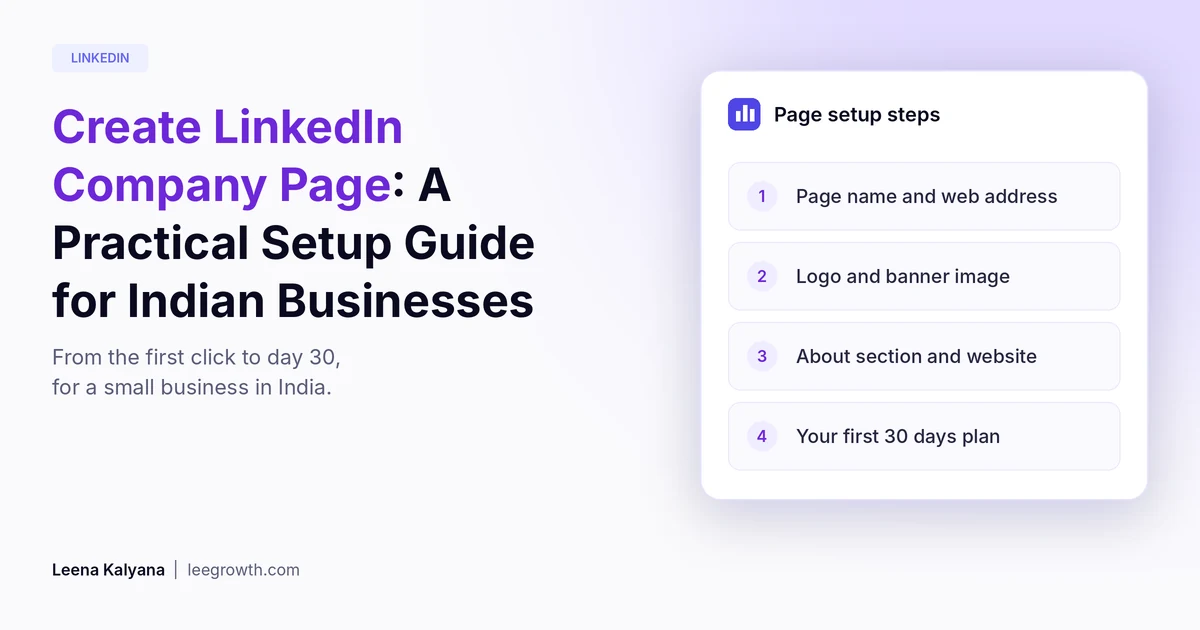
This guide shows how to create LinkedIn company page for a small business in India, from the first click to day 30.
Short answer: Sign in to your own personal LinkedIn profile, open the Work menu, choose Create a Company Page, pick the Company type, add your name, URL, logo and tagline, tick the confirmation box and click Create page. You need a personal profile first. LinkedIn does not allow a Page without one.
Many of the guides I read while researching this stop at the Create page button. That is the easy part. A page with a logo and nothing else brings no enquiries. So after the steps, I show you what to do in the first 30 days so the page does some work for your business.
Platform rules in this guide come from LinkedIn Help. LinkedIn changes its menus and limits from time to time, so check the source links at the end if something looks different on your screen.
What do you need before you start?
Get these ready first. It saves you a second attempt.
- A personal LinkedIn profile with your real first and last name. LinkedIn Help lists this as a requirement. If your own profile is thin, fix it first. My guide to LinkedIn profile SEO covers that.
- A confirmed email address on that profile. LinkedIn Help asks you to confirm the email linked to your account.
- Enough connections. LinkedIn Help says to build your network so you have enough connections to create a Page. It does not give a number in the pages I could read.
- Your business name, written the way it appears on your website and invoices.
- A square logo. LinkedIn Help recommends 400 x 400 pixels, with 268 x 268 as the minimum.
- A website that loads and says what you do. If yours is not ready, start with a free website SEO audit.
- The right to act for the business. LinkedIn asks you to confirm this with a tick box at the end.
How to create LinkedIn company page: 8 steps
The full LinkedIn company page setup below follows the order LinkedIn shows it. The same steps show how to create a LinkedIn page for business without extra tools. LinkedIn Help says a Page costs nothing to create.
Step 1: Sign in with your own profile
Log in to LinkedIn with the personal profile you will use to manage the Page. LinkedIn makes you the admin by default when you create it.
Common mistake: using a profile with a business name in place of a person’s name. LinkedIn Help asks for your real first and last name.
Step 2: Find the Create a Company Page option
Click the Work icon at the top right of the LinkedIn home page. Some accounts show it as For Business. Scroll to the bottom of the menu and click Create a Company Page.
Common mistake: giving up when the option is missing. Check your profile against the list above, add real connections, and try again.
Step 3: Choose the page type
Pick Company. LinkedIn Help describes the Company Page as the free page for representing your organisation, sharing posts, using analytics and adding a call to action.
Common mistake: choosing Showcase, Career or Product first. LinkedIn Help says you must already have a Company or University Page before you can create those.
Step 4: Enter your name and URL
Type your business name. LinkedIn builds the URL as linkedin.com/company/ followed by your name. LinkedIn Help says a URL cannot have two hyphens in a row, and cannot start or end with a hyphen. If another organisation already uses your preferred URL, choose a different one.
Common mistake: stuffing the name with keywords, such as “Sharma Interiors | Best Interior Designer Delhi”. Use the real business name. Put the keywords in the tagline and About section.
Step 5: Add your website, industry and size
Enter your website address, pick the industry and company size, and choose the company type that matches your business.
Common mistake: picking a vague industry to save time. These details help people and search find the Page, so choose the closest honest match.
Step 6: Upload your logo and write a tagline
Upload a square logo. Then write one clear line about what you do and who you help.
Common mistake: uploading a wide logo with small text. The logo shows small in the feed, so use the simple mark.
Step 7: Tick the box and click Create page
Read the confirmation, tick the box to say you can act for the business, and click Create page. The Page is now live.
Common mistake: creating a Page for a business you do not have authority to represent.
Step 8: Add a second admin today
Go to the Page admin view, then Settings, then Manage admins. LinkedIn Help says only a super admin can add admins. The person must be a first, second or third-degree connection and must follow the Page first. Admin roles differ, for example super admin, content admin and analyst. Give each person the lowest role that lets them do their job. A team member can then post for the business without being able to remove you. See LinkedIn Help: Page admin roles.
Common mistake: leaving yourself as the only admin. If you lose access to your account, you lose control of the Page.
Can you create a LinkedIn company page without a personal profile?
No. You cannot create LinkedIn company page without personal profile. LinkedIn Help says you need a LinkedIn profile before you can create a Page, and the profile needs your real first and last name. What you can do is choose who owns that profile and who else gets admin access.
Here are the real options and what each one risks.
| Option | How it works | Main risk |
|---|---|---|
| Your own simple profile | You create a short, accurate profile in your real name and use it only to run the Page. | The Page is managed through your account. Keep the profile genuine. |
| A co-founder or staff member creates it | They create the Page, then add you as an admin. | You still need your own LinkedIn account to be added. If they are the only admin and leave, you lose control. |
| A consultant or agency creates it | They set it up from their profile, then add you. | Unless your profile is added as super admin, the Page depends on them. |
Two things I would not do.
- Do not make a fake profile named after the business. LinkedIn Help requires your real first and last name. It is also the wrong foundation for a Page you want to keep for years.
- Do not assume a workaround exists. I found no LinkedIn-approved way to run a Page with no personal account behind it.
To keep your personal life off LinkedIn, keep the profile short and accurate, and review its privacy settings. If someone else creates the Page for you, ask them to add your profile as super admin before they finish. Add the new admin first, confirm it works, and only then remove anyone.
What should a LinkedIn company page include to look trustworthy?
A new visitor decides in a few seconds whether your business is real. Use this checklist.
- Page name: your real business name, the same as on your website.
- Tagline: one plain line on what you do and who you help. LinkedIn guides give a limit of 120 characters.
- About section: a short description for your customer, not for LinkedIn. Say what you sell, who you serve, where you work and how to contact you.
- Logo: square, simple, readable when small.
- Banner: a wide image that shows your work or your team. Keep text away from the bottom-left, where the logo sits. Check the exact banner size on LinkedIn’s image specifications page, because published sizes differ between sources.
- Website: your main website address, not a link-in-bio page.
- Location: your city. For example, Gurugram, Noida or Delhi, so local buyers can see you are nearby.
- Specialities: the services you want to be known for, in plain words.
- Call-to-action button: LinkedIn Help says a Company Page can add one. Point it to your contact or enquiry page.
What should you do in the first 30 days?
An empty page looks abandoned. A page with a few useful posts and a small group of real followers looks alive. Here is a simple plan.
Week 1: finish and publish the first posts
- Complete the checklist above and add a second admin.
- Ask your team to add your business as their employer in the Experience section of their own profiles. That connects them to the Page.
- Publish three posts. First, what you do and who you help. Second, one common customer problem and how you solve it. Third, a short post about your team or your work.
Week 2: invite the right people
- Invite your team, current clients, suppliers and partners. These people already know you.
- Share each Page post from your own profile with one line on why it matters.
- Add the Page link to your website, email signature and proposals.
Week 3: answer and add the button
- Reply to every comment and message on the Page.
- Add the call-to-action button if you have not already.
- Post two or three times, with a mix of useful tips and real work.
Week 4: look at the numbers and plan the next month
- Open the Page analytics. LinkedIn Help says analytics show you who your audience is.
- Note which posts got reactions and clicks, and plan the next month around them.
- Read my guide on getting B2B leads from LinkedIn in India to turn the page into leads.
I do not promise a follower count in 30 days. A small, relevant audience is worth more than a large, random one.
What mistakes should you avoid?
- Starting with a Showcase or Career Page instead of a Company Page.
- Creating a second Page without checking whether your business already has one on LinkedIn.
- Leaving one admin on the Page.
- Putting keywords in the business name.
- Publishing the Page and leaving it empty.
- Posting only promotions. Mix in answers to the questions your customers ask.
- Copying a banner size from an old blog. Check LinkedIn’s own specifications page instead.
FAQ: creating a LinkedIn company page
Can I create a LinkedIn company page without a personal profile?
No. LinkedIn Help says you need a LinkedIn profile before you can create a Page, and the profile must use your real first and last name. If you do not want to run the Page yourself, a colleague or consultant can create it and add you as an admin. You still need your own account.
Is it free to create a LinkedIn company page?
Yes. LinkedIn Help says you can create a LinkedIn Page for free. Paid options sit on top, such as a Career Page licence and a Premium Company Page subscription. You do not need either to set up and run a basic Company Page for your business.
How many connections do I need to create a LinkedIn company page?
LinkedIn Help tells you to build your network so you have enough connections, but the pages I could read give no exact number. Other guides quote different minimums. If the Create a Company Page option is missing, add colleagues, clients and partners you actually know, then try again.
Why can’t I create a LinkedIn company page?
Check three things first: your profile uses your real first and last name, your email address is confirmed, and you have enough connections. LinkedIn Help lists these as requirements. Also check that your URL is free, because another organisation may already use it. If so, pick a different URL.
Can more than one person manage a LinkedIn company page?
Yes. The person who creates the Page is its admin by default, and a super admin can then add other admins. LinkedIn Help says the person must be a first, second or third-degree connection and must follow the Page first. Give each person the lowest role they need.
How do I get my first followers on a new LinkedIn company page?
Start with people who already know your business: your team, clients, suppliers and partners. Ask them to follow, then post useful updates every week so the follow is worth it. Share each post from your own profile too. Do not buy followers. They add numbers but no enquiries.
How do I get my LinkedIn Page verified?
Verification is not part of creating the Page. LinkedIn Help says eligible Pages see a request option under Settings, then Verification controls, on desktop. Requesting does not guarantee approval. LinkedIn also says a Premium Company Page subscription makes a Page eligible, though eligibility does not guarantee a badge.
Want help setting up and running your LinkedIn company page?
I set up and run LinkedIn company pages for small businesses in Delhi NCR and across India. I handle the setup, the admin access and the posting plan, so you own the page and your time stays on the business. If you would rather hand this over, see my LinkedIn management service and send me a message.
Sources
- LinkedIn Help: Create a LinkedIn Page best practices
- LinkedIn Help: LinkedIn Page types and their functions
- LinkedIn Help: Image specifications for your LinkedIn Pages
- LinkedIn Help: Add admins on your LinkedIn Page
- LinkedIn Help: LinkedIn Page admin roles
- LinkedIn Help: Request verification for your LinkedIn Page
- LinkedIn Help: Troubleshoot creating a LinkedIn Page

Leena Kalyana is an SEO and digital marketing consultant in Delhi NCR and the founder of LeeGrowth. She helps clinics, coaching institutes, consultants and small businesses get found on Google, Google Maps and AI search. She works directly with every client and does not guarantee rankings.