In this article
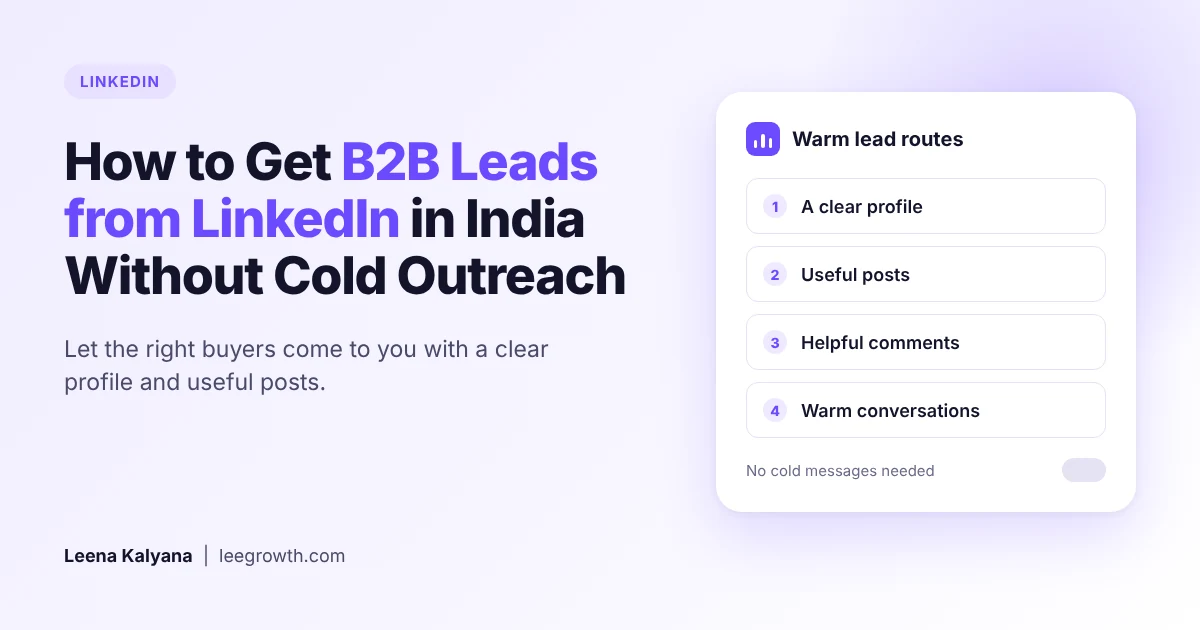
Quick answer: To get B2B leads from LinkedIn in India without cold outreach, fix your profile for one buyer, post useful lessons every week, comment on that buyer’s posts, reply warmly to anyone who reacts, and offer one easy way to contact you.
This is slower than a mass DM campaign, but the people who write to you already know what you do. Nobody can promise a number of leads.
A note on how this guide is written: This is a practical framework built on how LinkedIn works and how Indian B2B buyers tend to decide. The examples are labelled as illustrations, and the numbers are made up where I say so.
In this guide
- What does “without cold outreach” mean?
- Why does this work for B2B in India?
- Step 1: Turn your profile into a landing page
- Step 2: Choose one buyer and three problems
- Step 3: Post to build trust, not to pitch
- Step 4: Comment before you post more
- Step 5: Reply warmly to people who show interest
- Step 6: Watch for signals, but do not stalk
- Step 7: Make it easy to contact you
- Step 8: Track enquiries, not likes
- How Indian B2B buyers move from LinkedIn to WhatsApp
- Post ideas by buyer type
- A 30-day plan you can start today
- How long does it take?
- What does it cost?
- What are the most common mistakes?
- When this approach does not fit
- Frequently asked questions
Key takeaways
- Cold outreach means pitching people who never asked. This guide uses only public posts, comments, replies to people who reach out first, and short connection requests to people you already talk with.
- Your profile is the page buyers check before they reply to you. Fix it before you post anything.
- Pick one buyer type and three problems. Posting for “everyone” brings no one.
- Useful comments on your buyers’ posts put you in front of them without pitching anyone. For many people this is the most underused part of LinkedIn.
- Track enquiries, not likes. A post with 12 reactions and 2 enquiries is worth more than a post with 400 reactions and none.
- No one can promise leads from LinkedIn. What you can control is a clear profile, steady posting and quick replies.
What does “without cold outreach” mean?
Cold outreach is a message to someone who does not know you, asking for a call or a sale. Most of us ignore these messages, and in India, where many deals close on trust and referrals, they often hurt more than they help.
This guide does not use any of these:
- Pitch messages to strangers
- Automated connection requests or bulk DMs
- Scraped lists or bought data
LinkedIn’s own User Agreement does not allow third-party automation tools, so tools that send messages for you can also put your account at risk. LinkedIn can also restrict accounts that send too many connection requests, so slow and personal is safer than fast and generic.
What it does use:
- Your profile, so people who find you understand you quickly
- Your posts, so buyers see your thinking before they need you
- Your comments on other people’s posts, so you become familiar in the places your buyers already read
- Warm replies to people who react, comment or message you first, and short connection requests to people you already talk with in comments
Think of it as being easy to hire, not as chasing people.
Why does this work for B2B in India?
B2B buying is slow. A founder who needs a GST consultant, a packaging supplier or an SEO freelancer rarely decides on the day they first hear of you. They notice you for weeks or months, ask a colleague, and check your profile before they write.
Research by Professor John Dawes of the Ehrenberg-Bass Institute, published by LinkedIn’s B2B Institute, found that only about 5 percent of B2B buyers are in the market in a given quarter. This is called the 95-5 rule. Not everyone agrees on the exact split, but the point holds: if you only talk to buyers who are ready today, you miss most of the market. Posting regularly keeps you in front of the 95 percent, so you are the name they remember when they are ready.
There is a second reason. In India, buyers often check a person before they check a company. A clear profile with real work on it answers the question “can I trust this person?” before you have to.
Step 1: Turn your profile into a landing page
People will look at your profile after they see a comment, a post or a name in a group chat. Whatever they see in the first few seconds decides whether they scroll on or write to you.
Headline. Most headlines say what you are (“Founder at ABC Pvt Ltd”). A better headline says who you help and what you do for them.
- Weak: “Founder | Entrepreneur | Digital Marketing”
- Better: “I help Delhi NCR clinics get more calls from Google Maps | Local SEO”
(Example for illustration. Use your own words and your real work.)
Banner. Use it as a small billboard. State the one thing you offer, and add a simple call to action such as “Message me on WhatsApp” or “Free profile review”. Keep the text large enough to read on a phone.
About section. Only the first two or three lines show before “see more”, so put the useful part first:
- Who you help
- What problem you solve
- What they can do next
Then add a short paragraph on how you work, and finish with your contact route.
Featured section. Pin the three things you want a new visitor to open:
- A case study or a short before and after
- Your best post
- A free resource, such as a checklist or your free SEO audit
Contact route. Put a WhatsApp number or a booking link in your About section and your Contact info. If a buyer has to hunt for it, many will not.
Company page (if you have one). Buyers often check this too, so make it complete:
- Write the About section around what you do, who for and where. “Local SEO for clinics and coaching institutes in Delhi NCR” says more than “a leading digital solutions provider”.
- Choose the industry that matches your work, add your location, and point the page’s button (such as Visit website or Contact us) to a page where people can enquire.
- List your services in plain words. Mention only certifications, awards or client names you can show.
- Make sure the people who work in the business have profiles that tell the same story as the page.
If you want help with the wording, my guide on LinkedIn profile SEO shows how to use the words your customers search for.
Profile checklist (copy this):
- [ ] Headline names who you help and what you do for them
- [ ] Banner has one clear offer and one next step
- [ ] First three lines of About are useful before “see more”
- [ ] WhatsApp number or booking link in About and Contact info
- [ ] Featured section has three items
- [ ] Photo is clear and recent
- [ ] Company page About, industry, location and button are filled in
Step 2: Choose one buyer and three problems
Before posting, write down:
- One buyer. For example: “owners of coaching institutes in Delhi NCR” or “finance heads at mid-sized manufacturing companies in Pune”.
- Three problems they have now, in their own words. Use the questions they ask you on calls and on WhatsApp.
Your posts will come from these three problems. If you cannot name your buyer in one line, your profile and posts will sound vague, and so will your leads.
Not sure which problems to pick? Look at your last ten enquiries. The same questions come up again and again.
Step 3: Post to build trust, not to pitch
Most buyers will never reply to your post. That is normal. The goal of a post is for the right person to think “this person knows my problem”.
What to post (and what not to)
| Post type | Example | Why it works |
|---|---|---|
| A mistake you see often | “Three reasons coaching institutes lose Maps calls” | Shows you know the problem |
| A small teardown | A before and after of a profile or page, with permission or with your own work | Shows how you think |
| A question buyers ask | “Is SEO worth it for a small business?” answered in 150 words | Answers before the call |
| A short step-by-step | A 5-slide carousel on one fix | Easy to save and share |
| A lesson from real work | What changed after you fixed one thing | Real experience builds trust |
| A poll or an honest opinion | “What slows down your enquiries the most?” with four options | Starts conversations and shows who is interested |
Show proof, with permission. Photos, screenshots and short before-and-afters make posts believable. Ask the client before showing their work, and leave out anything covered by an NDA. If you do not have client work to show yet, use your own: your profile before and after, your own numbers, or a lesson from something you tried.
Avoid posts that only say “we are hiring” or “10 years in business”. They tell buyers about you, not about their problem.
Write for India, not for a global audience. Use the problems and words your buyers use: GST filing, vendor payments, Tier-2 expansion, WhatsApp follow-ups, Hinglish questions. If you work in a city, name it.
How often. Two posts a week that you can keep up for months are better than five posts a week for two weeks. Use a format you can repeat.
A simple post structure:
- A first line that names the problem
- Two to four short lines that explain it
- One useful step or example
- A closing line that invites a reply, such as “What do you see in your business?”
Do not paste a sales pitch at the end. A question or a free resource is enough.
A simple rule for how often to ask. As a rule of thumb, make about four out of every five posts purely helpful. Use the fifth to invite people to contact you or to download something free. This is a habit that works for many people, not a LinkedIn rule.
Soft calls to action you can adapt:
- “If you are facing this, I am happy to take a look. Message me.”
- “Want the checklist I use for this? Comment ‘checklist’ and I will send it.”
- “I explain this in more detail for clients. If you are curious, let us talk.”
Stay for the first 30 minutes. After you post, come back to reply to comments and read other people’s posts for a bit. The early replies are the ones that start conversations.
Link your posts to your website. When a post answers a question that needs more space, write the longer answer on your blog and link to it in the first comment. Link to the specific page that answers the question, such as a service page or a guide, and not to your homepage. This is how LinkedIn and Google work together: LinkedIn builds familiarity, and your articles catch people who search. If you want help planning and writing those articles, see my SEO content writing services and SEO services. My B2B marketing channels guide explains where this fits next to SEO and email.
Step 4: Comment before you post more
Comments are the most useful part of this plan. Posting waits for people to find you. Commenting puts you in front of the people you want.
The 10-minute routine
- Make a list of 20 to 30 people who are your ideal buyers or who influence them: founders, heads of department, industry associations, trade writers.
- Follow them and turn on post notifications for the ones who post often.
- Each weekday, leave 5 to 10 comments on their recent posts.
What a good comment looks like
- It adds something: a second example, a practical step, a respectful different view.
- It is specific to the post. “Great post!” does nothing.
- It does not mention your service.
Weak: “Nice insights. We offer SEO services, DM me.”
Better: “We see the same thing with clinics. When the Maps profile lists the wrong timings, calls drop before anyone reads the website. A quick check every month catches it.”
(Example for illustration.)
Comment starters you can adapt:
- “This matches what I see in [industry]. One thing that helped: [specific step].”
- “Good point on [X]. How do you handle [related situation] when [common constraint]?”
- “I would add one thing for [type of business]: [short tip].”
- “A different view: for [situation], [alternative] can work better because [reason].”
- “Thanks for sharing the numbers. Did [detail] change after [event]?”
If you do this every weekday for a month, many of these people will open your profile. By then your profile from Step 1 is doing the selling.
Step 5: Reply warmly to people who show interest
Without cold outreach, you still talk to people. The difference is that they spoke first.
Warm signals you can reply to:
- Someone comments on your post
- Someone sends you a message or a connection request with a note
- Someone asks a question in the comments of a post that you can answer
- Someone you have commented with for a few weeks connects with you
Reply scripts you can adapt
When someone comments on your post:
“Thank you, [Name]. That is a good point about [what they said]. Have you seen the same thing in your business?”
When someone connects with you:
“Thanks for connecting, [Name]. I saw you work in [industry]. I mostly post about [your topic], so I hope some of it is useful.”
When you want to connect with someone you have been commenting with:
“Hi [Name], I have enjoyed your posts on [topic], especially the one about [specific point]. I work with [type of business], so I would be glad to connect.”
Keep it short. LinkedIn limits notes on connection requests for free accounts, so check the current limit before you rely on a long note.
When someone sends an enquiry:
“Thanks for writing, [Name]. To give you a useful answer, could you tell me [one question about their situation]? If it is easier, you can send the details on WhatsApp at [number].”
Notice what is not in these messages: a pitch, a price list or a calendar link on the first reply. Answer the question, ask one question back, and let them decide the next step.
Be quick. A reply within the same working day matters more than a clever reply a week later. The right person will have asked someone else by then.
Step 6: Watch for signals, but do not stalk
Some signals tell you someone may be ready to talk soon:
- They viewed your profile after you commented on their post
- They reacted to several of your posts over a few weeks
- They changed jobs or got a new role, which is a good reason to send a short congratulation
- Their company posted a hiring need that connects to your work
You can see some of these in LinkedIn’s free features. LinkedIn’s paid tools, such as Sales Navigator, show more, but you do not need one to start. If you try it, check LinkedIn’s pricing page for the current plan and cost.
How to use a signal: respond to what they posted, not to what you want to sell. A congratulation message that ends with a pitch is still a cold pitch.
Step 7: Make it easy to contact you
Many B2B leads are lost between “interested” and “contacted”. Check these:
- Is your WhatsApp number or booking link in your About section and contact info?
- Does your Featured section have one clear next step, such as a free review or checklist?
- When someone lands on your website from LinkedIn, can they find a form or WhatsApp button within one screen? If you are not sure, read website conversion audit vs SEO audit.
- Does a real person answer within a working day? If you use WhatsApp for this, see my WhatsApp marketing services.
Tag your links so you can see LinkedIn in your reports. Add UTM tags (for example, utm_source=linkedin and utm_medium=social) to the links you post. Then Google Analytics (GA4) can show visits from LinkedIn as their own source instead of mixing them into “direct” traffic.
A free resource helps people who are interested but not ready for a call. For example, a checklist, a short audit or a profile review. It gives them a way to start without a commitment, and gives you a reason to follow up.
Step 8: Track enquiries, not likes
Likes and impressions feel good, but they do not pay invoices. Keep a simple weekly note:
| Week | Posts published | Comments made | Profile views | Messages from relevant people | Enquiries | Calls booked |
|---|---|---|---|---|---|---|
| 1 | ||||||
| 2 | ||||||
| 3 | ||||||
| 4 |
Four numbers worth tracking each month:
- Connection acceptance rate: accepted requests divided by requests sent. If it is low, your profile or your note needs work.
- Reply rate: replies divided by messages sent. If it is low, your message is too long or too much like a pitch.
- Qualified enquiries: people who fit your buyer and asked about your service. This is the number that matters.
- Cost per qualified enquiry: your total monthly spend (tools, any help, and the time you put in) divided by qualified enquiries. See the cost section below.
Keep a simple lead sheet. A spreadsheet is enough. Use one row per person, with columns for name, company, where they came from (post, comment, DM), date of first contact, last reply, next step and status (talking, quote sent, won, lost, not now). A lead you cannot find is a lead you cannot follow up. When the sheet gets long, move it to a simple CRM.
Ask every new client or enquiry: “Where did you first hear about me?” If the answer is LinkedIn, ask which post or comment. This tells you what to repeat.
Be honest about credit. Someone may notice you on LinkedIn for weeks and then find your website through Google before they contact you. Your reports will show Google, not LinkedIn. Treat LinkedIn as something that influences enquiries, not as the source of every one, and use your “where did you hear about me?” question to catch what the reports miss.
How Indian B2B buyers move from LinkedIn to WhatsApp
In many Indian B2B deals, LinkedIn is where a buyer first checks you, and WhatsApp is where the real conversation happens. Plan for that handoff instead of leaving it to chance.
- LinkedIn builds familiarity. The buyer sees your posts and comments, then opens your profile.
- The profile gives one easy next step. A WhatsApp number or booking link in About and Contact info.
- WhatsApp carries the detail. Buyers often prefer to send a file, a photo or a voice note, and get a quick answer. Keep your first reply short and useful.
- Referrals close the loop. A buyer often asks a colleague or a friend in the same trade before deciding. Make your profile and your replies something they are comfortable forwarding.
Two habits help here: save your WhatsApp Business greeting and quick replies so a first reply takes a minute, and move a conversation to WhatsApp only after the person has written to you first or agreed to it.
Post ideas by buyer type
These are starting points. Test them against the real questions your buyers ask.
| Buyer type | Post idea |
|---|---|
| Chartered accountants and tax consultants | “Three documents clients forget before GST filing, and how to collect them early” |
| Manufacturers and suppliers | “What a buyer checks on your profile before asking for a quotation” |
| Clinics and healthcare | “Why patients call the clinic with the better Google Maps photos” |
| Coaching institutes | “What parents look at before they call a coaching centre” |
| Software and IT firms | “A short teardown of a product page, and what I would change” |
| Freelancers and consultants | “A mistake I made in a client project, and what I do now” |
A 30-day plan you can start today
| Days | What to do |
|---|---|
| 1 to 2 | Write your buyer in one line. List three problems. |
| 3 to 5 | Rewrite your headline, About section and Featured section. Add a WhatsApp or booking link. |
| 6 to 7 | Build your list of 20 to 30 people to follow. Turn on notifications. |
| Week 2 | Comment on 5 posts a day. Publish 2 posts, one from your list of three problems. |
| Week 3 | Publish 2 more posts. Reply to every comment within a working day. Write one longer article for your website. |
| Week 4 | Review what got replies. Repeat the top two post types. Start your tracking table. |
After 30 days, you will not have a full pipeline. You will have a profile that works, a posting rhythm, and a list of people who know your name.
How long does it take?
Give it 60 to 90 days of steady posting and commenting before you judge it. B2B buying cycles are slow, so profile views and better conversations usually come before enquiries, and enquiries before clients. This depends on your offer, your buyer, how clear your profile is and how fast you reply. Nobody can honestly promise a number of leads, and I do not.
What does it cost?
LinkedIn is free to start, so the main cost is your time. Other costs depend on what you add:
- Your time. Plan on about 15 minutes a day for comments and replies, plus an hour or two a week to write posts.
- Tools. Free LinkedIn is enough to begin. A paid tool such as Sales Navigator is optional. Check LinkedIn’s pricing page for the current price before you buy.
- Design or writing help, if you want someone else to do part of it.
- Ads, if you choose to run them later. They are a separate budget.
I do not know of a reliable cost per lead for LinkedIn that applies to every Indian business, and you should be careful with any article that quotes one number for everyone. Work it out from your own first months:
Cost per qualified enquiry = total monthly spend ÷ qualified enquiries
Illustration with made-up numbers, not a benchmark: say you spend ₹15,000 in a month (₹12,500 for content help and ₹2,500 for design) and get 5 qualified enquiries. That is ₹3,000 per qualified enquiry. If one of those five becomes a client worth ₹1,00,000, you spent ₹15,000 to win a ₹1,00,000 client, so it works. If a client is worth ₹5,000, change the plan.
For comparison, my own LinkedIn management plans run from ₹10,000 to ₹14,500 a month, month to month. They cover content, profile work and reporting. They do not include ads, cold outreach or guaranteed leads.
When is it worth hiring help? Run it yourself for 90 days and keep the numbers above. If a qualified enquiry costs far less than a client is worth, but you cannot find the time to keep posting and replying, that is a good moment to get help. If the numbers are poor, fix your buyer, offer and profile before you spend more.
What are the most common mistakes?
- Writing for everyone. A post for “all businesses” reaches no one in particular.
- Pitching in comments. It makes people ignore you.
- Posting in bursts. Ten posts in one week and then silence teaches nobody to expect you.
- Copying global advice. Posts written for the US do not fit how your Indian buyers talk or buy.
- Having no next step. Good posts with no way to contact you lose leads.
- Measuring only reactions. Track enquiries and who they came from.
- Using automation. It risks your account and makes you look like everyone else.
When this approach does not fit
This plan is slower than outreach, and it will not suit everyone:
- If you need a sale this week, run a referral push or paid ads instead. My Google Ads management page covers search ads, which reach people who are already looking. See how to generate leads without ads for the other organic options and how to get your first clients if you are just starting.
- If you cannot name 20 to 30 people or companies you would like to reach, define your buyer first. Posting without a clear audience brings views, not enquiries.
- If you do not have a clear offer yet, fix that first. No profile can sell a vague service.
- If you cannot spend about 15 minutes a day, it is better to hand it to someone than to do it badly.
Frequently asked questions
Can you really get B2B leads on LinkedIn without cold messaging?
Yes, but they come from people who found you through your posts, comments or profile, so it takes longer than sending messages. Expect conversations that start warmer and need less convincing.
How many times a week should I post on LinkedIn for B2B leads?
Two or three times a week is enough for most small businesses. Pick a number you can keep for at least three months. Consistency matters more than volume.
Do I need LinkedIn Sales Navigator?
No. You can start with a free account. Sales Navigator can help you follow account changes and job moves, but it will not fix a weak profile or unclear posts.
Should I use my personal profile or my company page?
Start with your personal profile. In B2B, people usually trust and respond to a person more than to a company page. Use the company page to support it, for example to share the same posts and list services.
Is it okay to message someone who liked my post?
Yes, if your message is about their reaction and not a pitch. A short thank you and a question about their view is fine. Asking for a call in the first message is not.
Can I use LinkedIn Ads instead?
Yes, ads can bring faster reach, but they are a different service with a different budget. This guide covers organic work only.
How much does LinkedIn lead generation cost in India?
It depends on how much you do yourself. LinkedIn is free to start, so your main cost is time. Paid tools, help with content and ads add to that. Work out your own cost per qualified enquiry by dividing your monthly spend by the number of qualified enquiries. See the cost section above for an example.
Does LinkedIn help my website show up in Google or AI answers?
It can help a little, because LinkedIn posts and profiles are pages that search tools can read, and people who see your name on LinkedIn may search for you later. I explain how much it matters in do Reddit, Quora and LinkedIn mentions help AI visibility. The honest answer is that it probably helps, but less than many articles claim.
What to do next
Start with your profile. Rewrite your headline today, add your WhatsApp or booking link, and pick your three problems. Everything else in this guide gets easier after that.
If you would like a second pair of eyes, send me your LinkedIn profile and I will tell you what I would fix first. It is free, and you owe nothing afterwards. Get my free LinkedIn profile review.
If you want someone to plan and write the posts for you, see my LinkedIn management services in Delhi. I do organic content and profile work only. I do not do cold outreach, automation or LinkedIn Ads, and I do not guarantee leads.
About the author
Leena Kalyana is an SEO and digital marketing consultant in Delhi NCR and the founder of LeeGrowth. She works directly with small businesses on Google, Google Maps and AI search visibility, and on organic LinkedIn content. Connect with her on LinkedIn or read more on her About page.
Related guides
- LinkedIn Profile SEO: How to Get Found for What You Sell
- What Marketing Channels Work Best for B2B Businesses?
- How to Generate Leads Without Ads
- 7 Steps to a Marketing Funnel Without a Big Team or Budget
- Website Conversion Audit vs SEO Audit
- Do Reddit, Quora and LinkedIn Mentions Help AI Visibility?
- How to Get More Customers Online in 2026 (India Guide)

Leena Kalyana is an SEO and digital marketing consultant in Delhi NCR and the founder of LeeGrowth. She helps clinics, coaching institutes, consultants and small businesses get found on Google, Google Maps and AI search. She works directly with every client and does not guarantee rankings.