In this article
Choose the service that earns you the most money as your primary category. If two services earn about the same, choose the one you want more of. Add secondary categories only for services you offer today. Three to five in total is a practical target for most small businesses.
Categories decide which searches your Google Maps listing can appear for. A wrong primary category sends your profile to the wrong searches. This guide gives a 5 step method, a 3 question test for secondary categories, examples for Delhi NCR trades, a step by step way to change a category, a routine for keeping up with Google’s category changes and 10 mistakes to avoid.
Last updated: November 2026 Written by [your name], local SEO consultant, Delhi NCR.
What is a Google Business category?
A Google Business category is a label from Google’s fixed list that tells Google what kind of business you run.
You cannot type your own. You search Google’s list and pick the closest match. Google reads the category together with your services, description and website. A profile with the category “Dermatologist” matches skin doctor searches. A profile with only “Medical clinic” matches them weakly.
Why do categories matter for ranking and features?
Categories feed relevance, one of the three factors Google says it uses for local results. They also decide which profile features you see.
Google names three local ranking factors: relevance, distance and prominence. Relevance is how well your profile matches the search. Your category is the clearest relevance signal you control. Distance and prominence (reviews, links, brand fame) you cannot fix with one edit.
Categories also shape the profile itself:
- Buttons and fields: Some categories show extras such as a menu, a booking link or health related fields. Others do not. A wrong category can hide the feature your customers expect.
- What it varies by: The exact features change by category and by country. Open your dashboard after each change and see what appeared or disappeared.
Read Google’s own page on improving your local ranking to see the three factors in its words.
What is the difference between a primary and a secondary category?
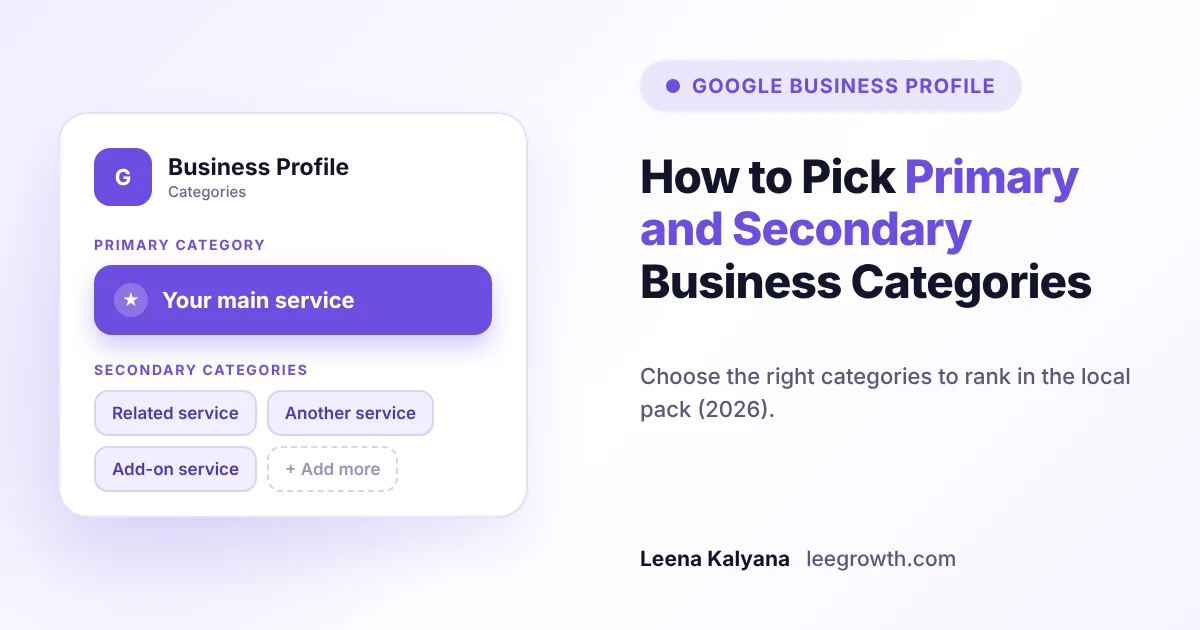
The primary category is your main label. Secondary categories describe your other services.
- Primary category: You pick 1. It shows under your business name on Google Maps. Local SEO studies, including BrightLocal’s guide, rank it as the single most important factor for the local pack.
- Secondary categories: You pick up to 9. They help you appear for related searches. They carry less weight.
- Public view: Customers see the primary category on Maps. Secondary categories stay hidden from the listing.
- Which field is primary: The category in the top field of the editor is your primary. Everything below it is secondary.
A real world pattern from Sterling Sky: an attorney who used “insurance attorney” as primary gained visibility for injury searches after switching to “personal injury attorney”, and lost some visibility for insurance searches. The primary label pulls your profile toward its own searches. Treat it as a choice, not a formality.
Google changes limits and category names from time to time. Confirm the current numbers on Google’s guidelines for representing your business and inside your dashboard.
How many Google Business categories are there?
Google has about 4,000 categories, and the list keeps changing.
A third party tracker counted 4,044 categories on 1 November 2026. It noted two new ones added since May: Babysitter and Home care service. Google does not publish one full list. You see matching categories as you type in your dashboard. Google also removes categories, so a label that worked last year may be gone.
Why does a category name look different in other places?
The name in your dashboard, the name in search results and the name in other countries can differ.
- Internal IDs: Google tracks each category with an internal ID. The label shown can change while the ID stays the same. Local SEO researchers have seen a competitor show a label you cannot find in your own dashboard.
- Country differences: Names change by country. A label used in the US or UK may read differently in India, and the reverse. Sterling Sky points to “Real estate agent” appearing as “Estate agents” in Canada and the UK.
- Tool lists: Third party lists and extensions often carry US names. Use them for ideas, then search the exact word in your own Indian dashboard.
If a competitor seems to use a category you cannot find, do not assume you are missing it. Search for two or three close wording variations first.
Which Google Business categories exist for Indian trades?
Many Indian trades have their own label, so search before you decide one is missing.
A third party list from November 2026 includes these:
- Aadhaar center
- Ayurvedic clinic
- Chartered accountant
- Coaching center
- Tiffin center
- Vastu consultant
- Indian sweets shop
- Mehndi designer
- Homeopath
- Dhaba
Spelling and names differ by language and region. Match what your own dashboard shows, not this list.
How do you pick your primary category?
Match your primary category to the one service that brings in the most customers or revenue.
- Finish this sentence: “My business is a ___.” The noun you write is your starting category.
- Name your top service. Ask which service most customers pay you for.
- Search it on Google Maps. Type the phrase a customer would type, such as “skin specialist near me”, from your area.
- Open the top 3 profiles. Read the category under each business name.
- Select the most specific match from the list in your dashboard. “Dermatologist” is stronger than “Medical clinic” for a skin doctor’s practice.
Google’s guidance is to pick as few categories as possible and as specific as possible. Check the exact wording on the guidelines page before you quote it.
What if the top 3 competitors use different categories?
Pick the category that matches your highest paying service, not the most common one.
Competitors sometimes choose a broad label by habit. Their choice shows what is popular. It does not show what is right for you. A competitor may also rank because of reviews or a strong website, not because of a loose category. Use their list as a check, then decide from your own revenue.
What if you offer several services that earn about the same?
Pick the service you want more of next year as your primary category, and list the others as secondary.
A broad trade does not always have one clear winner. Take an AC technician who earns from repairs today but wants more installation jobs. “Air conditioning contractor” can be the primary category. “Air conditioning repair service” becomes a secondary category. The repair work stays visible and the label points to the work you want to grow.
When two services still tie, break the tie in this order:
- Profit: Which service leaves you the most money after costs?
- Demand: Type the service into the Google search box and look at the suggestions. Google Keyword Planner shows monthly searches for free. A service that nobody searches for should not be your main label.
- Competition: Which label do the top 3 profiles in your area ignore? A gap in competitor categories is an opening.
Which primary category fits your business?
Specific labels beat broad labels. Examples for common Delhi NCR businesses:
- Skin doctor’s practice: Dermatologist, not Medical clinic. A cosmetic or laser skin centre without a doctor focus can use Skin care clinic.
- Dental clinic: Dentist or Dental clinic (see the practice and practitioner section below), not Doctor
- Physiotherapy centre: Physiotherapist or Physical therapy clinic, whichever your dashboard shows, not Wellness center
- Plumber: Plumber, not Contractor
- AC technician: Air conditioning repair service, not Appliance repair service
- Coaching institute: Coaching center, not School
- Salon: Beauty salon or Hair salon, based on your main work
- Tax practice: Chartered accountant or Tax consultant, based on your main work
- Restaurant: A cuisine label such as North Indian restaurant or Punjabi restaurant if your dashboard shows it, not only Restaurant
- Factory in Noida, Faridabad or Manesar: The label for what you make or do, such as Machine shop or a specific parts manufacturer, not the generic Manufacturer
A broad label can still be right when your work truly spans many things. For a factory that makes one product line, the specific label sends buyers who need that product and filters out small repair enquiries that waste your sales team’s time.
Category names change and differ by region. Search the exact label in your dashboard before you select it.
What if Google’s list has no exact match?
Select the closest category and describe the rest in your services section and website.
Many Indian businesses use words that Google’s list does not carry word for word. Try these steps:
- Search 3 or 4 words for the same service. For a tuition centre, test “tuition”, “coaching” and “tutor”. They lead to Coaching center, Tutoring service and Private tutor.
- Pick the broader match that still fits. A cloud kitchen has no label of its own in the list. Meal delivery or Takeout restaurant is the closest fit.
- Add the exact word as a service. Write “cloud kitchen biryani delivery” in the services section and on your website.
- Suggest the missing label. Google Maps has a feedback option. Do not expect a quick answer, but it costs nothing.
- Recheck every six months. Google adds new categories over time.
What if you run a clinic with several doctors?
Google allows a separate profile for a practice and a practitioner only in some fields. Check the rules before you create the second profile.
Doctors and lawyers are the usual examples of a practice and practitioner setup. The clinic has a profile and each doctor who sees patients there can have one too. Both can show up for the same search, which helps in a small market. In a crowded market they can compete with each other.
- Clinic profile: Use the practice label, such as Dental clinic.
- Doctor profile: Use the person’s label, such as Dentist, or a specialty such as Orthodontist or Endodontist.
- Test it: Run the same category on both for a month, then try different categories and compare calls and direction requests.
- Stay honest: Do not create a doctor profile for someone who does not practise at that address. Do not create duplicate profiles for the same business.
The rules sit on Google’s guidelines page. Read them before you add a practitioner profile.
What if you have more than one branch?
Give each branch the category for what that branch really does.
Two branches in neighbouring colonies with the same primary category can compete in the same search. When the branches differ in real ways, show it. One dental branch may focus on implants and another on braces. When they do the same work, test different secondary categories and keep notes. Never add a service to a branch just to separate the labels.
One more rule: keep one profile per real location. Do not open extra profiles for each service or department at the same address. Use one profile with a clear primary and the right secondary categories.
How do you pick secondary categories?
Add a secondary category only when you offer that service today and customers can book it.
Run each idea through this 3 question test:
- Is it a real service? You deliver it now, not later.
- Can a customer book it today? It has a price or a clear process.
- Does it have a home? You have a service entry on your profile and a page on your website.
Three yes answers mean add the category. One no answer means skip it.
- Start with the labels you rejected. The categories you considered for primary but did not choose are your best secondary candidates, if they pass the test. A dentist can add Cosmetic dentist or Dental clinic when both are real services.
- Skip when: You plan to offer the service later.
- Skip when: You offer the service once or twice a year.
- Skip when: The category is only a keyword idea. Categories describe your business. They do not hold keywords.
- Move small tasks to services. Minor jobs that have no category belong in the services section.
Most small businesses need 3 to 5 categories in total. That is a practical target, not a Google rule.
Do more categories dilute your ranking?
Not in the testing that Sterling Sky reports, but only relevant categories help. Irrelevant ones cause other problems.
Some local SEOs believe each extra category spreads your ranking power thinner. Sterling Sky says its own tests did not show that. It reports a Florida law firm that added “Employment attorney” next to its injury primary and improved for employment searches within about two days. Google does not confirm either view, so read this as one team’s results, not a rule.
What this means for you:
- Relevant extras: A real service with its own category can help you appear for more searches.
- Irrelevant extras: A category for work you do not do brings the wrong calls, bad reviews and a risk of trouble with Google.
- Test your own market: Add one real secondary category, log your numbers, and compare after 4 weeks.
How do you handle a business with a shop and home visits?
Choose the category for your main service, show your address if customers visit you, and add service areas for the places you travel to.
- Salon with home visits: Primary category for the salon. Add the areas you visit.
- Clinic with home sample collection: Primary category for the clinic. List home collection as a service.
- Physiotherapist with a clinic and home visits: Primary category for the physiotherapist. Add home visit areas.
- Plumber with no shop: Primary category for the plumber. Hide the address and add service areas.
Categories work the same for a service area business. They describe what you do, and the service areas describe where. A Gurugram plumber still picks Plumber first, then secondary labels for drain cleaning or water heater work if those are real services.
The setup choices are explained in the guide to SEO for plumbers, which covers a travelling trade.
How do you check which categories your competitors use?
Study the 3 businesses that rank above you and compare their categories with yours.
The primary category appears under each business name on Google Maps. Secondary categories stay hidden. Four methods show them:
- Page source method: Open the competitor’s Maps page on a computer, right click, choose View Page Source, and search for the word “category”.
- Browser extension method: Install a category viewer extension such as GMB Everywhere or Pleper’s Chrome extension, search your keyword on Google or Maps, and the extension lists the categories on each profile.
- Category helper tools: Pleper’s category tool takes your business details and keyword and shows the labels that similar businesses use.
- Rank tracker method: Paid tools such as BrightLocal’s Local Search Grid show the primary and secondary categories of the profiles that rank for your keyword.
Tools come and go, and many show US category names. Check that an extension still works before you rely on it, and check every label in your own dashboard.
Compare 3 things:
- Primary category: Is theirs more specific than yours?
- Secondary categories: Do they list services you offer but did not add?
- Services list: Does it match their categories?
The full method is in the guide on Google Maps competitor analysis. Treat a competitor’s list as a check. Choose only what is true for your business.
How do you add or change a Google Business category?
Sign in as the profile manager, open Edit profile, find Business category and select the new label.
- Sign in to the Google account that manages the profile.
- Open the editor. Search your business name on Google or Maps while signed in, or open your Business Profile manager. Choose Edit profile.
- Find “Business category”. It sits in the business information (About) section under your business name.
- Type the service. Google shows matching categories as you type. Select the closest one.
- Change the primary category by replacing the first field. Move the old label to secondary only if it passes the 3 question test.
- Save and record the date in your change log below.
Menu names change from time to time. Follow what your dashboard shows. Avoid editing your name, address and category on the same day. If something goes wrong, you will not know which change caused it.
Can a category change trigger re-verification?
Sometimes. Be ready to verify again after you edit categories, especially the primary.
Google may treat a primary category change as a major edit. Local Search Forum members have reported re-verification after category edits, and in some cases after only adding a secondary category. It does not happen every time, and Google does not publish a rule.
Before you edit:
- Keep access ready: Use the account that owns the profile and keep your phone and business details at hand.
- Pick a quiet week: Do not change the category in the middle of a busy season if you can avoid it.
- Make one change at a time: If the profile asks for verification, you know why.
What happens when you change your primary category?
A primary category change moves your visibility for related searches. The shift goes up or down. The new label can show on your public profile within minutes, but the effect on rankings can take days to a few weeks.
- Change it when: The current category is wrong, too broad or no longer your main work.
- Avoid changing it: Every few weeks or as a test with no plan.
- Record your numbers first: Note profile views, calls and direction requests before the change.
- Compare 4 weeks later: Use the same date range.
Keep a simple log with 6 columns:
| Date of change | Old category | New category | Calls (before / after) | Direction requests (before / after) | Profile views (before / after) |
|---|---|---|---|---|---|
Some categories also unlock profile features, such as booking buttons or health related fields. Check your dashboard after each change.
Should you change your category with the seasons?
Yes, when your main work changes by season. Swap at the start of the season and swap back at the end.
A customer who searches for AC installation in April should not see a label for off season work. A label that matches the season keeps you relevant. A label that stays wrong half the year lowers your relevance for the searches you want.
- AC technician: Put the AC label first before summer. After the season, switch to the label for your main off season work.
- Salon: Add a bridal related category before wedding season and remove it after.
- Caterer or event service: Add the festival or wedding label when you take bookings, not before.
Follow this routine:
- Mark the date 2 to 3 weeks before the season starts.
- Swap the primary label or add the seasonal secondary label.
- Update your services section and website page to match.
- Log the change and compare the same season last year. Comparing with the last 4 weeks misleads you, because demand moves with the season.
Two planned swaps a year is a plan. A swap every few weeks is a guess. Remember the re-verification note above, and keep the swap dates away from your busiest weeks.
How do you keep up with Google’s category changes?
Run a category check every six months and look for new, renamed and removed labels.
Google renames, adds and removes categories all year. Sterling Sky lists 2025 examples: a hockey label renamed, “Probate attorney” added and a swimming label removed. A rename can look like a new category, and a removal can leave your profile with a label that no longer exists.
Early adopters can gain. Sterling Sky cites a 2018 case where an escape room business moved up after adding a newly launched label that most competitors had not yet used. Results vary, and not every new category suits every business. Still, a new category that fits you is worth claiming early.
Use this six month routine:
- Open the category box in your dashboard and search your main service words again.
- Look for a more specific label than the one you use now.
- Check that each existing label still exists and still fits.
- Check who else changed your profile. Google and users can suggest edits, so confirm your categories are the ones you chose.
- Log any change with the date and your before numbers.
How do categories connect to the rest of your profile?
Google reads your categories, services, description and website as one signal. All four need to say the same thing.
Build one chain for every category:
- Category: Dermatologist
- Service entry: Acne scar treatment
- Website page: A page about acne scar treatment
A category with no service entry and no page is a weak signal. A page with no matching category wastes effort.
- Description: State your main service and the areas you cover in plain language.
- Services section: Use the words customers type.
- Category versus attribute: Your category says what you are. An attribute says what you have, such as free Wi-Fi or a wheelchair accessible entrance. Do not hunt for a category to describe an attribute. Set attributes in their own section.
New profiles need the setup steps first. Follow the guide to Google Business Profile setup in India. The wider picture is in local SEO services in Delhi NCR.
Where else should your categories match?
Use the same main label on every listing and on your website.
A Google profile that says Dentist while Bing, Justdial and your website say something else sends mixed signals. Update these when you change a category:
- Your website: If your primary is Chartered accountant, the homepage title and main heading should say so in plain words, such as “Chartered accountant in Karol Bagh”, not a vague phrase like “financial solutions”.
- Bing Places and Apple Maps: Both ask for a category. Pick the closest match to your Google label.
- Directories such as Justdial: Use the same main service in the listing heading and category.
- Facebook page: Set the page category to match.
- Website schema: Use the LocalBusiness subtype that fits, such as Dentist or Plumber, instead of the generic LocalBusiness type.
- Name, address and phone: Keep them identical everywhere.
What do Delhi NCR businesses need to watch for?
Delhi NCR has many listings per trade, so a specific category matters more here than in a small town.
- Dense areas: Karol Bagh, Lajpat Nagar and Gurugram hold many skin clinics, dentists and coaching institutes. A precise primary category sets you apart.
- Industrial belts: Noida, Faridabad, Manesar and Bawana hold many factories and workshops. A specific label brings buyers who want your product and fewer small walk in jobs.
- Hinglish searches: Customers type “skin doctor near me” and “AC repair near me”. Category labels are in English only, so add Hinglish phrases on your website. See Hinglish keyword research.
- Near me searches: Category and location drive these results. See near me SEO in India.
- Seasonal services: Follow the seasonal routine above. Add a category only when the service is live.
Category checklist before you save
Run these 10 checks before you save any category change.
- [ ] My primary category is the most specific label for my main service.
- [ ] I checked the primary categories of the top 3 profiles for my main search.
- [ ] Every secondary category passes the 3 question test.
- [ ] I removed any category for a service I plan to offer later.
- [ ] Each category has a service entry and a website page.
- [ ] My website heading and Bing, Justdial and Facebook listings use the same main label.
- [ ] I searched the exact label in my own dashboard, not a third party list.
- [ ] I logged my calls, views and direction requests before the change.
- [ ] I have the account and phone ready in case the profile asks to verify again.
- [ ] I set a reminder to recheck my categories in six months.
What are the most common category mistakes?
10 mistakes appear in most weak profiles:
- Choose a broad label such as “Medical clinic” or “Repair service” as the primary
- Add every category that sounds close
- Select a category for a service you do not offer
- Copy a competitor’s list without checking it
- Change the primary category again and again with no plan
- Leave the services section empty after you pick categories
- Update Google but leave Bing, Justdial and your website schema with the old label
- Set categories once and never recheck them, even though Google adds and removes labels
- Look for a category to describe an attribute such as Wi-Fi or parking
- Never check whether Google or a user changed your categories
A clearly false category creates problems. Wrong details sometimes lead to a suspension. Read what to do when a Google Business Profile is suspended.
Questions people ask
How many categories can I add to my Google Business Profile?
You can add 1 primary category and up to 9 secondary categories. Google changes limits, so confirm the current number on its help page.
How many Google Business categories are there?
About 4,000. A third party count showed 4,044 on 1 November 2026. Google does not publish a full list and keeps adding and removing labels. Search inside your dashboard for the current names.
Which category is best for ranking on Google Maps?
The category that matches your main service most closely ranks best. No category works as a shortcut. Google also weighs reviews, distance and your website.
How do I change my primary category?
Open Edit profile, find Business category and replace the first field. Record your calls and views first, then compare 4 weeks later. The full steps are in the section on how to add or change a category.
Can I create my own Google Business category?
No. You select from Google’s list. When the exact word is missing, pick the closest category, add the exact word as a service and send feedback to Google through Maps.
Does changing my category hurt my ranking?
A change moves your visibility, so change it only when the current category is wrong or the season changes. The label can show within minutes, and the ranking effect can take days to a few weeks. Record your views and calls before and after.
Can a category change trigger re-verification?
Sometimes. Owners have reported it, even after adding only a secondary category. Keep your account and phone ready, and change one thing at a time.
Do more categories dilute my ranking?
Not in the tests Sterling Sky reports, but Google has not confirmed that. Add only categories for real services, and test the effect on your own numbers.
Should I change my category with the seasons?
Yes, when your main work changes by season. Plan 2 swaps a year, update your services and website to match, and compare against the same season last year.
Do secondary categories help me rank?
Secondary categories help you appear for related searches. They carry less weight than the primary category.
Can a doctor and a clinic both have a Google Business Profile?
Sometimes. Google allows it only in some fields, and each profile must represent a real practice or a real person who practises there. Read Google’s guidelines before you add the second profile.
Can I open a separate profile for each service?
No. Keep one profile per real location. Show your different services with one primary category, the right secondary categories and entries in the services section.
Where do I put services that have no category?
Put them in the services section of your profile and on your website. Categories stay short and services carry the detail.
What is the difference between a category and an attribute?
A category says what your business is. An attribute says what it offers or has. Wi-Fi, parking and wheelchair access are attributes. Set them in the attributes section, not in categories.
Should I copy my competitor’s category?
Use it as a guide, not a rule. A competitor may rank because of reviews or a strong site, not because of its category. Choose what is true for your business.
How often should I review my categories?
Every six months, and before each seasonal swap. Google adds, renames and removes labels all year, so a better fit may now exist.
Can a wrong category get my profile suspended?
A wrong category alone does not trigger a suspension. A category that clearly misrepresents your business creates problems. Keep every category honest.
Get your categories checked
Send me your Google Business Profile link. I tell you whether your primary category fits, what your top 3 competitors use and what I would change first. Start with the free website SEO audit.

Leena Kalyana is an SEO and digital marketing consultant in Delhi NCR and the founder of LeeGrowth. She helps clinics, coaching institutes, consultants and small businesses get found on Google, Google Maps and AI search. She works directly with every client and does not guarantee rankings.