In this article
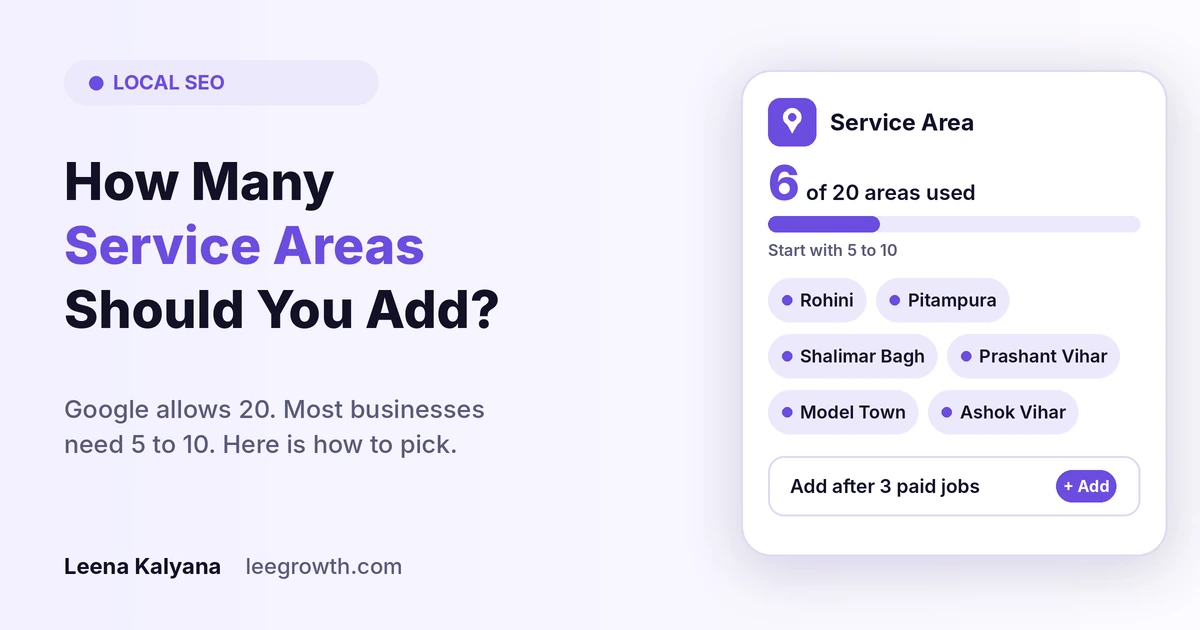
Google allows 20 service areas on a Business Profile, but most businesses need only 5 to 10 areas where they take paid jobs and can arrive within about 45 minutes.
Plumbers, electricians, AC technicians, tutors, movers and mobile beauticians all ask the same question: how many areas go in the box? Google sets a ceiling of 20 areas within about 2 hours of driving from your base. Google gives no radius option. You pick cities, postal codes or other areas.
A service area business serves customers at their location, such as a plumber or a mobile beautician. A hybrid business serves customers at its own address and also travels, such as a salon with home visits. Both types use the service area field.
This guide gives Google’s rules in one table, a 5 step method, a worked example with numbers, ranges by trade and Delhi NCR tips.
In short
- Google allows up to 20 service areas. That number is a ceiling, not a target.
- The whole area stays within about 2 hours of driving from your base.
- Google offers no radius. You choose cities, postal codes or other areas.
- Start with 5 to 10 localities. Add an area after 3 paid jobs there. Remove an area after 90 days with none.
- Listing a town does not make you rank there.
What are Google’s service area rules?
Google sets one limit, one distance guideline and one selection rule for service areas. The table lists each rule with its source.
| Rule | What Google says | Source |
| Maximum number | A profile holds up to 20 service areas | Service area help |
| How you choose | You pick a city, postal code or other area type. A radius distance is not an option | Service area help |
| Distance | The overall area stays within about 2 hours of driving time from your base | Service area help |
| Larger areas | Some businesses suit larger service areas | Guidelines |
| Accuracy | Google asks for areas that are specific and accurate | Service area help |
| Profiles | A service area business has one profile for the whole area it serves | Service area help |
| Edit time | Approved service area edits can take up to 48 hours to show | Service area help |
| Address | Google asks service area businesses to hide the address from customers | Guidelines |
Google changes these numbers from time to time. Confirm them on the help page before you publish.
Check eligibility before you pick areas. Google lists the rules in its business eligibility guidelines.
Should you use all 20 service areas?
No. Most businesses use fewer than 20 areas, because every area on the list promises customers a visit.
Google’s limit describes what the tool accepts. The limit does not describe what fits your business. Three reasons keep the list below 20:
- Honesty: Google asks for accurate areas. A list of places you rarely visit is not accurate.
- Customer trust: A customer who sees your area and calls expects a visit. A refused job costs you time and sometimes a review.
- No ranking gain: Google does not list service areas as a ranking factor. Google names relevance, distance and prominence on its local ranking help page.
Google does not say a long list lowers your ranking. The risk is accuracy and trust. Local SEO consultant Dalton Luka adds a warning: areas far outside your verified base, such as distant counties or states, can lead to a suspension. A list close to your real work avoids the question.
How many service areas should you add?
Start with 5 to 10 localities where you take paid jobs. Go above 10 only when you can name a paid job from each extra area.
The table compares Google’s limits with my recommendation.
| Google’s limit | My recommendation | |
| Number of areas | Up to 20 | 5 to 10 to start |
| Distance from base | About 2 hours of driving | About 45 minutes at the hour customers call |
| Add an area when | Google gives no rule | You have taken 3 or more paid jobs there |
| Remove an area when | Google gives no rule | The area gave 0 jobs in 90 days |
| Review how often | Google gives no rule | Every 90 days |
The right-hand column is my own advice, based on how local service work runs. Google does not set these numbers.
How do you pick your number? A 5 step method
Count your jobs, set a travel limit, rank your localities, add one ring and review every 90 days. I call this the Service Area Count Method.
- Count jobs by locality. Open your lead log, WhatsApp chats and call notes. List every paid job from the last 3 months with its locality. Gather at least 20 to 30 jobs so the pattern holds.
- Set a travel limit. Choose the farthest place you reach in about 45 minutes at the hour customers call. Test the trip in real Delhi traffic, not on an empty road at 6 am. Keep anything beyond the limit off the list, even when Google allows it.
- Rank localities by jobs and profit. Keep every locality that gave you a job. Mark the 2 or 3 localities with the most jobs. Compare average job value too, because many small jobs can earn less than a few large ones.
- Add one ring. Add the localities next to your core areas that you serve at your normal price and speed. Check demand first. Read the search terms in your Business Profile report, read the queries in Search Console, and type the service plus the locality into Google to see its suggestions.
- Cap the list and set a review date. Start with 5 to 10 areas. Set a reminder 90 days out. Add an area after 3 paid jobs there. Remove an area with 0 jobs.
A lead log is a simple sheet that records the date, locality, job value and source of every enquiry. The method depends on it.
Run this 3 question test on any area you doubt:
- Can you reach the area within your travel limit?
- Did you take a paid job there in the last 3 months, or would you gladly take one at your normal price?
- Can you back the area with a review or a website page within a few months?
Three yes answers mean add the area. One no answer means leave the area off for now.
What does a worked example look like?
An AC technician in Rohini counts 36 paid jobs in 3 months and keeps the 6 areas that gave 3 or more. The example is illustrative, not a client case.
| Locality | Paid jobs in 3 months | Decision |
| Rohini | 11 | Add (core area) |
| Pitampura | 8 | Add (core area) |
| Shalimar Bagh | 5 | Add (core area) |
| Prashant Vihar | 4 | Add |
| Model Town | 3 | Add |
| Ashok Vihar | 3 | Add |
| Paschim Vihar | 2 | Watch, add at 3 jobs |
| Dwarka | 0 (4 enquiries declined) | Leave off, too far for fast service |
The result is 6 service areas, well under Google’s limit of 20. The technician then builds service pages for AC repair, installation and gas refill, plus area pages for Rohini, Pitampura and Shalimar Bagh.
How many service areas does each trade need?
Urgent trades need fewer areas than trades with a wider reach. The ranges below are my rules of thumb, not Google’s rules. Adjust each range with your own lead log.
| Business | Starting range | Why |
| Plumber or electrician | 5 to 8 | Urgent jobs need fast arrival, so travel time stays short |
| AC technician | 6 to 10 | Jobs are planned, but summer demand needs fast visits |
| Home tutor | 4 to 8 | Travel time eats teaching hours |
| Mobile beautician or makeup artist | 5 to 8 | Fixed appointment slots and equipment to carry |
| Movers and packers | 8 to 15 | Customers accept a longer reach, and jobs are fewer and larger |
| Cloud kitchen or delivery-only food brand | 3 to 8 | Food must arrive hot within a delivery time you can keep |
| Hybrid business, such as a salon with home visits | 4 to 8 | The shop pulls most customers, so home visits stay close |
Even movers rarely need all 20 areas. Google’s guidelines tell delivery-only food brands to hide the address and add service areas. Read Google’s guidelines for the full food brand rules.
Which areas should you list first?
List areas in three groups, in this order: core, nearby and stretch.
Core areas are the 2 or 3 localities that give you the most paid jobs. List these first, every time. Nearby areas sit next to your core areas, and you serve them at your normal price. List these second. Stretch areas are places you reach only for bigger jobs or at a longer travel time. List a stretch area only when you take the job at your normal terms.
Do more service areas help you rank?
No. Listing a town tells customers you serve it. Listing a town does not make you rank there.
Google measures the distance from the person searching to your verified base. Service area businesses tend to show most strongly near that base, even with far towns listed. Google does not state this directly. Plan for it as observed behaviour. My guide to near me SEO shows how to test your visibility from several spots around your base.
Far areas need support that does not depend on one map point:
- Build a real page for each far area you serve. Add local landmarks, common problems and real jobs done there. Write each page from scratch. Google’s spam policies treat pages made only to rank for one place as doorway abuse.
- Collect reviews from that area. Ask customers there to name the job and the locality.
- Check your visibility monthly. Search your main phrase from 3 to 5 localities. My Google Maps competitor analysis shows how to record the results in a grid.
Should you list localities, cities or postal codes?
List the specific localities or postal codes that Google suggests. Avoid one huge city name when you serve only part of the city.
Google lets you choose cities, postal codes or other areas, and asks for specific areas. “Delhi” as one area says almost nothing about where you work. “Rohini” or “Dwarka” tells a customer where you come. Type a locality name into the service area box and choose the suggestion Google shows. Menu wording changes, so follow what your dashboard offers.
A Delhi business that also serves Noida or Gurugram needs no second profile. Add those areas to the service area list and build a page for each. My local SEO checklist for Delhi explains the setup.
Can you have more than one profile if you serve many areas?
Usually not. Google allows one profile for the whole area a service area business serves.
Google makes one exception. A service business with different locations, separate service areas and separate staff at each location can have one profile per location. A new town on your list does not create a new location. Read Google’s guidelines before you add a second profile.
How do you add, edit or remove service areas?
Open Edit profile, select Location, then edit the Service area field. These steps follow Google’s service area guide:
- Go to your Business Profile and select Edit profile.
- Select Location.
- Select Edit next to “Service area”.
- Choose a suggested area or type your own.
- Delete an area under “Selected service areas” to remove it.
- Select Save.
Approved edits can take up to 48 hours to show. Log the date of each change so you can compare calls before and after.
Two details from Google’s pages are easy to miss:
- Hidden address with no service area: Google picks a local area for you. Add your own list straight away. Read Google’s guide to managing your business address.
- Removing every area: Only a storefront business with an address in its profile can remove all service areas. A service area business keeps at least one area.
New to hiding your address? My setup guide for India walks through each step.
When should you add or remove an area?
Review your list every 90 days and change it only when the lead log says so.
Add an area when you have taken 3 or more paid jobs there, reach it within your travel limit and can back it with a review or page. Add a seasonal area when the season brings real work there, such as AC installs in a new colony before summer. Remove an area when it gave 0 jobs in 90 days, when you turn down jobs there or when you stop serving it.
Avoid weekly changes. Constant edits make results hard to read. Change one thing, wait a few weeks and compare.
What do Delhi NCR businesses need to watch for?
Distance in Delhi NCR is measured in traffic, not kilometres.
- Travel time: A place 10 km away can take over an hour at peak time. Judge your 45 minute limit at the hour customers call.
- Cross-city jobs: A Delhi business takes Noida or Gurugram jobs only when the trip makes sense. Skip a listing that rests on one past call.
- Locality names: Customers search by area name, not by city. My Hinglish keyword research guide shows how people type.
- Seasons: AC work peaks before summer, geyser work in winter and movers at month end. Review the list before each peak.
- Trade advice: Plumbers find the full setup in my guide to SEO for plumbers.
What are the most common service area mistakes?
Six mistakes appear in most weak profiles.
- Add all 20 areas because Google allows it
- List towns an hour or more away
- List areas you do not serve at your normal price
- Use one huge city name instead of specific localities
- Change the list every few days
- Skip the review after setup
A list that does not match your real work can create trouble with your profile. Read what to do when a Google Business Profile is suspended when that happens.
How do you track whether your service areas work?
Track calls by area and compare the results every 90 days.
- Lead log: Record date, locality, job value and source for every enquiry.
- Business Profile performance: Open Google’s performance report to see calls and direction requests.
- Search Console: Filter your area pages to see which localities get impressions. My Search Console guide explains the steps.
- Locality rank check: Search your main phrase from 3 to 5 localities once a month and note your position.
For a month by month routine, follow my 30 day local SEO plan for small businesses.
What questions do people ask about service areas?
How many service areas can I add on Google Business Profile?
Up to 20. Google sets the limit and can change it. Confirm the number on Google’s service area page.
How many service areas should I add?
Start with 5 to 10 localities where you take paid jobs. Add more only when the lead log shows real work there.
Is it bad to add all 20 service areas?
Google does not ban it, but the choice rarely helps. Google asks for accurate areas. A list full of places you rarely serve invites refused jobs and weakens trust.
Can I set a service area by radius?
No. Google does not offer a radius. You choose cities, postal codes or other area types.
How far can my service area reach?
The overall area stays within about 2 hours of driving from your base. Google also says larger areas suit some businesses. Most businesses stay much closer, around 45 minutes.
Do more service areas help me rank?
No. Google does not list service areas as a ranking factor. Listing a town does not make you rank there.
Can I add a whole state or county?
No. Google asks for specific, accurate areas near your base. Pick the localities, cities or postal codes you actually serve.
Can I have a separate profile for each area?
No. Google allows one profile for the whole area a service area business serves. Separate profiles need genuinely separate locations with their own staff.
Should I list Delhi, Noida and Gurugram together?
List all three only when you serve each at your normal terms. Add specific localities and build a page for each far area. A far town on the list does not make you rank there.
How long do service area changes take to show?
Approved edits take up to 48 hours. Record the date and compare results over several weeks.
Can I hide my address and skip service areas?
You can hide the address, but add your own areas. Google chooses a local area for you when you add none.
How often should I review my service areas?
Review the list every 90 days. Add areas that gave 3 or more paid jobs and remove areas that gave none.
How was this guide checked?
I read Google’s rules on Google’s own help pages on 6 November 2026. Google does not state the 5 to 10 range, the 45 minute limit or the 90 day review. Those numbers are my own advice from local service work, and the guide labels them that way. I refresh this page when Google changes its service area rules.
Want your service area list checked?
Send me your Google Business Profile link, your top localities and the areas you want to serve. I tell you which areas to keep, which to drop and what to fix first. Start with the free website SEO audit, or read about local SEO services in Delhi NCR.
Google sources
- Manage your service areas for service-area and hybrid businesses
- Guidelines for representing your business on Google
- Manage your business address
- Tips to improve your local ranking on Google
- Business eligibility and ownership guidelines

Leena Kalyana is an SEO and digital marketing consultant in Delhi NCR and the founder of LeeGrowth. She helps clinics, coaching institutes, consultants and small businesses get found on Google, Google Maps and AI search. She works directly with every client and does not guarantee rankings.