In this article
Quick answer
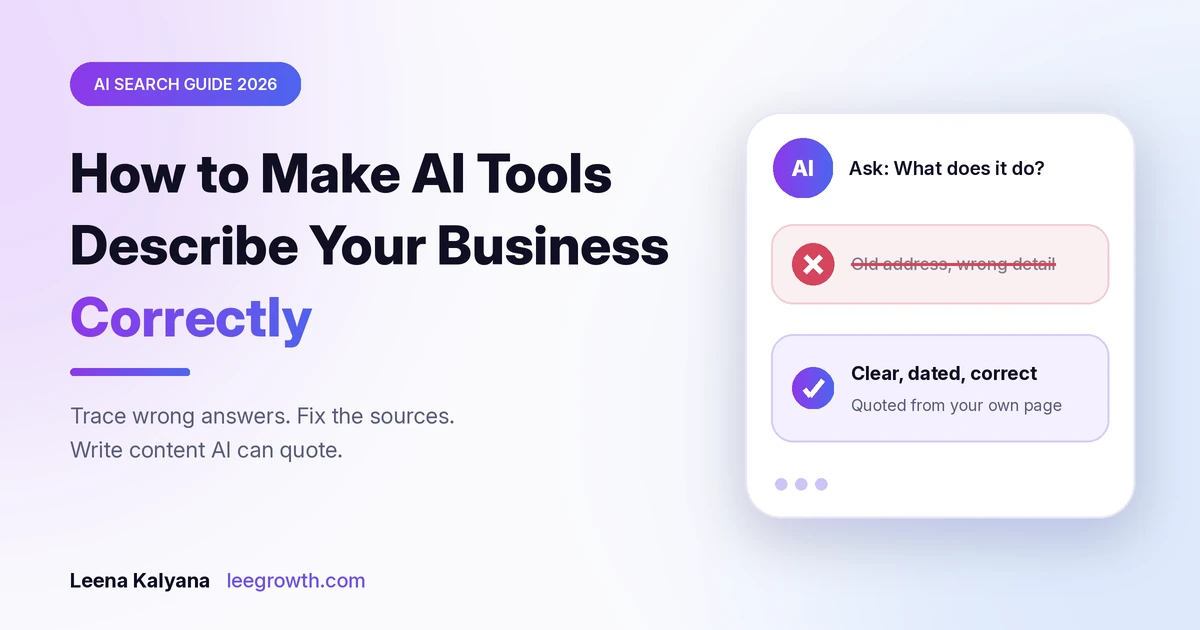
To make AI tools describe your business correctly, you have to fix the pages they copy from. A wrong AI answer is almost never random. It is a copy of something, usually an old directory listing, a vague sentence on your own site, or another company’s page. So the fix is not to “optimise for AI.” The fix is to trace each wrong detail back to the page it came from, correct that page, and then give AI tools one clean, dated, quotable source to use instead. This guide shows how: build a real question set, do an autopsy on every wrong answer, publish a business facts page, write sentences that survive being cut out of context, and test again every month.
If you want help with this, my SEO services include AI search optimisation.
Why a wrong AI answer always has a cause
An AI tool builds an answer from what it learned in training and, in many tools, from pages it reads live. When it gets your business wrong, it has copied a wrong sentence from somewhere, joined two sources that disagree, or filled a gap with a guess. Each of these has a different fix. If you do not know which one you have, you can spend a month updating things that were never the problem.
So this guide works in the order a doctor works: examine, find the cause, treat, then check again.
Step 1: Build a question set from real life
Do not use a generic list of prompts. Use the questions your customers actually ask. Take them from:
- Your WhatsApp and email enquiries from the last three months
- The questions people ask on sales calls
- Your Google Search Console queries (the ones with your business or service name)
- Your Google Business Profile questions and reviews
Then turn them into these eight types. Ask each type in ChatGPT, Gemini, Perplexity and Google AI Mode.
- Identity: What does [business name] do?
- Services: What services does [business name] offer? Does it offer [a service you do not offer]?
- Price: How much does [business name] charge for [service]?
- Place: Where is [business name] located? What areas does it serve?
- Proof: Is [business name] legit? Who are its clients?
- Comparison: How is [business name] different from [competitor]?
- Discovery: Who is the best [service] provider in [your city]?
- Collision: Is [business name] the same as [similar name]?
Two details most people skip:
- Ask in the way your customers type. If your customers write in Hinglish, test that too, for example “Delhi mein best SEO consultant kaun hai?” Answers in Hindi and Hinglish may come from different sources than the English ones. It costs you ten minutes to find out.
- Ask “does it offer X” for things you do not offer. AI tools often agree too quickly. This is where invented services show up.
Run each question two or three times. Answers change between attempts, so a pattern matters more than one answer. Record everything in a sheet:
- Tool and date
- Question and type
- Verdict: correct, partly correct, wrong or missing
- The exact wrong words
- Source the tool linked or named
- Does the answer use wording from your own site? (yes or no)
Want a ready made list to start with? Use my 20 prompt AI visibility test.
Step 2: Do an autopsy on every wrong answer
Take each wrong detail and place it in one of these six groups. The group tells you what to fix.
Stale: the detail was true once.
- Example: an old address, an old phone number, a service you stopped.
- Trace it to: old directory listings, old blog posts, cached pages.
Conflict: two sources disagree.
- Example: your site says “SEO and design,” a directory says “graphic design only.”
- Trace it to: the listing that disagrees with your site.
Gap: nothing clear exists, so the tool guesses.
- Example: no price anywhere, so it gives a made up range.
- Trace it to: nothing. The fix is to publish the fact.
Collision: another business is mixed in.
- Example: facts from a company with a similar name.
- Trace it to: the other company’s pages. The fix is disambiguation.
Stretch: the tool made a reasonable guess that is wrong.
- Example: it says you offer web development because you offer SEO.
- Trace it to: a vague line on your site. The fix is a clear “we do not offer” sentence.
Flatten: you are described as a generic category member.
- Example: “a digital marketing agency” when you are a solo consultant.
- Trace it to: the way your own pages describe you. The fix is a sharper description.
How to trace a wrong detail
- Copy the exact wrong phrase from the answer.
- Search that phrase in quotes on Google and Bing.
- Open the source the tool cited, if it showed one.
- Search your own site for the phrase, using site:yourwebsite.com and the phrase.
- If you find nothing, check old versions of your pages in the Internet Archive’s Wayback Machine.
Most of the time you will find the sentence within ten minutes. Write the page address next to the wrong answer in your sheet. That list is your fix list.
A worked example (fictional)
Greenleaf Physio is a physiotherapy clinic in Rohini, Delhi. A test in ChatGPT and Perplexity showed:
- Wrong detail 1: “Located in Pitampura.” Autopsy: Stale. An old directory listing still carried the address from before they moved.
- Wrong detail 2: “Offers home visits.” Autopsy: Stretch. The About page said “we come to you with care,” which was meant as a figure of speech.
- Wrong detail 3: Price missing from every answer. Autopsy: Gap. No page showed a session fee.
The fixes were: correct the directory listing, write “Greenleaf Physio does not offer home visits” on the services page, and add the session fee with a date. Then test again in three to four weeks. Notice that none of these fixes is schema or “AI optimisation.” They are corrections to the pages that caused the error.
Step 3: Write one clear description, and say what you do not do
Use this formula for your core sentence:
Who you are + what you do + who you do it for + where you work.
Example (fictional): Northline Dental Studio is a family dental clinic in Pune that provides check ups, braces and root canal treatment for children and adults living in Baner, Aundh and Pashan.
Then add three more lines most businesses never write:
- A “not” line. “Northline Dental Studio does not offer cosmetic surgery or home visits.” This stops AI tools from filling the gap with a guess.
- A “not to be confused with” line, if another company has a similar name. “Northline Dental Studio in Pune is not related to Northline Dental Care in Mumbai.”
- A “formerly” line, if you changed your name, address or services. “Formerly known as Smile Corner Dental Clinic, Kothrud. Moved to Baner in March 2025.”
Keep three rules:
- Start with facts, not adjectives. Words like “trusted,” “innovative” and “full service” give a machine nothing it can check.
- Name the service in your customers’ words, for example “cabinet refacing” and not “surface renewal solutions.”
- Use the same core sentence everywhere. Marketing copy can change by channel. Your description of the business should not.
Step 4: Publish a business facts page
This is the most useful thing in this guide, and few businesses do it.
A business facts page is one plain page on your own site (for example, yourwebsite.com/facts) that lists the facts about your business as short, standalone, dated sentences. Think of it as the version of your business you want repeated.
It does three jobs:
- It gives AI tools one clean source. Short, standalone sentences are easy for a tool to lift without changing the meaning.
- It gives you one source of truth. When you update your Google Business Profile, LinkedIn or a directory, you copy from this page, so every profile says the same thing.
- It records history. A changelog shows that a change was deliberate, which helps when old and new information both exist online.
I cannot promise any tool will prefer this page. What I can say is that it costs a few hours, it makes every other step easier, and you can test whether it changes the answers.
Template:
Business facts: [Business name]
Last checked: [date]

Who we are
- [Business name] is a [type of business] in [city].
- We started in [year]. The owner is [name].

What we do
- We provide [service 1], [service 2] and [service 3].
- Our customers are [who].

What we do not do
- We do not offer [service].

Where we work
- Address: [full address]. Service area: [areas].
- Languages: [languages].

Prices (as of [month year])
- [Service 1]: from [price]. [Service 2]: [price range].
- Not included: [what costs extra].

Name and history
- Formerly known as [old name] until [year].
- Not related to [similar name].

Contact
- Phone, email, WhatsApp, hours.

Changelog
- [date]: moved to [address].
- [date]: stopped offering [service].
Write each line so it makes sense alone. Update the “last checked” date every time you review the page, even if nothing changed. Link to it from your About page and footer.
Step 5: Write sentences that survive being cut out
AI tools often take one or two sentences from a page. They lose the heading, the paragraph before it and the design. So test every important sentence by itself. Use these five checks:
- The cut out test. Read the sentence with nothing around it. Does it still make sense? “We start in week one” fails. “LeeGrowth starts every project with a keyword and page plan in week one” passes.
- The swap test. Replace your business name with a competitor’s. If the sentence is still true, it says nothing about you. Delete it or sharpen it. “We deliver quality service” is true for everyone. “We reply to every WhatsApp enquiry within one working day” is yours.
- The number test. Where a number exists, use it: price, time, count, area, year.
- The date test. Add “as of October 2026” to prices, rules and statistics.
- The source test. If a sentence states a rule or statistic, say where it comes from.
Weak versus quotable
Weak: “We offer innovative dental solutions for the whole family at affordable prices.”
Quotable: “Northline Dental Studio in Pune charges ₹500 to ₹800 for a check up and ₹6,000 to ₹9,000 for a root canal, as of October 2026. Braces start from ₹30,000.”
The second version names the business, the city, the services, the prices and the date. An AI tool can lift it whole and the answer stays correct.
Put your own knowledge in
The sentences most worth quoting are ones nobody else can write. Add:
- Your real process, with timelines
- What usually goes wrong, and how you fix it
- Prices and what is not included
- Results from your own work (only what you can show, with permission)
- Local detail: local rules, local seasons, local customer habits
For help writing pages like this, see my SEO content writing service.
Where to put the key sentences
- Top of homepage: the one sentence description, not a slogan.
- About page: legal name, what you do, who you serve, where, since when.
- One page per service: who it is for, what is included, what is not, price or range.
- FAQ sections: real questions, answered in two or three sentences, with the answer first.
Keep all of this in real text. A crawler cannot read text that only exists inside an image, a slider or a PDF.
Step 6: Add Organization schema (with realistic expectations)
Schema markup labels the facts on your page in code. Google recommends Organization markup on your homepage or About page, written in JSON-LD, with every property that applies to you. No property is required.
<script type="application/ld+json">
{
  "@context": "https://schema.org",
  "@type": "Organization",
  "name": "Your Business Name",
  "alternateName": "Short name people also use",
  "url": "https://www.yourwebsite.com",
  "logo": "https://www.yourwebsite.com/images/logo.png",
  "description": "Your one sentence business description from Step 3.",
  "foundingDate": "2020",
  "address": {
    "@type": "PostalAddress",
    "addressLocality": "Your City",
    "addressRegion": "Your State",
    "addressCountry": "IN"
  },
  "contactPoint": {
    "@type": "ContactPoint",
    "email": "hello@yourwebsite.com",
    "contactType": "customer support"
  },
  "sameAs": [
    "https://www.linkedin.com/company/your-company",
    "https://www.facebook.com/yourpage",
    "https://www.instagram.com/yourhandle"
  ]
}
</script>
The sameAs list ties your profiles to your website. If you run a local business, use a more specific LocalBusiness type, as Google advises.
Be honest about what it does. Google states that no special schema is needed to appear in AI Overviews or AI Mode, and structured data must match the visible text on the page. Schema supports a clear page. It does not replace one. After adding it, test the page with Google’s Rich Results Test and the URL Inspection tool in Search Console.
Step 7: Fix the sources outside your website
Use your autopsy list from Step 2. Fix the pages in the order they showed up in the “source cited” column, not in the order that feels easy.
Start with your Google Business Profile, because Google uses it across Search and Maps. Check the name, category, description, address, hours, phone and website. Google reviews edits. The review usually takes about 10 minutes but can take up to 30 days. Unverified profiles can edit only some details, so verify the profile first. If you need help with this, see my local SEO services in Delhi.
Then work through LinkedIn (my guide on LinkedIn profile SEO shows how), industry association listings, local directories and partner pages. Copy text from your facts page. Do not rewrite it for each site.
When you cannot edit a listing, email the site with:
- The page address
- The wrong detail, quoted
- The correct detail
- A link to your facts page as proof
If very little exists about you online, build in this order: Google Business Profile, LinkedIn, two or three directories your customers use, then one genuine mention from another site, such as a partner page or an interview. A few consistent sources work better than many mismatched ones.
Step 8: Make sure AI crawlers can reach your site
If a tool cannot read your pages, it cannot quote them. Check your robots.txt and your security settings. Some firewalls and plugins block AI crawlers without telling you. Each AI company uses different crawlers for different jobs:
- OAI-SearchBot: shows sites in ChatGPT search. If you block it, your site may not appear in ChatGPT search answers.
- GPTBot: collects content that may be used to train OpenAI models. If you block it, you signal that your content should not be used for training.
- ChatGPT-User: visits a page when a user asks ChatGPT about it. OpenAI says robots.txt rules may not apply to visits started by a user.
- PerplexityBot: shows and links sites in Perplexity search. If you block it, your site may not appear in Perplexity results.
- Perplexity-User: fetches a page when a user asks a question. Perplexity says it generally ignores robots.txt, because a user requested the fetch.
- Google-Extended: limits use of your content for AI training and grounding in some Google systems. It does not control normal Google Search or AI Overviews.
Training and search are separate. Blocking GPTBot because you do not want your content used for training is a fair choice. But if you also block OAI-SearchBot or PerplexityBot, you reduce your chance of being found and quoted. Decide on each one on purpose.
For AI Overviews and AI Mode, Google says a page needs to be indexed and eligible to appear in Search with a snippet. So allow Googlebot, keep important content in text, and keep internal links working.
Step 9: Test again every month and keep a fix log
Report wrong answers using each tool’s thumbs down or feedback option. Say what is wrong and what is correct. Feedback does not guarantee a correction, so treat it as a small extra step.
Timing matters. Answers that use live search can change after crawlers revisit your pages, which may take days or weeks. Knowledge stored in a model’s training data changes only when the model is updated, so some errors fade slowly.
Every month, run the same questions again, with the same sheet. Then check:
- Is your site now listed as a source?
- Does the answer use your wording? Which sentence?
- Which wrong detail is still there, and which page does it come from?
- Did a fix cause a new problem? (A corrected address can expose an old phone number.)
Keep a fix log with four columns: wrong detail, group from Step 2, what you changed, what the tool said afterward. After three months this log shows which kind of fix works for your business, and that is worth more than any general advice.
A 30 day plan
- Week 1: Build your question set from real enquiries. Run the test, including a Hinglish round. Do the autopsy and write the page address next to every wrong detail.
- Week 2: Write your core description with the “not,” “not to be confused with” and “formerly” lines. Publish the business facts page. Update your homepage, About page and service pages.
- Week 3: Fix your Google Business Profile, LinkedIn page and the listings from your autopsy list. Send correction emails where you cannot edit. Add schema and check robots.txt.
- Week 4: Report remaining wrong answers. Run the full test again, compare with your baseline and start your fix log.
Frequently asked questions
Can AI tools quote my website content?
Yes. Tools with live search, such as ChatGPT search, Perplexity and Google AI Mode, can use sentences from your pages and link to them. Whether they do depends on whether their crawler can reach your page and whether your sentence answers the question better than other pages do. You cannot force a quote, but clear, specific, dated sentences are the ones most likely to be used.
What makes content worth quoting?
It answers one question directly, makes sense when cut out of the page, names the business, place, number and date, and holds a fact other pages do not have, such as your prices, process or results from real work. If a competitor could paste the same sentence on their site, it is not worth quoting.
Why does ChatGPT give wrong information about my business?
It builds answers from training data and, when it searches, from live pages. A wrong answer usually traces to an old listing, a vague sentence on your site, a conflict between two sources, a gap where no clear fact exists, or another company with a similar name. The autopsy in Step 2 tells you which one.
How long does it take for AI to update what it says about my business?
Answers that use live search can change after the pages they cite are crawled again, which can take days or weeks. Details held in a model’s training data change only when the model is updated. Plan for gradual improvement over one to two months and keep testing.
Does schema markup fix wrong AI answers?
Not by itself. Google says no special schema is needed to appear in AI Overviews or AI Mode. Schema helps systems connect your details, but it works best when your visible page content says the same thing.
Should I block AI crawlers?
It depends on your goal. Blocking training crawlers such as GPTBot stops your content from being used to train models. Blocking search crawlers such as OAI-SearchBot or PerplexityBot can reduce your visibility in those tools. If you want AI tools to describe and quote your business, keep the search crawlers allowed.
How often should I check?
Once a month is enough for most small businesses. Check again after any big change, such as a new service, a new address, a rebrand or a new website.
Sources
- Overview of OpenAI Crawlers
- Perplexity crawlers documentation
- AI features and your website, Google Search Central
- Organization structured data, Google Search Central
- Understand what happens to your Business Profile edits, Google Business Profile Help
Want help to make AI tools describe your business correctly?
If AI tools keep getting your business wrong, the cause is usually in your site, your listings or both. I can run the test, do the autopsy on every wrong answer, build your business facts page and rewrite your key sentences so they are worth quoting.

Leena Kalyana is an SEO and digital marketing consultant in Delhi NCR and the founder of LeeGrowth. She helps clinics, coaching institutes, consultants and small businesses get found on Google, Google Maps and AI search. She works directly with every client and does not guarantee rankings.