
In this article
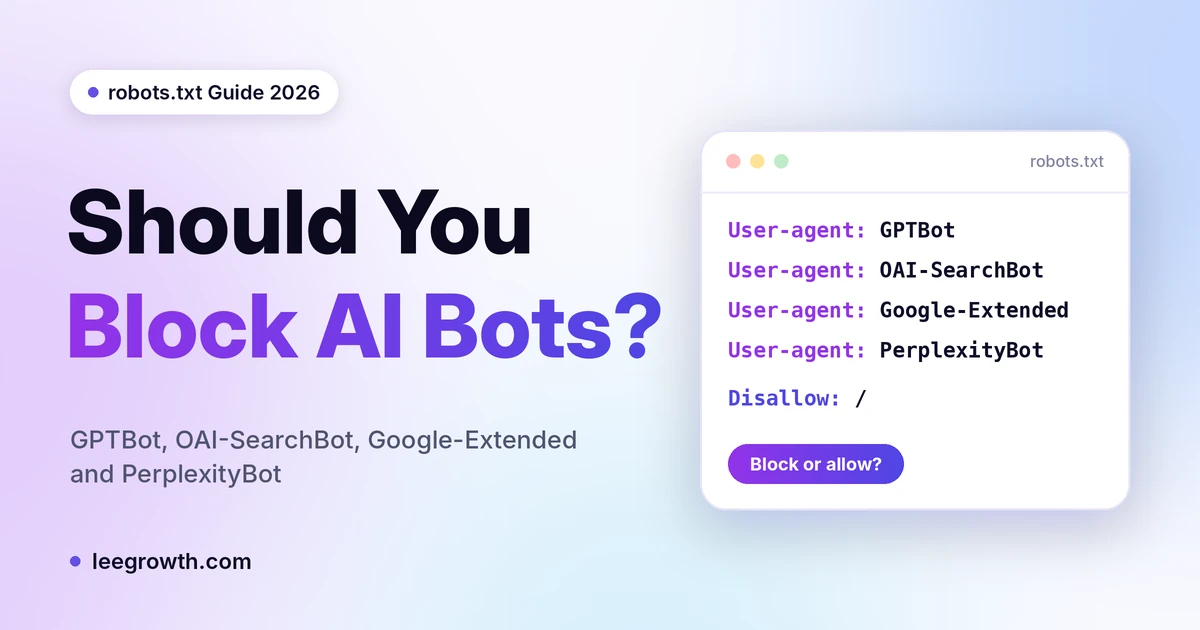
Quick answer: For most small business websites, allow the search bots (OAI-SearchBot and PerplexityBot) so AI tools can find and cite your pages. Block GPTBot only if you do not want your content used to train OpenAI models. Google-Extended is a separate choice: it does not change your Google rankings, and it does not remove you from AI Overviews. No setting guarantees AI citations, and robots.txt cannot stop a bot that a person sends to open your page.
If you opened your robots.txt after reading that AI bots are “taking your content”, you probably found a long list of bot names and no clear answer. The names look alike, but their jobs are very different. Blocking the wrong one can take you out of ChatGPT search answers. Blocking another one costs you nothing on Google.
This guide explains what each bot does, what changes when you block it, and how to check what is really happening on your own site. Bot access is one part of the full AI search optimization checklist.
The five rules to remember
- Block the training bot, keep the search bot. GPTBot and OAI-SearchBot are separate settings.
- Google-Extended is a Gemini setting. It is not a switch for Google rankings or AI Overviews.
- robots.txt is a request, not a lock. Bots that act for a person may ignore it.
- A firewall can override your Allow line. Check your CDN, hosting and security plugin too.
- Allowing a bot is not a guarantee. It lets the bot read your page. It does not promise a citation.
The Three Jobs Rule: every AI bot does one of three things
Decide for each job, not for each brand name.
- Training: collects pages that may be used to build or improve AI models. Examples: GPTBot, and the Google-Extended setting (which also covers Gemini grounding, so it is not a pure training switch).
- Search: collects pages so an AI search tool can find and link to you. Examples: OAI-SearchBot, PerplexityBot.
- User fetch: opens one page because a person asked an AI tool about it. Examples: ChatGPT-User, Perplexity-User.
The rule that follows from this: blocking a training bot does not remove you from AI search, but blocking a search bot can. OpenAI says each of its robots.txt settings works independently, so a site can allow OAI-SearchBot and disallow GPTBot at the same time.
What each bot does, and what happens if you block it
GPTBot (OpenAI, training)
- Job: training
- If you block it: you are telling OpenAI not to use your content for training its models. If you allow both GPTBot and OAI-SearchBot, OpenAI says it may use the results from one crawl for both uses, so blocking GPTBot is how you state your training choice.
- What it does not do: blocking it does not remove you from ChatGPT search. That is handled by a different bot.
- My call for a small business: your choice. It is a content policy decision, not an SEO one.
OAI-SearchBot (OpenAI, search)
- Job: search
- What OpenAI says: it is used to show websites in ChatGPT search features, and OpenAI recommends allowing it in robots.txt.
- If you block it: OpenAI says your site will not be shown in ChatGPT search answers, though it can still appear as a plain navigational link. Allowing it is only the first step. See why ChatGPT cites your competitor and not you.
- Timing: OpenAI says changes to robots.txt can take about 24 hours to show up in search.
- My call for a small business: allow it.
ChatGPT-User (OpenAI, user fetch)
- Job: user fetch
- What OpenAI says: it is used for some actions inside ChatGPT and Custom GPTs. Because a person starts the action, robots.txt rules may not apply. OpenAI says to use OAI-SearchBot in robots.txt to manage search opt outs.
- My call for a small business: do not rely on robots.txt to control this one.
Google-Extended (Google, a control setting)
- Job: training and grounding for Gemini
- What it is: a robots.txt token, not a separate crawler (see Google’s list of common crawlers). It tells Google whether content it already crawled may be used for Gemini training and for grounding in Gemini Apps and Vertex AI.
- What Google says: it does not affect inclusion or ranking in Google Search.
- What it does not do: it does not opt you out of AI Overviews or AI Mode, because those are features inside Search (Google’s AI features guide). The controls that affect them are the normal preview controls (nosnippet, data-nosnippet, max-snippet and noindex). These also change how your normal results look, so use them with care. Google also has a generative AI setting inside Search Console that can include or exclude your content from AI Overviews and AI Mode, so check your own account for it.
- My call for a small business: your choice. It will not help or hurt your Google rankings.
PerplexityBot (Perplexity, search)
- Job: search
- What Perplexity says: it is designed to surface and link websites in Perplexity search results. Perplexity recommends allowing it in robots.txt and allowing its published IP ranges.
- If you block it: you reduce your chance of being listed as a source in Perplexity.
- My call for a small business: allow it.
Perplexity-User (Perplexity, user fetch)
- Job: user fetch
- What Perplexity says: it supports user actions, and it generally ignores robots.txt because a person asked for the page.
- My call for a small business: same as ChatGPT-User. robots.txt will not control it.
Quick summary
- OAI-SearchBot: allow
- PerplexityBot: allow
- GPTBot: your choice
- Google-Extended: your choice, no effect on Google rankings
- ChatGPT-User and Perplexity-User: robots.txt may not apply
Three claims you will see online that are wrong
Some guides repeat these. Check the company’s own page before you believe them.
- “Blocking GPTBot makes you invisible to ChatGPT.” OpenAI says GPTBot is for training and OAI-SearchBot is for search, and that each setting works independently.
- “Blocking Google-Extended removes you from AI Overviews.” Google says it does not affect inclusion or ranking in Google Search, and AI Overviews are a Search feature.
- “PerplexityBot is a training crawler.” Perplexity describes it as a bot that surfaces and links sites in search results, and says it is not used for model training.
If a guide gets one of these wrong, treat the rest of it with care.
robots.txt is a request, not a lock
robots.txt works like a sign at the door. Polite crawlers read it and follow it. It does not physically stop anyone.
It also does not cover bots that act for a person. When someone pastes your URL into an AI tool, the tool may fetch that page on their behalf, and the bot owners say their rules for these fetches differ from normal crawling.
So if a page must stay private, robots.txt is the wrong tool. Use a login, a password, or a firewall rule.
The firewall trap: robots.txt says Allow, but the bot never gets in
This is the problem most site owners miss. Your robots.txt can welcome a bot while something else turns it away before it reaches the page.
Check these places:
- Cloudflare or other CDN settings: some have a switch to block AI bots.
- Hosting panel: some hosts block unknown bots by default.
- Security plugins: WordPress security plugins can block bots by user agent or by request rate.
- Firewall rules: a rule that returns a 403 error to certain bots.
- SEO plugin rules: your SEO plugin may write its own robots.txt lines. Open the live file and read it, not just the plugin settings.
The result looks like this: you think you are open to AI search, but the bot gets an error and leaves. Perplexity and OpenAI both publish IP ranges so you can allow real requests through your firewall. If you are also changing your site or hosting, read how to protect AI search citations during a website migration, because bot rules can change without anyone noticing.
Which setting fits your type of site
- Local service business that wants leads from AI answers: allow OAI-SearchBot and PerplexityBot. Decide on GPTBot and Google-Extended separately.
- Blogger or publisher who dislikes training use: block GPTBot and Google-Extended, but keep the search bots allowed.
- Member or paid content: use a login or firewall. Do not depend on robots.txt.
- Freelancer or consultant who wants to be recommended: allow the search bots, and make sure your firewall is not blocking them.
Not sure which one you are? Answer three questions.
- Do you want to appear in ChatGPT and Perplexity answers? If yes, allow OAI-SearchBot and PerplexityBot.
- Are you comfortable with your public pages being used to train AI models? If no, block GPTBot, and decide on Google-Extended separately.
- Is anything on your site private? If yes, protect it with a login, not with robots.txt.
Copy and paste robots.txt examples
Rules checked against each company’s own documentation in October 2026. Bot names and rules change, so check again before you publish changes on a client site.
Option 1: allow search bots, block GPTBot and Google-Extended
User-agent: OAI-SearchBot
Allow: /

User-agent: PerplexityBot
Allow: /

User-agent: GPTBot
Disallow: /

User-agent: Google-Extended
Disallow: /
Option 2: allow all four
User-agent: OAI-SearchBot
Allow: /

User-agent: PerplexityBot
Allow: /

User-agent: GPTBot
Allow: /

User-agent: Google-Extended
Allow: /
Option 3: block all four
User-agent: OAI-SearchBot
Disallow: /

User-agent: PerplexityBot
Disallow: /

User-agent: GPTBot
Disallow: /

User-agent: Google-Extended
Disallow: /
None of these touch Googlebot, so your normal Google crawling stays the same. Remember that blocking Google-Extended also stops Gemini grounding use, so it is not a pure training block. Option 3 is rarely a good idea for a business that wants to be found.
How to edit robots.txt on a WordPress site
If your site runs on WordPress, you can usually edit robots.txt from your SEO plugin.
- Yoast SEO: go to Yoast SEO, then Tools, then File editor, and click Create robots.txt file if you do not have one yet. Yoast says this option may not appear if file editing is turned off on your site. In that case, edit the file over FTP or your hosting file manager.
- Rank Math: look for the Edit robots.txt option under its General Settings. Menu names can change between versions.
- No SEO plugin: WordPress makes a virtual robots.txt if there is no physical file in your site’s root folder. To control it yourself, create a plain text file named robots.txt there.
- Use one editor only: if you use an SEO plugin, edit the file in that plugin, not in several places.
After you save, open yourdomain.com/robots.txt in your browser and check that your new lines show.
How to check what is really happening on your site
- Read your live robots.txt. Open yourdomain.com/robots.txt. Look for a blanket Disallow under User-agent: * and note which AI bots are named. The technical SEO audit checklist covers the other crawl checks.
- Check your security layers. Look at your CDN, hosting panel and security plugin for AI bot or bot fight settings.
- Look at your logs. Search your server or CDN logs for 14 to 30 days for OAI-SearchBot, GPTBot, PerplexityBot, ChatGPT-User and Perplexity-User. If your host gives no logs, say so and note what tool you used instead.
- Verify the visits are real. Anyone can copy a bot name. OpenAI publishes IP lists for its bots (searchbot.json, gptbot.json and chatgpt-user.json), and Perplexity publishes lists for PerplexityBot and Perplexity-User. Match the visiting IPs against these.
- Wait, then recheck. OpenAI says search changes can take about 24 hours. Check the logs again after a day or two.
- Test a few questions. Ask ChatGPT search and Perplexity a few questions your customers ask, and note whether your site is cited. A free method is in my Perplexity visibility tracker guide. Being allowed to crawl does not guarantee a citation.
My check on leegrowth.com: [ADD YOUR OWN RESULT HERE. Date checked: ___. Where I looked (host logs, Cloudflare or plugin): ___. Bots seen and over how many days: ___. Verified by IP: yes or no. What I changed: ___. Delete this box if you did not run the check.]
Mistakes to avoid
- Copying a long blocklist from a random site without knowing what each line does.
- Blocking Googlebot by accident with a broad rule.
- Thinking Google-Extended removes you from AI Overviews. It does not.
- Forgetting the firewall. An Allow line means nothing if the request gets a 403 error.
- Using robots.txt for private pages. It is not a security tool.
- Expecting a guarantee. Allowing a bot lets it read your page. It does not promise a citation. Clear pages also help, as explained in how to write content that AI search engines can understand.
- Adding a bot group and forgetting your other rules. A crawler follows the most specific group that matches it. It does not automatically pick up the rules from the general group for all bots, so repeat any private path rules inside each bot’s group.
- Blocking a page in robots.txt and expecting noindex to work. If a bot cannot crawl a page, it cannot read the noindex tag on it.
- Assuming one robots.txt covers every subdomain. The file applies to one host, so a docs or shop subdomain needs its own.
- Leaving a broken robots.txt. If your robots.txt file returns a server error instead of loading normally, some bots may treat your whole site as off limits. Open it in your browser and check that it loads.
Other AI bots worth knowing
OpenAI also runs OAI-AdsBot, which only visits pages submitted as ads on ChatGPT. OpenAI says its data is not used to train models. If you plan to run ChatGPT ads, see my ChatGPT ads guide. Other companies run their own bots too. Anthropic runs three, and explains them on its help page: ClaudeBot collects content that could be used for training, Claude-SearchBot helps improve search results, and Claude-User fetches pages when a person asks Claude a question. Anthropic says disabling Claude-SearchBot may reduce your visibility in Claude search results, and that its bots honor robots.txt. It also says not to block its IP addresses as a way to opt out, because that can stop its bots from reading your robots.txt at all. Bot names change, so check each company’s own crawler page before you add or remove lines.
FAQ
Will blocking GPTBot hurt my ChatGPT visibility? Not by itself. GPTBot is for training. ChatGPT search uses OAI-SearchBot.
Does Google-Extended affect my Google rankings? No. Google says it does not affect inclusion or ranking in Google Search.
Does blocking Google-Extended remove me from AI Overviews? No. AI Overviews work inside Google Search. Google-Extended does not control them.
Does ChatGPT-User obey robots.txt? OpenAI says robots.txt rules may not apply, because a person starts the action.
Should a small business block AI bots? If you want to be found in AI answers, keep the search bots allowed. Blocking training bots is a separate choice about how your content is used.
How do I know if AI bots visit my site? Check your server or CDN logs, then match the visiting IP addresses against the lists the bot owners publish.
Should I add an llms.txt file to control AI bots? No. llms.txt does not control crawler access, robots.txt does. Google also says specific optimization is not required for AI Overviews and AI Mode.
What is OAI-AdsBot? It is an OpenAI bot that visits only pages submitted as ads on ChatGPT. OpenAI says its data is not used to train models.
Do I need to block ClaudeBot? Only if you do not want your content used for Anthropic model training. ClaudeBot is the training bot. Claude-SearchBot is for search, and Claude-User fetches pages when a person asks Claude.
Sources
Official documentation used for this guide:
- OpenAI: Overview of OpenAI Crawlers (GPTBot, OAI-SearchBot, ChatGPT-User, OAI-AdsBot)
- Google Search Central: Google’s common crawlers (Google-Extended)
- Google Search Central: AI features and your website
- Perplexity: Perplexity Crawlers (PerplexityBot, Perplexity-User)
- Anthropic: Does Anthropic crawl data from the web, and how can site owners block the crawler?
- Yoast: How to edit robots.txt through Yoast SEO
Want a second pair of eyes on your robots.txt?
If you are not sure whether your site is open to AI search bots, I can check your robots.txt, firewall settings and bot access as part of a free website SEO audit. Book it through the audit page or send me your website on WhatsApp.

I’m Leena Kalyana, an SEO and digital marketing consultant in Delhi. I work across SEO, content marketing, social media, and digital design. I’m interested in helping businesses build a stronger online presence through practical SEO strategies, useful content, and creative digital marketing.