
In this article
A website migration can change your URLs, page structure, content, and search visibility. But what happens to your AI search citations after website migration? If ChatGPT or another AI search tool previously referenced your website, will it continue to show your old page, find the new URL, or stop citing your content?
There is no universal timeline or guarantee for how AI search citations change after a migration. Redirects, accessible pages, relevant content, and correct technical settings can help search systems discover your new URLs. However, a redirect alone does not guarantee that an AI search engine will cite the new page.
This guide explains how to protect AI search visibility during a website migration, what to check before launch, and how to measure changes afterward.
How to Protect AI Search Citations After Website Migration
AI search citations may change when a website moves to a new domain, changes URLs, or substantially rewrites its content. An AI search tool may continue to reference an old URL for some time, discover the new URL, or stop citing the page for a particular query.
To reduce avoidable problems, map old URLs to relevant new pages, use appropriate permanent redirects, preserve useful information, check crawler access, update internal links, and monitor your pages after launch.
Important: Google Search rankings and AI search citations are different measurements. Protecting traditional SEO signals can support discoverability, but it does not guarantee citations in ChatGPT or other AI search experiences.
1. Identify Which Pages Matter Before the Migration
Do not treat every page as equally important. Start by identifying the pages that bring qualified visitors, answer important customer questions, earn backlinks, or appear as sources in AI search results.
Review:
- Pages receiving organic search traffic.
- Pages with useful backlinks from relevant websites.
- Service pages that support enquiries and conversions.
- Articles that answer specific questions clearly.
- Pages that you have confirmed are cited or linked by AI search tools.
Use Google Search Console to review search clicks, impressions, indexed URLs, and page-level performance. Analytics can help you identify pages that bring enquiries or other meaningful actions.
You can follow this Google Search Console guide for small businesses to understand how to review your search performance.
Keep a list of important pages before changing the website. This gives you a baseline for comparison after launch.
2. Create a URL Mapping and Redirect Plan
A website migration often changes page addresses. For example, an article might move from /blog/old-seo-guide/ to /seo-guide/.
Create a spreadsheet with these columns:
| Old URL | New URL | Redirect status | Content checked | Post-launch status |
|---|---|---|---|---|
/blog/old-seo-guide/ | /seo-guide/ | To test | Yes or no | To monitor |
/services/old-seo-page/ | /seo-services/ | To test | Yes or no | To monitor |
Use the table as a working checklist. Replace the example URLs with your actual pages.
Each old URL should point to the most relevant new destination. Avoid redirecting unrelated pages to the homepage simply to remove errors. If a page has no suitable replacement, assess whether it should remain available, return a genuine not-found response, or be handled another way.
Google recommends mapping old URLs to their new destinations, implementing permanent redirects when appropriate, updating internal links, and submitting the new sitemap. See the official Google site migration guide.
What this means for AI search: Correct redirects help people and crawlers reach the intended page. They do not force an AI system to replace an old citation with a new one.
3. Preserve the Information That Makes a Page Useful
A migration is often combined with a redesign or content rewrite. This creates another risk: the new page may no longer answer the question that made the old page useful.
Before rewriting a page, record:
- The main question the page answers.
- Important facts, examples, definitions, and steps.
- The headings that make the information easy to navigate.
- Relevant author details and supporting evidence.
- Internal links to related pages and services.
Improve outdated or weak content when needed, but do not remove useful answers simply to make a page shorter or more visually attractive.
For example, if an article explains how a small business can prepare for a website migration, retain the practical checklist even if the layout changes. A new design should make the information easier to use, not remove the substance.
For more guidance, see how to optimize content for AI search.
4. Check Whether AI Search Crawlers Can Access Your New Website
A page cannot be reliably discovered through normal crawling if access is blocked. After migration, review your robots.txt file, page-level robots directives, server responses, and relevant security settings.
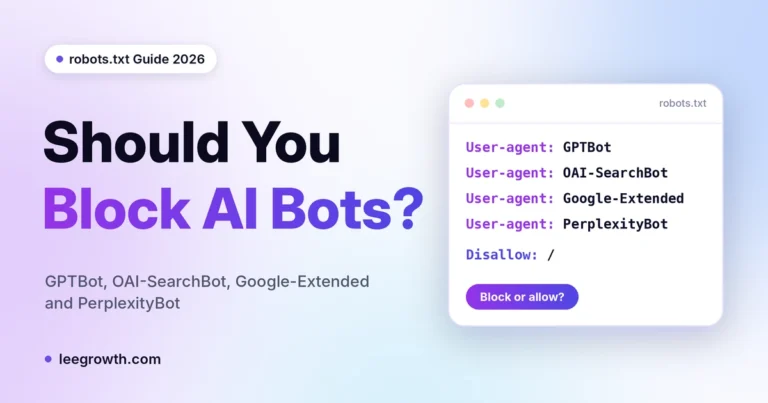
For ChatGPT search visibility, check whether your robots.txt rules allow OAI-SearchBot to crawl the pages you want to be discoverable. OpenAI explains that OAI-SearchBot is used to surface websites in ChatGPT search results. It is separate from GPTBot, which is associated with model training.
Review the official OpenAI crawler documentation before changing crawler rules.
Also check that:
- Important pages return a successful response.
- Pages intended for search are not accidentally marked
noindex. - Canonical tags point to the intended URLs.
- The XML sitemap contains the correct new URLs.
- Internal links do not point to obsolete addresses.
- Important text is available in a crawlable format.
Allowing a crawler does not guarantee inclusion or citation. It simply removes one possible access barrier.
5. Record Existing AI Search Citations Before Launch
If you want to measure changes in AI search visibility, collect a baseline before the migration.
Choose a consistent set of relevant questions that potential customers might ask. For example, a business offering SEO services might test questions about website migration SEO, technical SEO checks, and protecting organic visibility during a redesign.
Record the following for each test:
| What to record | Why it matters |
|---|---|
| Question or prompt | Keeps comparisons consistent |
| AI search tool | Results can differ between tools |
| Cited page URL | Shows which page was referenced |
| Brand mention | Records whether your business was named |
| Date checked | Helps identify changes over time |
Repeat the same tests after launch. AI-generated results can vary, so a single test is not enough to establish a lasting change.
You can also use this guide to checking whether ChatGPT cites your website.
6. Use the LeeGrowth Citation Continuity Audit
The Citation Continuity Audit is a practical checklist for reviewing a migration. It is a working framework, not a proven ranking formula or a guarantee of AI citations.
Check 1: URL continuity
Confirm that every important old URL has a suitable destination, redirects work correctly, and internal links use the new addresses.
Check 2: Evidence continuity
Confirm that the new page still contains the useful answers, facts, examples, and supporting information found on the old page. Update information that is no longer accurate.
Check 3: Citation continuity
Repeat your saved AI search tests after launch. Record whether the old URL, new URL, another source, or no citation appears. Compare results across several dates rather than drawing conclusions from one response.
Together, these checks help you separate technical migration problems from content changes and normal variation in AI search results.
7. Monitor Search Visibility After the Website Migration
Do not judge the migration only by whether an AI tool cites your site immediately after launch. Track several signals because they measure different things.
Google Search Console: Review clicks, impressions, indexing reports, sitemap processing, and not-found errors.
Website analytics: Compare organic landing-page visits and meaningful actions, such as contact form submissions.
AI search checks: Repeat your saved prompts and record citations, URLs, and brand mentions.
If a page loses visibility, investigate its status before rewriting everything. Check whether the URL resolves correctly, the page is indexable, the redirect points to the right destination, and the content still answers the intended question.
Google notes that search visibility can fluctuate during a site move while its systems recrawl and process URLs. AI citation changes should be tracked separately because they do not follow a guaranteed schedule.
If you find indexing or technical issues, use the free LeeGrowth website SEO audit as a starting point for reviewing your site.
8. Do You Need Schema Markup for AI Search Citations?
Structured data can help search engines interpret information about a page when it is implemented correctly. However, adding schema does not guarantee that a page will appear in AI answers or receive a citation.
Use relevant structured data that accurately represents the visible page content. Check that your Article, Organization, or other applicable markup is valid and consistent with the website.
Read the LeeGrowth guide to schema markup for AI search visibility for more detail.
Focus first on accessible pages, useful content, clear internal links, and correct migration settings. Schema should support these basics, not replace them.
Frequently Asked Questions
Does a website migration affect AI search citations?
It can. A migration may change URLs, page content, crawl access, and the way a page is discovered. These changes may affect which page an AI search tool references, but the outcome is not the same for every site.
Do 301 redirects transfer ChatGPT citations?
No guarantee exists that a 301 redirect will transfer an AI search citation. Permanent redirects help direct users and crawlers to a new URL, but citation selection is a separate process.
How long does it take AI search engines to update citations after a migration?
There is no universal, confirmed timeline for AI search citations to update after a migration. Track the new URLs, crawler access, indexing, and repeated AI search results over time rather than relying on a fixed number of days.
Should I rewrite all my content during a website migration?
Not necessarily. Rewrite content when it needs improvement, but preserve useful answers, evidence, examples, and relevant context. Changing URLs, design, and content all at once can make it harder to identify the cause of a visibility change.
How can I check whether ChatGPT cites my website?
Use a consistent set of relevant questions, run them in ChatGPT search, and record the cited URLs and brand mentions. Repeat the tests on different dates and compare the results. Treat this as a practical observation method, not a complete measure of AI visibility.
Does allowing OAI-SearchBot guarantee that ChatGPT will cite my site?
No. Allowing OAI-SearchBot supports discovery through ChatGPT search, but it does not guarantee that your pages will be selected for a particular answer.
Final Checklist: Protect AI Search Visibility During Migration
Before launch:
- Identify pages with valuable traffic, links, enquiries, or observed AI citations.
- Map old URLs to relevant new URLs.
- Preserve useful content and supporting evidence.
- Review robots.txt,
noindex, canonical tags, and crawler access. - Save your current search and AI citation observations.
After launch:
- Test redirects and internal links.
- Submit the updated XML sitemap.
- Review Google Search Console for indexing and URL errors.
- Repeat your AI search citation checks.
- Record changes before making further edits.
Website migration SEO and AI search optimization share important foundations: accessible pages, useful information, clear structure, and reliable URLs. These steps can reduce avoidable problems, but no checklist can promise that an AI system will cite a specific page.
If you need help reviewing your website migration, technical SEO, or AI search visibility, explore LeeGrowth SEO services.

I’m Leena Kalyana, an SEO and digital marketing consultant in Delhi. I work across SEO, content marketing, social media, and digital design. I’m interested in helping businesses build a stronger online presence through practical SEO strategies, useful content, and creative digital marketing.