

SEO
Content
AI Search
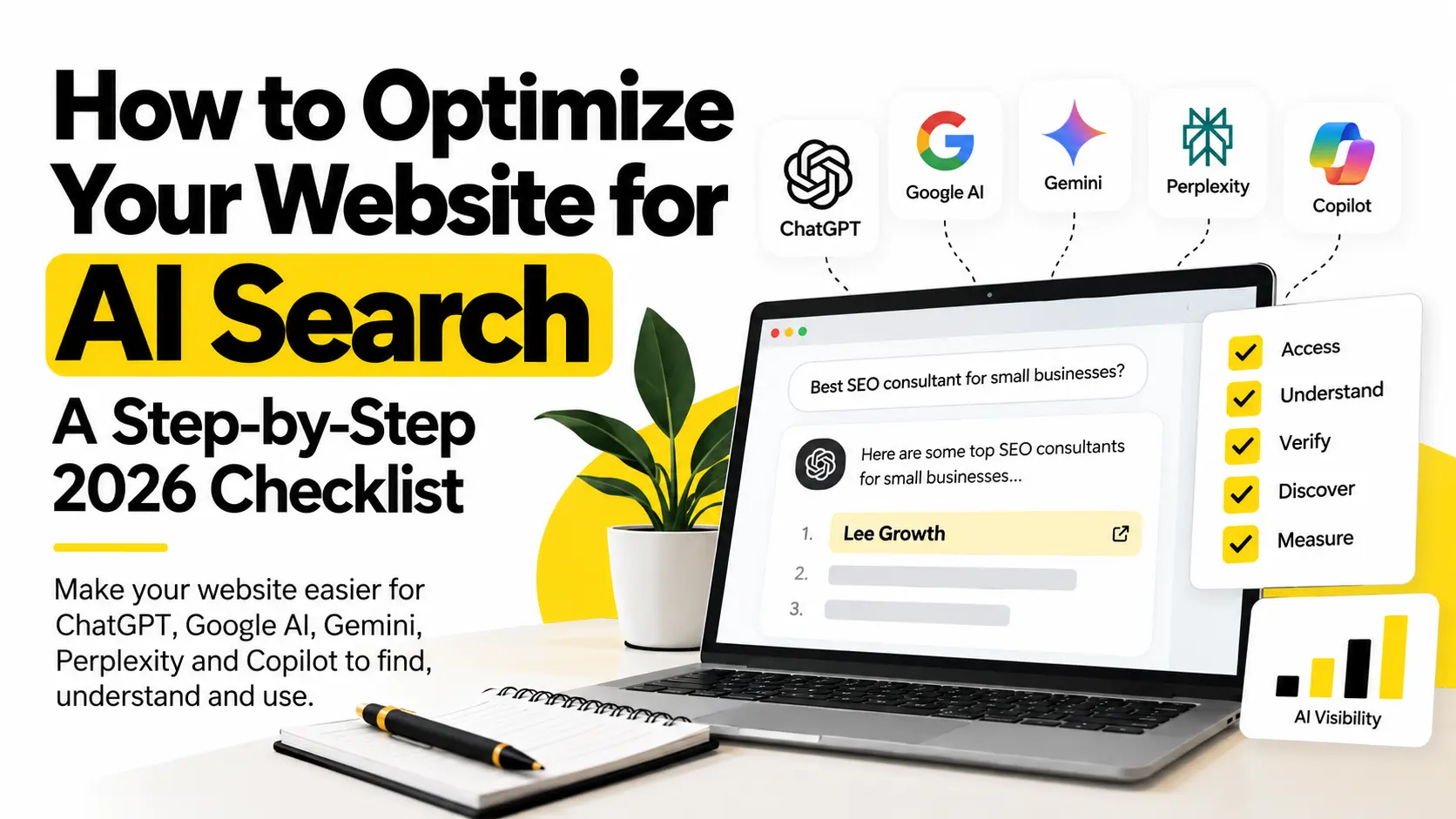
To optimize your website for AI search, make your pages crawlable and indexable, give each page one clear purpose, put the direct answer first, back claims with proof, keep your business details consistent across the web, and test real customer questions on the AI tools your buyers use. It builds on SEO. It does not replace it.
Ranking in Google search results is not the same as being mentioned in an AI answer, such as an AI Overview or an AI Mode response. Many businesses rank well in search, yet their competitors appear in ChatGPT, Gemini or Perplexity while they do not.
This guide gives you a checklist to fix your site, a 20-prompt test to see where you stand, a simple scoring method, a 30-day plan and a way to measure progress.
Key takeaways
- Access comes first. A page that cannot be crawled or indexed cannot be used in an answer.
- Answer first, then prove it. A direct answer plus a source, a date or first-hand detail beats a long introduction.
- Be the same everywhere. Consistent business facts on your site and key profiles remove confusion.
- Measure mentions, citations and visits separately. They are different numbers.
- No tricks required. Google says there is no special markup or file you must add for its AI features.
Table of contents
- What Is AI Search Optimization?
- AI Search vs Traditional SEO
- The 5-Layer Framework
- Step 1: Make Sure Search and AI Systems Can Reach Your Website
- Step 2: Give Each Page One Clear Purpose
- Step 3: Put the Answer First
- Step 4: Write Content That Is Easy to Read and Use
- Step 5: Add Proof, Sources and Original Information
- Step 6: Make Your Expertise and Business Details Clear
- Step 7: Build Honest Third-Party Signals
- Step 8: Use Structured Data Only Where It Fits
- Step 9: Do Not Hide Important Information in Images or PDFs
- Step 10: Keep Your Information Current
- What You Can Skip
- Mention, Citation, Recommendation, Referral and Conversion
- How to Test Your AI Search Visibility
- How to Score Your Test Results
- How I Would Run an AI Search Visibility Audit
- How to Find Your Citation Gaps
- How to Fix an AI Visibility Problem
- How to Measure AI Search Traffic
- AI Search Optimization for Local Businesses
- AI Search Optimization for International Businesses
- What Should You Fix First?
- A 30-Day AI Search Action Plan
- Your 10-Minute AI Search Readiness Test
- AI Search Readiness Checklist
- Common AI SEO Mistakes
- What Changed Recently
- FAQ
- Sources
What Is AI Search Optimization?
AI search optimization is the work of helping AI search tools find your pages, understand them and use them in answers.
You will see a few related terms. Here is what they mean:
- AI SEO: SEO work aimed at AI-generated answers.
- GEO (generative engine optimization): a similar idea, often used by agencies and tool makers.
- AEO (answer engine optimization): also similar. It focuses on being the answer to a question.
- AI search visibility: how often your business appears in AI answers.
- AI mention: the AI names your business, with or without a link.
- AI citation: the AI credits your website as a source, or links to your page.
None of these terms has one official definition. Google says that, from its side, optimizing for generative AI search is still SEO. Microsoft uses the term GEO in its Bing Webmaster Tools announcements. Do not worry about the label. The work is what matters.
AI Search vs Traditional SEO
Traditional search engines like Google return a ranked list of links. AI search tools generate an answer and may cite a few sources. In short, traditional SEO gets your pages found and ranked. AI search work makes sure those pages are clear enough to be used in an answer.
| Traditional SEO | AI search visibility |
|---|---|
| Search rankings | Mentions and citations |
| Keywords | Questions, entities and intent |
| Google search results page | Generated answers |
| Organic clicks | AI referrals |
| Backlinks | Wider trust signals |
| Search snippets | Passages used in answers |
| Rank tracking | Prompt and answer tracking |
(An “entity” is simply a clearly identified thing, like your business or your name.)
Two points to remember:
- The two overlap a lot. Good content, a clean site and real trust help both.
- AI tools differ. Google’s AI features, ChatGPT search, Copilot and Perplexity each use their own systems. What works on one may not apply to another.
How to Optimize Your Website for AI Search: The 5-Layer Framework
I created this framework for this article. It is a simple way to organise the work, not an industry standard.
ACCESS → UNDERSTAND → VERIFY → DISCOVER → MEASURE
- Access: Can search and AI systems reach your content?
- Understand: Is it clear what each page is about?
- Verify: Does the page show proof, expertise and sources?
- Discover: Is correct information about you available across the web?
- Measure: Do you actually appear in relevant AI answers?
Work in this order. There is no point polishing answers on a page that cannot be crawled.
Step 1: Make Sure Search and AI Systems Can Reach Your Website
Layer 1: AccessIf you want to know how to optimize your website for AI search, start with access. If important pages are blocked from crawling or indexing, search systems may not be able to find or use them. Fix this first.
AI tools do not all find content the same way. Some use a search index. Some use their own crawlers (programs that visit web pages). Some use both. For Google, a page must be indexed and eligible to show with a snippet to appear in its AI features, including AI Overviews and AI Mode.
Check these:
- HTTPS: Your site loads securely.
- Crawling and indexing: Important pages can be crawled and are allowed in Google’s index. Search Console shows this.
- robots.txt: This file tells crawlers what to skip. Make sure it is not blocking important pages. Google explains it in its robots.txt introduction.
- noindex tags: A leftover noindex tag can quietly remove a page from search.
- Snippet settings: Pages that block snippets may not show in Google’s AI features.
- XML sitemap: A list of your pages for search engines. It should include your key pages.
- Canonical tags: These tell search engines which version of a page is the main one. Check they point to the right URL.
- Internal links: A page with no links pointing to it is hard to find.
- Broken pages: Fix 404 errors and long redirect chains.
- JavaScript: Google can read JavaScript content that is not blocked. Still, check that your key text shows in the rendered page.
- Mobile: The mobile version should show the same key content.
- Google’s AI setting: Google added a Search Console control that lets you choose whether your site appears in its AI features. Check it matches what you want.
About AI crawlers. You do not have to allow all of them. They do different jobs. OpenAI lists three user agents:
- OAI-SearchBot: used to show sites in ChatGPT search.
- GPTBot: linked to training OpenAI’s models.
- ChatGPT-User: used for some actions a user starts. OpenAI says robots.txt rules may not apply to it.
OpenAI’s publisher FAQ says that to be included in ChatGPT search results, you should not block OAI-SearchBot. Blocking one bot does not block the others. Decide on purpose, and read each platform’s current rules first.
A quick way to check. Open your own robots.txt at yourdomain.com/robots.txt and read it line by line. Look for a blanket “Disallow: /” or rules left over from a staging site. Then open Search Console’s URL Inspection for your three most important pages and confirm each says it can be indexed. This takes about five minutes and catches the most common problem.
If you are not sure where to start, a technical SEO audit will find these problems quickly.
Step 2: Give Each Page One Clear Purpose
Layer 2: UnderstandA page that tries to do five jobs confuses people and machines. Pick one question per page or section, and answer it.
Before:
SEO Services We offer result-driven and innovative SEO solutions for all your business needs.
After:
What SEO Services Does a Small Business Need? Most small businesses need four things first: a technical check, keyword research for their services, optimised service pages, and a Google Business Profile if they serve a local area.
The second version is specific. It also matches how a real person asks.
How this works on different pages:
- Service pages: say what the service is, who it is for and what is included.
- Blog posts: one main question, answered early.
- Comparison pages: name both options in the heading and say who each suits.
- FAQs: use real customer questions, with short answers.
- Location pages: add real local details, not just a swapped city name.
A question heading will not earn a citation by itself. It just makes the page clearer.
Step 3: Put the Answer First
Try the 5-Second Answer Test on each key section:
If someone read only the first 2 or 3 sentences, would the answer still make sense?
Weak: three paragraphs about how search is changing, then the answer.
Better: answer first, then the explanation, proof, an example and related questions.
This is mostly about readers. Nobody likes scrolling past a long intro. It may help machines too, but there is no public evidence that AI tools prefer a set length or format. Write the answer as long as it needs to be.
Step 4: Write Content That Is Easy to Read and Use
Clear content is easier for people to read and easier for search systems to understand. A few habits help:
- Use headings that say what comes next.
- Keep paragraphs short.
- Use lists for steps and options.
- Use tables for real comparisons.
- Explain terms in plain words.
- Say who, when and where for every claim.
One habit worth keeping is the Standalone Answer Unit. Each important section should still make sense if someone reads only that section.
Example:
How long does a local SEO audit take? A local SEO audit for a small business usually takes a few days to two weeks. It depends on the size of the site and the number of locations. It covers the website, the Google Business Profile, local listings and reviews.
That block names the topic, answers it and adds context. It never says “as mentioned above.”
Note that Google says you do not need to break content into tiny pieces for AI, and there is no ideal page length. Treat this as good writing, not a trick.
If your basics need work, my SEO services page shows how I approach them.
Step 5: Add Proof, Sources and Original Information
Layer 3: VerifyClaims without proof are easy to ignore. Proof makes your content more useful and more trustworthy.
Google’s guide says unique, non-commodity content will likely matter more in the long run than any other tip it lists. In other words, valuable content is content that adds something new, not a rewrite of what is already online. Google compares a first-hand review with a summary that just repeats what is already online.
Add proof like this:
- Official documentation and government sources
- Statistics that name the source and date
- Your own observations from real work
- Case studies and experiments
- A short note on how you did the work
- Dates and screenshots where they help
“Original information” can mean your own data, a test, a survey, a comparison or a documented process. It can also be something you noticed that others did not write about.
The “only we can say this” test. Before you publish a page, find one sentence on it that a competitor could not copy, such as a number from your own project, a screenshot from your own account, a process you actually follow or a mistake you made and fixed. If you cannot find one, the page is not ready.
Never invent a statistic. If you cannot name a credible source, leave the number out. Honest, specific notes beat made-up percentages.
Step 6: Make Your Expertise and Business Details Clear
People and systems trust you more when facts about you are clear and the same everywhere.
On your site:
- Business name, services, location or service area, and contact details
- An About page and an author bio with real experience (mine is on my about page)
- Author pages and case studies where you have them
Outside your site:
- Google Business Profile, if you serve a local area
- Relevant directories and professional profiles
The key word is consistency. If your name, services or description differ across your site and profiles, the picture gets blurry. Having profiles does not guarantee a mention. It only removes confusion.
Build a one-page fact sheet. Write down your business name, one-sentence description, services, audience, location or service area, founding year, contact details and a short bio. Keep it in one document, and copy from it whenever you fill in a profile or directory. When something changes, update the fact sheet first, then every place that uses it.
Step 7: Build Honest Third-Party Signals
Layer 4: DiscoverYour website is one source about your business. AI features can also reflect what is said elsewhere, such as blogs, videos and forums. Google warns that chasing fake mentions is not as helpful as it looks.
So the goal is not to collect mentions. It is to keep correct, useful and consistent information about your business where your customers already look.
Depending on your business, that can include:
- Google Business Profile, Bing Places and Apple Business Connect
- Industry directories and review sites
- Trade publications
- Communities where you have real expertise, such as Reddit or Quora
- Crunchbase, if it fits
Microsoft points businesses to Bing Places for Business to keep address, hours and contact details current. No listing guarantees a citation.
Stay away from:
- Fake profiles and fake reviews
- Mass AI-written submissions
- Irrelevant directory links
- Spammy community posts
These can hurt your reputation and break platform rules.
Step 8: Use Structured Data Only Where It Fits
Structured data (schema markup) is code that labels things on a page, such as “this is an Organization” or “this is an Article.” Common types are Organization, Person, Article, BreadcrumbList, LocalBusiness and Product.
Google is clear about the role. Structured data is not required for generative AI search, and there is no special markup to add. It can still help Google understand eligible content, and it can support rich result eligibility where it applies. Google explains the basics in its structured data guide.
Keep these rules:
- The markup must match what visitors can see on the page.
- Do not add types that do not fit.
- Do not copy a competitor’s markup.
- Test your markup with the Rich Results Test.
Be careful with anyone who promises a fixed percentage of extra citations from schema. I have not seen public evidence for such a number.
Step 9: Do Not Hide Important Information in Images or PDFs
PDFs and images are fine. Google can index many file types, not just HTML. The problem starts when key facts exist only in a format that is hard to reach or reuse.
Watch for:
- Prices only in a PDF
- Services only in a brochure
- Key numbers only inside an infographic
- FAQ answers inside images
- Service details inside screenshots
Keep the PDF if it helps. But put the key facts on the page as normal text too. Google’s guidance also says to make sure important content is available as text that can be crawled and indexed.
Step 10: Keep Your Information Current
Old content leads to wrong answers. Review these on a regular schedule:
- Prices and service details
- Statistics and their sources
- Rules and regulations
- Tools and screenshots
- Links and examples
Change the “last updated” date only when you really changed something. A new date on its own does not improve the page. It just misleads readers.
A simple review rhythm: check pages with prices, rules or tool screenshots every quarter, and check evergreen explainers twice a year. Keep a short change note at the bottom of important pages saying what you updated and when.
What You Can Skip
A lot of AI search advice online is guesswork. Google’s guide lists tactics you can ignore for Google Search:
- llms.txt files. Google Search does not use them. Make one if another service you care about reads it, but do not expect it to help on Google.
- Chopping content into tiny chunks for AI.
- Rewriting pages just for AI. AI can understand synonyms and meaning.
- Chasing fake mentions across the web.
- Spending too long on structured data.
Google also says no third-party tool can see its internal ranking or AI systems. So be careful with tools that promise results. This advice is about Google. Check other platforms’ own documentation too.
Mention, Citation, Recommendation, Referral and Conversion
Layer 5: MeasureThese words get mixed up. They mean different things:
- Mention: the AI names your business.
- Citation: the AI credits your website or links to your page.
- Recommendation: the AI suggests your business as an option.
- Referral: a visitor reaches your site from an AI tool.
- Conversion: a visitor does something you want, like sending an enquiry.
They can overlap, but they are not a fixed funnel. For example:
- You can be mentioned without a click.
- Your page can be cited without any traffic.
- Someone can see your brand in an AI answer and search for it on Google later.
- Some AI-assisted visits show up as direct or branded traffic.
So track each one separately. Visibility and referral traffic are different numbers.
How to Test Your AI Search Visibility
Use the 20-Prompt AI Visibility Test. It shows where you stand today.
Step 1: Write 20 real customer questions. Spread them across these types:
- Informational: “What is SEO?”
- Problem based: “How can a small business improve organic traffic?”
- Commercial: “What should I look for when hiring an SEO consultant?”
- Local: “Who provides SEO services in Delhi?”
- Comparison: “SEO consultant vs SEO agency?”
- Recommendation: “Who can help a small business with AI SEO?”
Where do real questions come from? Use your enquiry emails, sales call notes, Search Console queries, “People also ask” boxes and the exact words customers use when they first contact you. Real wording beats guessed wording.
Step 2: Run each one on the platforms your customers use. That might be ChatGPT, Google’s AI features, Perplexity, Gemini or Copilot. They do not behave the same way.
Step 3: Record the results.
| Exact prompt | Platform | Date | Location/language | Brand mentioned? | Website cited? | Cited URL | Competitors | Notes |
|---|---|---|---|---|---|---|---|---|
“Brand mentioned?” and “Website cited?” are separate columns on purpose. A brand can be named without its website being cited.
Results can change with:
- The exact wording
- The platform
- Your location and language
- The sources available that day
- Chat history or personalisation
Three rules keep the test honest:
- Keep the same prompts every time. Changing the words makes results impossible to compare.
- One answer is not a trend. Run key prompts more than once, on different days.
- This is tracking, not ranking. An AI answer has no fixed “position one.”
How to Score Your Test Results
This is a simple scoring method I use to make results comparable from month to month. It is my own working method, not an industry standard, and the numbers only mean something when you compare them with your own earlier runs.
For each prompt on each platform, give one score:
| Score | What happened |
|---|---|
| 0 | Your business does not appear |
| 1 | Your business is mentioned, but your website is not cited |
| 2 | Your website is cited as a source |
| 3 | Your website is cited and the answer describes your business correctly |
Add the scores for each prompt type (informational, local, comparison and so on) and divide by the highest possible score for that group. You now see which question types you are weakest in, instead of one blended number. For example, if you do well on informational prompts but score 0 on recommendation prompts, your content may be solid but your outside signals and business details need attention.
Note any answer that gets a fact about you wrong. A wrong fact is more urgent than a missing mention, because it points to unclear or conflicting information somewhere.
How I Would Run an AI Search Visibility Audit
This is the method I would use for a client. It is a process, not a case study, and it does not describe results.
- Collect 20 to 30 real customer questions from enquiries, sales calls, Search Console, keyword research and customer conversations.
- Sort them by type, as in the list above.
- Run the same prompts on the relevant platforms.
- Record mentions, citations, competitors and cited URLs.
- Score each result using the 0 to 3 method above.
- Compare the cited pages with your own pages.
- Look for gaps that repeat across several prompts.
- Fix the pages and profiles that need work.
- Run the same prompts again after a fair gap.
- Compare patterns over time, not single answers.
How to Find Your Citation Gaps
A citation gap happens when AI answers cite other websites for a question you care about, but do not cite your website.
For example, one question might give you this:
- Competitor A: cited
- Competitor B: cited
- Competitor C: cited
- Your business: missing
Collect the cited pages. Then compare them with yours on these points:
- Is the page about the same question?
- Does it answer directly?
- Does it show proof and sources?
- Does it add original information?
- Is it up to date?
- Is the author’s expertise clear?
- Is the business easy to identify?
- Is it well linked inside the site?
- Can crawlers reach it?
- Does the business appear on other relevant sites?
Also look at the type of source being cited. It might be a service page, a directory, a news article or a forum thread. If directories keep appearing, check that your listings there are correct.
Be careful with what you conclude. If cited pages share a feature, that is a pattern, not proof of cause. A gap tells you where to look. It does not tell you why.
How to Fix an AI Visibility Problem
Use this as a guide to what to check. These are possibilities, not fixed rules.
- Your page does not appear at all: check access and indexing first.
- The page ranks but is not cited: review answer clarity, proof and originality.
- Your brand is named but your site is not cited: check that your own page states the key facts clearly.
- The same competitors keep getting cited: compare content, proof, trust signals and the sources used.
- The AI gets facts about you wrong: check your site and main profiles for the correct details.
How to Measure AI Search Traffic
AI tools can send visitors, and your analytics can catch some of them. It will not catch everything.
What you can measure
- ChatGPT visits. OpenAI says sites that allow OAI-SearchBot can track ChatGPT referrals in tools like Google Analytics. It says ChatGPT search adds
utm_source=chatgpt.comto links. In GA4, filter session source for chatgpt.com. - Other AI tools. Look for referral sources from other AI platforms. A custom channel group makes this easier.
- Google AI Overviews and AI Mode. Google says visits from its AI features are included in your normal Search Console traffic. It also has a Generative AI performance report. Google says it has rolled these insights out to all websites.
- Copilot and Bing AI. The AI Performance report in Bing Webmaster Tools shows when your site is cited in Copilot and Bing’s AI summaries. It covers Microsoft only, not ChatGPT or Google.
What to track
- Which pages AI visitors land on
- Sessions and engagement
- Conversions, such as form fills and bookings
- Branded searches in Search Console
What you cannot track well
- Some AI visits arrive with no clear source and look like direct traffic.
- Someone may see your name in an AI answer and search for you later.
- Visibility can happen without any click.
So do not judge AI search by referral traffic alone. Look at referrals, branded searches, direct traffic and enquiry quality together. Analytics cannot credit every AI-assisted customer. A useful habit is to add one line to your enquiry form, such as “How did you hear about us?”, so people can tell you when an AI tool introduced them.
AI Search Optimization for Local Businesses
Local customers ask specific questions. So local details matter. Cover these:
- A complete, correct Google Business Profile. Google lists Business Profiles and Merchant Center as ways local business and product details can appear in AI responses.
- The same name, address and phone number everywhere
- Clear service pages and service area information
- Genuine reviews
- Local content that answers local questions
- Correct local directory listings, including Bing Places
Here is what that looks like for different businesses:
- Consultants and agencies: a clear service page and case studies with local context.
- Restaurants: menus as text, not only images, plus current hours.
- Clinics: clear service descriptions and doctor details.
- Local service businesses: service area pages with real job details.
- Professional services: author bios and plain answers to common client questions.
A strong Google Maps position does not mean ChatGPT will recommend you. They are separate systems, and no public evidence links one to the other.
What you can control is accuracy. Keep your business name, address, phone number, services, opening hours and service areas correct wherever they appear online.
For the basics, see my local SEO services. To understand “near me” searches, read how Google decides who shows up in near me results.
AI Search Optimization for International Businesses
Selling in more than one country takes more than adding country names to pages. Cover these:
- Country pages with real differences in offer, price, rules or language
- Sound international SEO. If you run localized versions, hreflang tells Google about them. It does not improve AI citations by itself.
- Local spellings and the words customers actually use
- Local sources and publications that cover your field
- Questions customers ask in each country
- The same business details in every region
People also search in different languages, and often mix them. In India, many users mix English and Hindi. My guide to Hinglish keyword research shows how to find those searches.
Do not create a separate country page unless you have something useful to say to customers in that country. Avoid making dozens of near-identical pages. Google warns that making many page variations to game rankings or AI answers can break its scaled content abuse policy.
What Should You Fix First?
If you are wondering how to optimize your website for AI search without wasting time, work in this order:
- Access: Can your key pages be crawled and indexed?
- Clarity: Does each page answer one clear question?
- Proof: Are your claims backed by sources or original information?
- Business details: Are your services, location and expertise clear?
- Trust: Do relevant outside sources support your business?
- Measurement: Are you testing real questions and tracking results?
A 30-Day AI Search Action Plan
If you want a simple schedule, here is how I would spread the work over one month. Adjust it to your team size.
| Week | Focus | What to do |
|---|---|---|
| Week 1 | Access | Check robots.txt, noindex tags, sitemap, canonicals and indexing for your top pages. Confirm your Google AI setting in Search Console. |
| Week 2 | Clarity and proof | Rewrite the top three pages so each answers one question first. Add sources, dates and one first-hand detail to each. |
| Week 3 | Business details | Write your fact sheet. Fix mismatches across your site, LinkedIn, Google Business Profile and key directories. |
| Week 4 | Test and measure | Run the 20-prompt test, score it, list your citation gaps and set up AI referral tracking in analytics. |
After day 30, repeat the test monthly with the same prompts and fix the biggest repeated gap each time.
Your 10-Minute AI Search Readiness Test
Short on time? If you want to know how to optimize your website for AI search, check these 10 things first:
- Can Search Console index your important pages?
- Is robots.txt blocking anything important by mistake?
- Does every key page have one clear purpose?
- Does each page answer its main question near the top?
- Are your important claims backed by evidence?
- Is the author or business clearly named?
- Is key information on the page as text, not only in images or PDFs?
- Are your business details the same across major profiles?
- Can you list 20 questions your customers really ask?
- Have you tested them on the AI tools your customers use?
If you answered “No” to several, do not start by chasing citations. Fix the website and information gaps first.
AI Search Readiness Checklist: Is Your Website Ready?
Mark each item:
- ✅ Yes: already in place
- ❌ No: needs fixing
- ⚠️ Review: not sure
You do not need every box ticked to appear in AI search. This is a diagnostic tool, not a formula.
1. Technical Access (14 checks)
| Check | Yes | No | Review |
|---|---|---|---|
| Website uses HTTPS | ☐ | ☐ | ☐ |
| Important pages can be crawled | ☐ | ☐ | ☐ |
| Important pages are indexable | ☐ | ☐ | ☐ |
| Important pages can show a snippet | ☐ | ☐ | ☐ |
| XML sitemap exists | ☐ | ☐ | ☐ |
| Sitemap lists important canonical URLs | ☐ | ☐ | ☐ |
| robots.txt isn’t blocking important pages | ☐ | ☐ | ☐ |
| No accidental noindex on important pages | ☐ | ☐ | ☐ |
| Important pages have internal links | ☐ | ☐ | ☐ |
| Important pages return the correct status | ☐ | ☐ | ☐ |
| Canonical tags are correct | ☐ | ☐ | ☐ |
| Important content is available as HTML text | ☐ | ☐ | ☐ |
| Mobile users can see the important content | ☐ | ☐ | ☐ |
| Google AI setting in Search Console matches your choice | ☐ | ☐ | ☐ |
2. Content and Answers (12 checks)
| Check | Yes | No | Review |
|---|---|---|---|
| Each key page has one clear purpose | ☐ | ☐ | ☐ |
| The main question is clear from the heading | ☐ | ☐ | ☐ |
| The direct answer is near the top | ☐ | ☐ | ☐ |
| Key sections make sense on their own | ☐ | ☐ | ☐ |
| Headings describe what follows | ☐ | ☐ | ☐ |
| Lists are used where they help | ☐ | ☐ | ☐ |
| Tables are used for real comparisons | ☐ | ☐ | ☐ |
| Important claims have context | ☐ | ☐ | ☐ |
| Statistics have sources and dates | ☐ | ☐ | ☐ |
| Content has original information where possible | ☐ | ☐ | ☐ |
| Content is not just a rewrite of competitors | ☐ | ☐ | ☐ |
| Key information is not only in images or PDFs | ☐ | ☐ | ☐ |
3. Expertise and Business Details (12 checks)
| Check | Yes | No | Review |
|---|---|---|---|
| Business name is clearly stated | ☐ | ☐ | ☐ |
| Services are clearly explained | ☐ | ☐ | ☐ |
| Target audience is clear | ☐ | ☐ | ☐ |
| Location or service area is clear where relevant | ☐ | ☐ | ☐ |
| Contact details are easy to find | ☐ | ☐ | ☐ |
| An About page exists | ☐ | ☐ | ☐ |
| Author name is visible | ☐ | ☐ | ☐ |
| Author expertise is explained where useful | ☐ | ☐ | ☐ |
| Case studies or first-hand experience are shown where relevant | ☐ | ☐ | ☐ |
| Business details match across major profiles | ☐ | ☐ | ☐ |
| Google Business Profile exists for eligible local businesses | ☐ | ☐ | ☐ |
| LinkedIn and other profiles describe the business accurately | ☐ | ☐ | ☐ |
4. Structured Data (7 checks)
| Check | Yes | No | Review |
|---|---|---|---|
| Organization schema is used where it fits | ☐ | ☐ | ☐ |
| Person or author markup is used where relevant | ☐ | ☐ | ☐ |
| Article schema is used on articles | ☐ | ☐ | ☐ |
| Breadcrumb schema is correct | ☐ | ☐ | ☐ |
| LocalBusiness schema fits the business | ☐ | ☐ | ☐ |
| Schema matches what is visible on the page | ☐ | ☐ | ☐ |
| No irrelevant schema has been added | ☐ | ☐ | ☐ |
Note: Google says structured data is not required for its AI features and there is no special markup for them.
5. Outside Visibility (8 checks)
| Check | Yes | No | Review |
|---|---|---|---|
| The business has relevant third-party profiles | ☐ | ☐ | ☐ |
| Details match across those profiles | ☐ | ☐ | ☐ |
| Relevant directory listings are accurate | ☐ | ☐ | ☐ |
| Relevant review profiles are looked after | ☐ | ☐ | ☐ |
| The business has relevant industry mentions | ☐ | ☐ | ☐ |
| LinkedIn information is current | ☐ | ☐ | ☐ |
| You take part in relevant communities | ☐ | ☐ | ☐ |
| All outside mentions are genuine | ☐ | ☐ | ☐ |
6. Testing and Measurement (12 checks)
| Check | Yes | No | Review |
|---|---|---|---|
| You have 20 real customer questions | ☐ | ☐ | ☐ |
| You save the exact wording of each prompt | ☐ | ☐ | ☐ |
| You test on the AI tools your customers use | ☐ | ☐ | ☐ |
| You record the date, plus location or language if relevant | ☐ | ☐ | ☐ |
| You record whether your brand is mentioned | ☐ | ☐ | ☐ |
| You record whether your site is cited, and the cited URLs | ☐ | ☐ | ☐ |
| You record which competitors appear | ☐ | ☐ | ☐ |
| You repeat the same prompts regularly | ☐ | ☐ | ☐ |
| You look into gaps that repeat across prompts | ☐ | ☐ | ☐ |
| You check the Generative AI report in Search Console | ☐ | ☐ | ☐ |
| You check the AI Performance report in Bing Webmaster Tools | ☐ | ☐ | ☐ |
| You track AI referral traffic in analytics | ☐ | ☐ | ☐ |
Your AI Search Readiness Snapshot
Count your ✅ Yes marks:
- Technical checks passed: ___ / 14
- Content checks passed: ___ / 12
- Business detail checks passed: ___ / 12
- Structured data checks passed: ___ / 7
- Outside visibility checks passed: ___ / 8
- Testing and measurement checks passed: ___ / 12
Then read your result:
- Many ❌ in Technical: start there.
- Technical is strong, Content is weak: work on clear answers, proof and original information.
- Content is strong, business details and outside visibility are weak: fix your business information and your presence in relevant places.
- Everything looks fine, but AI visibility is low: run the 20-prompt test and compare your pages with the sources being cited.
This is a self check, not an industry score. No percentage makes a site “citation ready.” Results depend on the question, the platform and the sources available.
Common AI SEO Mistakes
- Keyword stuffing
- Rewriting competitors with AI and adding nothing new
- Making up statistics
- Fake reviews
- Spammy Reddit or Quora posts
- Irrelevant backlinks
- Adding schema that does not fit
- Blocking important crawlers by accident
- Putting key information only in images or PDFs
- Changing dates without real updates
- Creating dozens of thin location pages
- Promising guaranteed ChatGPT citations
- Treating one AI answer as a permanent ranking
- Assuming one platform works like all the others
What Changed Recently
AI search guidance is moving fast, so here is a short dated summary of the sources this article relies on. Check each one again before you act, as platform rules can change.
- February 2026: Microsoft introduced an AI Performance report in Bing Webmaster Tools, in public preview at launch.
- June 2026: Google announced new controls and insights for website owners, including a Search Console setting for its AI features. The post was updated on 31 August 2026.
- July 2026: Google’s guide to optimizing for generative AI features was last updated on 10 July 2026.
- 11 October 2026: this article was reviewed and refreshed.
FAQ
What is the fastest way to improve AI search visibility? Make sure your key pages can be crawled and indexed, give each page one clear purpose, answer the main question near the top, and back claims with sources. Then test 20 real customer questions and track the results.
Is GEO different from SEO? The terms overlap. Google says optimizing for generative AI search is still SEO. Others use GEO more broadly. In practice, you build on SEO and add clearer answers, stronger proof and prompt testing.
Do I need an llms.txt file? Not for Google. Google says it does not use llms.txt and that the file neither helps nor harms you there. Some other services may read it, so it is optional.
Should I block GPTBot? That is your choice. OpenAI uses separate user agents for training (GPTBot) and ChatGPT search (OAI-SearchBot). Blocking one does not block the other. Check OpenAI’s current documentation before you decide.
How do I see AI traffic in Google Analytics? In GA4, filter session source for chatgpt.com and other AI tools. OpenAI says ChatGPT search adds utm_source=chatgpt.com to links. Some visits may show as direct, so treat the numbers as a minimum.
Does my site need special markup to appear in Google’s AI Overviews and AI Mode? No. Google says there are no extra requirements or special schema. Pages need to be indexed and eligible to show a snippet.
How often should I repeat the 20-prompt test? Monthly works well for most small businesses. Keep the same prompts, and run important ones more than once, because a single answer can differ.
How long does AI search optimization take? There is no fixed time. AI answers change, and results depend on your competition, your content and your site. Judge progress over months, and look at patterns, not single answers.
Want to Know How Visible Your Business Is in AI Search?
If you are not sure where to begin, I can help. A website SEO audit checks your technical access, page structure, business details and the questions your customers ask. I can also run the prompt test above and compare your pages with the sources being cited.
You will get a short list of what to fix first, in order. If you are working on how to optimize your website for AI search and want a second opinion, book a free 30 minute call.
Talk about your businessSources
- Google Search Central: Optimizing your website for generative AI features on Google Search (last updated 10 July 2026)
- Google Search Central: AI features and your website
- Google: New opportunities, control and insights for website owners (3 June 2026, updated 31 August 2026)
- Google Search Console Help: Generative AI performance report
- OpenAI: Overview of OpenAI crawlers
- OpenAI Help Center: Publishers and developers FAQ
- Microsoft Bing: Introducing AI Performance in Bing Webmaster Tools (February 2026)

I’m Leena Kalyana, a Delhi-based freelance digital marketer and graphic designer. I work across SEO, content marketing, social media, and digital design. I’m interested in helping businesses build a stronger online presence through practical SEO strategies, useful content, and creative digital marketing.