

By the Lee Growth Team | Last updated: October 3, 2026
Quick answer: ChatGPT Ads are paid ads that show below ChatGPT’s answers. You create them in OpenAI Ads Manager, the ChatGPT ad manager at ads.openai.com. It is a beta ad platform. You pay by auction, for views or clicks. Most advertisers report about $3 to $5 per click. The US minimum daily budget is $25. India is on OpenAI’s list of available countries.
This guide covers how the ChatGPT ad platform works, who can advertise, what ads look like, ad specs, cost, setup, tracking, policy and a 30-day test plan. We update it when OpenAI changes the product. See the update log.
Key facts at a glance
| Topic | Answer |
|---|---|
| What it is | Paid ads shown below ChatGPT responses |
| Where you buy | OpenAI Ads Manager (Beta), ads.openai.com |
| Who sees ads | Official: not Plus, Pro or Business users, and not under-18 accounts. Reported: ads show on Free and Go plans |
| Countries | 63 listed for self-service, including India, the US, the UK and Singapore |
| Buying options | Views (impressions), Clicks, Conversions |
| Pricing | Auction. Most advertisers report $3 to $5 per click, or $25 to $60 per 1,000 views |
| Minimum daily budget | $25 in the US. Varies by currency |
| Targeting | Country, region, platform, custom audiences and context hints |
| Ad specs | Title 3 to 50 characters, description up to 100, one image |
| Tracking | OpenAI Pixel, Conversions API, UTMs, GA4 |
| Billing | Postpay, charged after ads deliver |
How to read this guide
- Official means OpenAI documents it. We link the source.
- Reported means advertisers or agencies say so. OpenAI has not confirmed it.
- Our advice is our view as a performance marketing agency. It is not OpenAI guidance.
What are ChatGPT Ads?
ChatGPT Ads are OpenAI’s advertising product. OpenAI announced in February 2026 that it would test ads. On May 5, 2026, it opened a beta self-serve Ads Manager with CPC bidding and better measurement tools (OpenAI announcement).
What does a ChatGPT ad look like?
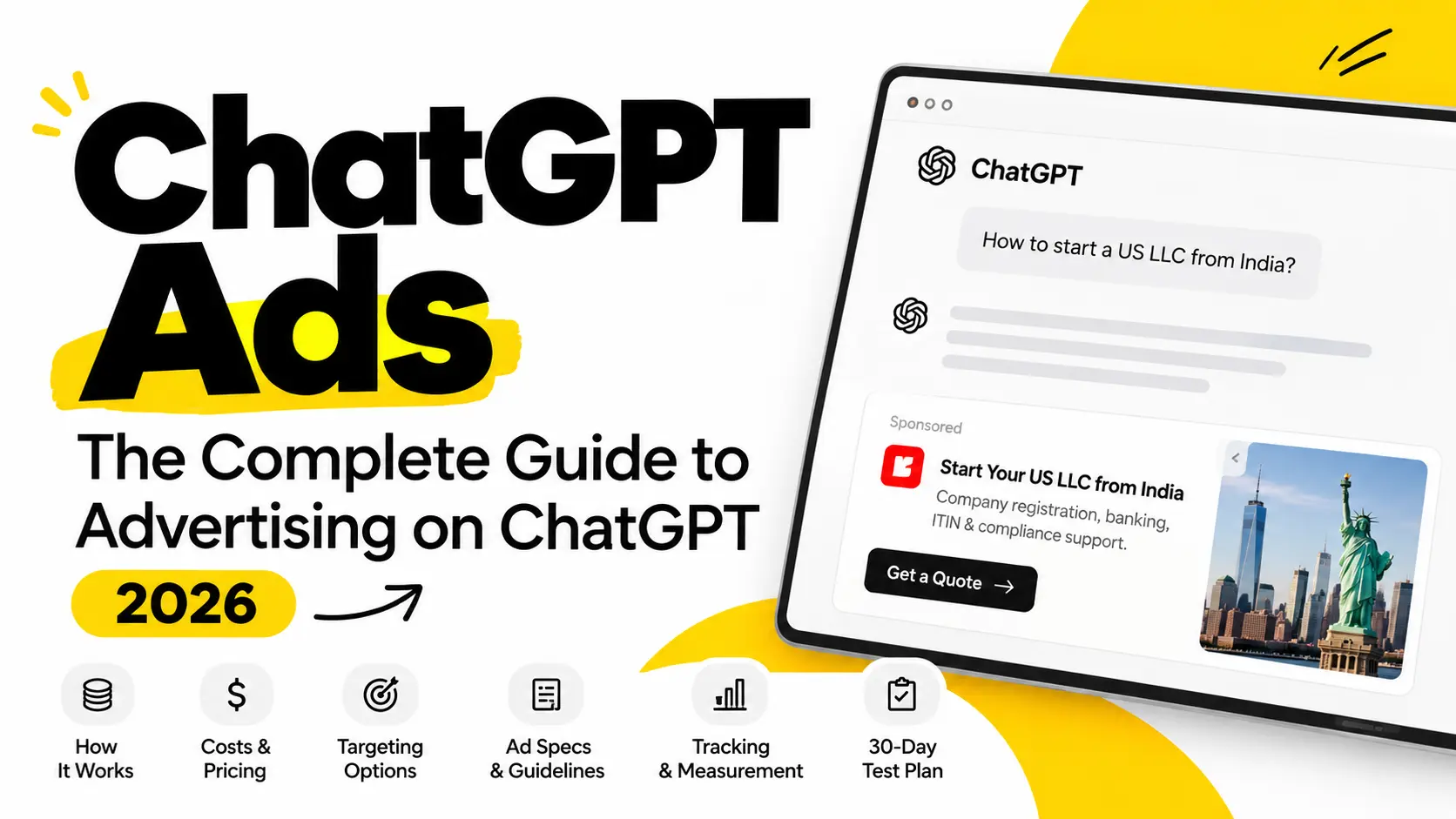
Official: An ad appears below a ChatGPT response. It can include the advertiser name, the advertiser logo, a title, a description, an image and a link to a landing page (OpenAI: Ads in ChatGPT, the basics). It is a small card, not a full-page takeover.
OpenAI also says ads must look different from ChatGPT itself. It can remove ads that copy the look or voice of ChatGPT.
Who sees ChatGPT ads?
Official: OpenAI does not show ads to users on Plus, Pro or any Business plan. It also does not show ads to accounts it identifies as under 18. OpenAI says it aims to place ads only near chats that are safe and appropriate. It blocks ads in sensitive chats, such as mental health, self-harm and emotionally vulnerable conversations (Ad policies).
What ChatGPT Ads are not
- Not a way to buy recommendations. Paid ads and organic mentions are separate.
- Not keyword bidding. Context hints guide matching, but they are not exact-match keywords.
- Not guaranteed to show. Approval, policy, the auction and inventory all matter.
- Not open to every business. Your country and your category both matter.
- Not finished. Ads Manager is labelled Beta, and features change.
How do ChatGPT Ads work?
The structure looks like this:
Advertiser → Campaign → Ad group (with context hints) → Ad → Landing page → Conversion
- Advertiser: your business account. It holds users, billing and API keys.
- Campaign: your goal, budget, dates, countries and platforms.
- Ad group: one theme, plus its context hints and bids.
- Ad: the creative and the link people land on.
- Landing page: where the click goes.
- Conversion: the result you want, such as a lead or sale.
How does OpenAI pick which ad to show?
Official: OpenAI uses a relevance-weighted, second-price auction. That means relevance counts along with your bid, and the winner pays the price needed to win, not their full maximum bid. The system looks at:
- the context and intent of the current conversation
- your landing page, title and copy
- your context hints
- when a user has ads personalization on, select signals from their wider ChatGPT experience
Our advice: because relevance counts, a clear ad that fits a specific need can compete even when a bigger advertiser bids more. Spend your effort on relevance first.
Sources: OpenAI Help Center (Create campaigns, Create ad groups).
Who can advertise on ChatGPT?
Which countries are available?
OpenAI’s availability page lists 63 countries for self-service Ads Manager. They include the US, Canada, the UK, most of Europe, India, Japan, Australia, Singapore and the UAE. The live list can change.
The key rule: the legal business that advertises and pays must be based in a listed country. Where your customers live is a separate choice, set per campaign.
Articles online disagree on the number of open countries (you will see 52, 53, 56 and 63). Most of the gap comes from different publish dates. Trust OpenAI’s page.
Should I pick another country at sign-up?
No. Some tutorials say you can choose the US and USD if your country is not listed. We do not recommend this. OpenAI says the advertiser must be based in a listed country. It also says country, currency and time zone cannot be changed after sign-up. Wrong details can cause problems with business checks and billing. Indian businesses do not need a workaround.
What do I need to open an account?
Official (account setup guide):
- Sign in at ads.openai.com with your OpenAI account.
- Enter your registered business name as the Legal Name. OpenAI uses it for billing and verification.
- Choose country, currency and time zone carefully. You cannot change them later.
- Add billing details and confirm your logo and brand name. They appear with your ads.
- Changing the Brand Name or Legal Name later triggers a review and can pause your ads.
OpenAI’s policy says it checks that advertisers are legitimate businesses. It may run advertiser verification and account quality checks. Plan for a short review before your first ads run.
Which businesses can advertise?
Official: During the test period, OpenAI says ads are mainly limited to consumer categories. These include household and consumer goods, local services, travel and entertainment, and digital products and education. OpenAI says it plans to expand the list over time (Ad policies, updated September 10, 2026).
Allowed with approval, mostly in the US: financial services, health services and legal services. These are reviewed case by case.
Which businesses cannot advertise?
This matters a lot for Indian advertisers. Official:
- Financial services outside the US are generally prohibited. Credit repair, debt settlement and bullion ads are not allowed anywhere.
- Health services outside the US are generally prohibited. Ads with unsupported health claims are not allowed anywhere.
- Legal services outside the US are currently prohibited.
- Adult content, dating apps, alcohol, tobacco, gambling, recreational drugs and political ads are disallowed.
- Ads for a single job listing or a single property for rent or sale are prohibited. You can link to a platform that has listings, as long as the ad and page do not point to one listing.
- Wellness claims without proof (for example diet pills or detox programs) are not allowed.
- Counterfeit goods, scams and fake endorsements are not allowed.
Ads must also be consistent from start to finish. The ad, the image and the landing page are all reviewed.
Can freelancers, agencies and individuals advertise?
OpenAI’s rules are written for legitimate businesses. If you are a freelancer or sole proprietor, register your business and use that name as your Legal Name. Agencies can manage campaigns. Ads Manager has three roles (Admin, Member and Viewer) and a change log. OpenAI says to create a separate account for each advertiser you manage. See the agency section.
Is advertising on ChatGPT right for you?
Good fit
- You sell software, services, courses or considered purchases that people research in detail.
- Your customers ask detailed questions before they buy (“which tool is best for a team of 10?”).
- You are in an allowed category and your business is in an available country.
- You can track conversions and have a landing page that matches your offer.
Poor fit
- You sell in a banned or restricted category (see above).
- You need exact keyword control. Context hints are not exact match.
- You need a large, proven audience right now. The platform is in beta.
- You cannot track leads or sales yet. Fix tracking first.
Pros and cons
| Pros | Cons |
|---|---|
| Reaches people while they work through a question or decision | Beta product. Features and prices change |
| Self-serve, with a $25 US minimum daily budget | Limited reporting and breakdowns |
| Relevance counts in the auction, not just bid size | No exact-match keyword control |
| No spend commitment beyond your budget | Spend data can lag by 7 to 8 hours, and no refunds for poor results (reported) |
| Ads sit next to a chat about the exact topic | Ads do not reach Plus, Pro or Business users, and many categories are restricted |
Who should test now, and who should wait
Test now if:
- You already have profitable, stable customer acquisition on Google or Meta.
- You can set aside a small test slice. Early advertisers suggest 5% to 10% of your monthly ad budget. That is a rule of thumb, not an OpenAI rule.
- You have conversion tracking and a landing page that matches your offer.
- Your category is allowed.
- A customer is worth enough to cover the cost of winning them (see the unit economics check).
Wait if:
- You have not yet proven your product, your offer or your message on established channels.
- ChatGPT Ads will not fix weak basics. If your offer does not convert on Google or Meta, it will not convert here.
The paid audience dilemma: who actually sees your ad?
This is the biggest catch in ChatGPT advertising.
Official: OpenAI does not show ads to users on Plus, Pro or any Business plan, or to under-18 accounts. Reported: ads are served to people on the Free plan and the lowest paid plan, Go. Enterprise and Education plans are also ad-free.
Why this matters for B2B and high-ticket offers
OpenAI’s ad policy says that during the test period ads are mainly limited to consumer categories: household and consumer goods, local services, travel and entertainment, and digital products and education. Financial, health and legal services are limited, mostly to the US.
Some advertisers still try software, professional services and IT offers. The risk is who you reach. Business owners, accountants, corporate IT buyers and other serious decision-makers often use paid or company plans. They may never see your ad. You can end up paying premium prices to reach casual or budget users.
What to do about it
- Best fit: consumer offers, low-ticket products, local services, travel, courses and digital products.
- Riskier fit: high-ticket B2B services. Test small and judge on lead quality and closed deals, not lead count.
- Ask every lead “How did you find us?” on your form. This shows if ChatGPT leads are real buyers.
- Use GEO in parallel. Organic mentions can reach people on any plan. See GEO vs ads.
What to know before you spend: limits and catches
Early advertisers run into these. Plan for them.
1. People on paid plans do not see your ads. See the paid audience dilemma above. Judge B2B tests on lead quality, not just lead count.
2. There are no negative keywords or topic exclusions (reported). Early advertisers report there is no exclusion list for prompts. If your ad starts matching conversations that do not fit, the main fix is to rewrite the hint to be narrower. Custom audience exclusion exists, but it excludes people, not topics.
3. The Conversions objective may not be in every account. Some early builds only offered Reach and Clicks, so advertisers could not optimize toward leads or sales. OpenAI’s help center now lists a Conversions objective that optimizes toward a standard conversion event. If you do not see it in your account, use Clicks and track conversions with the Pixel.
4. Reporting is still basic. Early on, reporting showed only impressions, clicks and spend. OpenAI now lists CTR, average CPC, average CPM and conversions as well. There are still few breakdowns, so use GA4 and your CRM for deeper analysis.
5. Treat your budget as test money.
- OpenAI uses postpay billing. You are charged after ads deliver. Each account has a payment threshold. If a charge fails, your ads can show as “Not serving.”
- Advertisers report that spend is not refunded because of poor results. OpenAI’s billing page does not promise refunds for performance. It says refund processes may change as the beta grows. For a billing error, contact ads-support@openai.com.
- Ad credits are nonrefundable (Ad credit terms).
Only spend what you can afford to lose while you learn.
Why move early: brand defense (and why cheap clicks are a myth)
The best reason to test now is not growth. It is protecting your own brand inside ChatGPT.
Do not expect cheap clicks
Early Facebook and Google ads were famously cheap. ChatGPT Ads were not. OpenAI launched at a premium price, and clicks in competitive categories still cost more than the $3 to $5 starting bid.
- Competitive bids: in one live test for an “AI training services” ad group, Ads Manager suggested a bid of about $15 per click.
- Delivery warnings: lower bids ($3, $4 and even $10 in that test) triggered warnings that delivery could stall because the bid was too low.
- What OpenAI says: Ads Manager may show bid-strength guidance that tells you whether a bid is likely to be competitive or may limit delivery.
Our view: test with a small budget to learn your real price in your category. Do not assume early means cheap. The real early-mover gain is learning and protecting your brand.
Defend competitor comparison prompts
People often ask ChatGPT things like:
- “What is the best alternative to [Your Brand]?”
- “[Your Brand] vs [Competitor]: which is better?”
- “Is [Your Brand] worth it?”
If you are not running ads for these moments, a competitor might be. Your own context hints let you compete for these conversations.
How to set it up
- Create an ad group called “Brand defense.”
- Write hints that describe the moment, for example: “A person is comparing [Your Brand] with other tools, or asking for alternatives to [Your Brand].”
- Write an ad that names your own brand and one clear difference. Keep it honest. Compare yourself to others only with claims you can prove.
- Send people to a page that answers the comparison question: a “[Your Brand] vs alternatives” page or your best proof page.
- Track cost per lead for this ad group separately from your other groups.
Limits to remember
- Hints guide matching but do not guarantee your ad shows in a given conversation.
- OpenAI’s policy lets you use only brands and logos you own or have rights to. Do not put a competitor’s name or logo in your ad. Comparisons must be truthful.
How do I set up ChatGPT Ads? (Step by step)
Step 1: Create your account. The ChatGPT ad manager is at ads.openai.com. Sign in, add business details and billing.
Step 2: Set up conversion tracking. Do this before you build a campaign. See the tracking section.
Step 3: Create a campaign. Click Create, then Create campaign. Use a clear name, for example CGPT | Clicks | IN | Free SEO audit | 2610. You can choose a standard campaign or a product feed campaign. Product feed campaigns suit e-commerce catalogs. Bulk CSV upload does not support them yet.
Step 4: Choose an objective. OpenAI describes three:
- Views: you pay per impression. Some screens call this “Reach.”
- Clicks: you aim for website traffic.
- Conversions: you aim for a set conversion event, such as a lead.
Our advice: pick Conversions only after your tracking works. Until then, choose Clicks.
Step 5: Set budget, dates, countries and platforms. The US minimum daily budget is $25. Remember that spend can reach 2× your daily budget on one day (see cost). Platforms are iOS app, Android app and web. If you do not narrow them, all are used. Always set an end date and time. Without one, a campaign keeps running under the same daily and seven-day spend limits. One advertiser reported losing about $1,000 to an open-ended campaign. Reported walkthroughs also show default daily budget suggestions of $100 to $200. You can set yours lower, down to the minimum.
Step 6: Create an ad group. Use one theme per group. Set your maximum bid here: a max CPM for Views, or a max CPC for Clicks. Watch the bid-strength guidance. If your bid is too low, Ads Manager can warn that delivery may stall.
Step 7: Write context hints. Describe the situations and needs your offer solves. See how to write them.
Step 8: Create your ads. Write several ads per group, each with a different angle.
ChatGPT ad specs
| Element | Limit |
|---|---|
| Title (headline) | 3 to 50 characters |
| Description | Up to 100 characters |
| Image | One uploaded image (reported: a square image or logo) |
| Ad name (internal) | 3 to 1,000 characters |
Source: OpenAI Ads API reference. Keep your headline short, because screens differ.
Step 9: Choose the landing page. Use a page that matches the ad. Avoid the homepage unless the ad is about your brand. OpenAI says your page must not block its crawlers, OAI-AdsBot and OAI-SearchBot. Ask your developer to check robots.txt, firewalls, bot protection, logins and geo-blocks (OpenAI guidance). OpenAI says ads that cannot be reviewed are not eligible to run.
Step 10: Add UTM parameters. Put them on every ad URL (see the UTM table).
Step 11: Review and publish. Finish billing, your logo and account names. Each ad is then reviewed, and its status is in review, approved or rejected. See why ads get rejected.
Step 12: Watch results. Impressions, clicks and CTR refresh about every 15 minutes. Spend can lag by 7 to 8 hours, so a zero in the spend column early on does not mean you were not charged.
Other ways to create campaigns
- Bulk upload: use a CSV template. It does not support product-feed campaigns yet.
- Ads API: manage campaigns and reporting with code (overview).
- Shopify and HubSpot apps: OpenAI has launched ChatGPT Ads apps for both (announcement).
How much do ChatGPT Ads cost?
Short answer: Most advertisers report paying about $3 to $5 per click, or about $25 to $60 per 1,000 views. Software and finance often pay $8 to $18 per click. The minimum daily budget in the US is $25.
ChatGPT ad prices at a glance
| What | Number | Status |
|---|---|---|
| Minimum daily budget (US) | $25 | Official |
| Suggested starting max bid for clicks | $3 to $5 per click | Official |
| Default max bid for views | $60 per 1,000 views (CPM) | Reported |
| What advertisers actually pay for views | $25 to $45 per 1,000 views | Reported |
| Average cost per click, most categories | $3 to $9 | Reported |
| Average cost per click, software and finance | $8 to $18 | Reported |
| Click-through rate (CTR) | About 0.9% | Reported (eMarketer) |
| Minimum spend commitment | None. Only the daily budget minimum applies | Reported |
Official numbers come from OpenAI’s Daily budgets page and bidding guidance. “Reported” numbers come from advertisers and agencies, for example Tru Commerce and Sprites. OpenAI has not published average prices. Prices are in USD. If you bill in INR, the budget step in Ads Manager shows your minimum in rupees.
How you pay
Ads are sold by auction. You can pay for views (CPM) or for clicks (CPC). If you choose Conversions with click billing, you still pay per click, not per conversion. There is no cost-per-lead billing. Your cost per lead comes from your click cost and your conversion rate.
Billing is postpay. OpenAI charges your saved payment method after ads deliver, once unpaid spend reaches your account’s payment threshold.
The budget rule you must know
OpenAI treats your daily budget as an average over seven days.
- On any one day, spend can reach 2× your daily budget.
- Over seven days, spend cannot go above 7× your daily budget.
Example: a $25 daily budget can spend $50 on one day. It cannot spend more than $175 in the week.
Also, if you use a daily budget with a fixed bid, your daily budget must be at least your highest bid. A $30 bid blocks a $25 daily budget.
What your money buys
These examples use a $4 cost per click and a 3% landing page conversion rate. Your numbers will differ.
| Spend | Clicks | Leads |
|---|---|---|
| $25 per day ($750 per month) | About 190 | About 6 |
| $3,000 per month | 750 | About 22 |
| $5,000 per month | 1,250 | About 37 |
| $10,000 per month | 2,500 | About 75 |
For views, $1,000 buys about 22,000 views at a $45 CPM. At a 0.9% CTR, that is about 200 clicks, or $5 per click.
Work out your real cost per lead
Cost per lead = Cost per click ÷ Landing page conversion rate
Example: you pay $4 per click and 4% of visitors become leads. Your cost per lead is $4 ÷ 0.04 = $100. At 2%, it is $200.
To check if a channel can work, flip the formula:
Highest affordable cost per click = Target cost per lead × Conversion rate
If you can pay $60 per lead and your page converts 5%, your break-even cost per click is $3.
How it compares with Google and Meta
| Channel | Cost per click | Source |
|---|---|---|
| ChatGPT Ads | $3 to $9 (reported) | See table above |
| Google Search | $5.42 average | WordStream, Apr 2025 to Mar 2026 |
| Meta (Facebook and Instagram) | $1.06 to $1.72 | WebFX and Understory, 2026 |
ChatGPT clicks cost about the same as Google Search clicks, and more than Meta clicks. The only comparison that matters is your own cost per customer on each channel.
What changes your price
- How many advertisers compete for the same conversations
- Your ad relevance
- Your bid and budget
- Your category (software and finance cost more)
- Your country and platform choices
Your landing page does not change the price per click. It changes what you pay per customer.
Do the numbers work? A unit economics check
Before you spend, check if one customer is worth more than it costs to win them. Here is a typical $5,000 test, based on a walkthrough from an advertiser who ran one. We rounded the numbers and did the math ourselves.
| Step | Number |
|---|---|
| Test budget | $5,000 |
| Cost per click | $4 |
| Clicks | 1,250 |
| Leads (about 3% of clicks) | About 37 |
| Clients closed (about 1 in 5 leads) | About 7 |
| Cost to win one client (CAC) | About $714 |
| Revenue needed per client at a 3× return | About $2,140 |
How to read it: a common rule of thumb is that each customer should bring in about 3 times what it costs to win them. That covers overhead and profit margin. At a CAC of about $714, each client must be worth about $2,000 or more.
Break-even revenue per customer = Cost to win a customer × 3
Cost to win a customer = Ad spend ÷ Customers won
The conclusion: unless your customer lifetime value (LTV) is well above $2,000, and your buyers are on plans that see ads, the numbers rarely work. A cheap, low-ticket offer that you sell to consumers has a better chance. A high-ticket B2B service sold to senior buyers has a harder path, because those buyers are less likely to see ads (see the next section).
Change the numbers to your own. If your close rate is 1 in 10 instead of 1 in 5, your cost to win a client doubles.
What are context hints?
Official: Context hints help OpenAI understand your ads and when they may fit. They add detail your title, copy and page may not cover. OpenAI says they are not exact-match keywords, audience rules or orders to show your ad in certain chats. An ad group can hold up to 2,000 hints, but you do not need that many (OpenAI guide).
How to write good hints
- Describe a need, not just a product. Say “choosing a way to coordinate a remote design team,” not “project software.”
- Cover natural variety. People ask the same thing in many ways.
- Add what your ad does not say. Hints are the place for context your copy lacks.
- Keep one theme per ad group. Split different offers into different groups.
- Match your landing page. If a hint promises something the page does not deliver, you pay for clicks that do not convert.
Our advice: imagine the exact sentence a customer would type to ChatGPT. Then write a hint that describes that situation. Start with 5 to 10 hints per ad group and add more only when you see which themes convert.
| Weak hint | Stronger hint |
|---|---|
| “software” | “Comparing tools to manage tasks and deadlines for a small remote team” |
| “shoes” | “Choosing cushioned running shoes for a first half marathon” |
| “marketing” | “A small business wants more leads from Google and social media in Delhi NCR” |
Describe moments, not keywords
There is no traditional keyword bidding in ChatGPT Ads. You write plain-language context hints that describe the moment: the situation a person is in when your offer helps. Think of it as describing the conversation, not listing search terms.
- Weak hint: “business owners looking for marketing help.” This is so general that it matches almost everything. You pay for clicks from people who are not ready to buy.
- Strong hint: a high-intent moment, when someone is comparing or choosing. For example: “users comparing invoicing software for freelancers” or “business owners actively looking to hire a Google Ads agency.”
| Weak (matches too much) | Strong (describes a buying moment) |
|---|---|
| “business owners looking for marketing help” | “business owners actively looking to hire a Google Ads agency” |
| “invoicing software” | “users comparing invoicing software for freelancers” |
| “online courses” | “a working professional comparing data analysis courses with a certificate” |
A simple test: if your hint would fit a thousand different conversations, it is too weak. If it describes one clear decision, it is strong.
Mix plain questions with location cues. Hints can include the exact questions people ask, such as “how can I learn AI quickly” or “best AI training in Buffalo, New York.” This works well for local offers. Still set your location in the campaign’s location settings, because OpenAI says hints do not replace them.
What other targeting can I use?
- Location: set at campaign level. The location list we reviewed includes countries and regions such as states and union territories. For India, that includes Delhi and Uttar Pradesh. It does not show individual Indian cities. Delhi NCR also covers parts of Haryana and Uttar Pradesh, so add those regions if you serve them. Hints do not replace location settings. Use location for where and hints for what.
- Platform: iOS app, Android app and web.
- Custom audiences: you can upload a customer email list to include or exclude people who match users inside ChatGPT. Inclusion needs at least 25,000 matched users, so small advertisers often cannot use it. Exclusion has no minimum. If a person is in both an included and an excluded audience, exclusion wins (OpenAI: Targeting).
How do I write ChatGPT ad copy?
You have 50 characters for the headline and 100 for the description. Every word has to work.
Three ad copy formulas
| Formula | Headline example | Description example |
|---|---|---|
| Benefit + proof | Get more enquiries from Google | SEO and paid media for Delhi businesses. 10+ years of results. |
| Problem + fix | Tired of status meetings? | See every task, owner and deadline in one board. Free 14-day trial. |
| Offer + low risk | Free website audit in 48 hours | Find out why visitors leave. No card, no call needed. |
Ad copy rules
- Put the most useful words first. Screens may shorten long headlines.
- State one clear benefit. Do not list five.
- Use real numbers only if your page proves them.
- Match the words in your ad to the first line of your landing page.
- Write 3 ads per ad group with different angles: benefit, proof and offer.
- Do not copy ChatGPT’s look or voice. OpenAI can remove ads that imitate its interface.
- Do not use “guaranteed,” “best” or fake claims that you cannot prove. OpenAI bans misleading ads.
OpenAI says a high volume of varied ads helps its system find more places your ads fit. Each variation should add a new angle, not repeat the same message.
ChatGPT ad examples
These are examples we wrote. They are not real placements or OpenAI templates. Each stays inside the 50 and 100 character limits.
SaaS
- User situation: looking for project management software
- Hint: “Choosing a tool to manage tasks across a remote team”
- Headline: Manage remote projects in one place
- Description: See every task, owner and deadline. Free 14-day trial.
- Landing page: remote-team workflow page with trial sign-up
E-commerce
- User situation: looking for running shoes
- Hint: “Choosing running shoes for a first 10K”
- Headline: Cushioned trainers built for road miles
- Description: Lightweight. 30-day returns. Free shipping over a set value.
- Landing page: the exact product or collection page
Local service (Delhi)
- User situation: looking for a digital marketing agency
- Hint: “A small business in Delhi NCR wants more enquiries from Google and social media”
- Headline: Digital marketing for Delhi businesses
- Description: SEO and paid media built for enquiries. Book a free audit.
- Landing page: Delhi services page with a booking form
Online course
- User situation: wants to change careers into data analysis
- Hint: “A working professional wants a beginner course in data analysis with a certificate”
- Headline: Learn data analysis in 12 weeks
- Description: Live classes, projects and a certificate. Try the first class free.
- Landing page: course page with syllabus, fees and a sign-up form
Why do ChatGPT Ads get rejected?
Official: every ad is reviewed before it can run. Most reviews are automatic, with human checks for some cases. OpenAI reviews the advertiser, the creative and the landing page. It also keeps checking after approval, and may limit or remove ads later.
Common reasons and fixes
| Reason | Fix |
|---|---|
| Category is disallowed or restricted | Check the ad policies before you build |
| Misleading claims, such as “guaranteed” results | Remove the claim or show proof on the page |
| Ad and landing page do not match | Make the page deliver the ad’s promise |
| Landing page links to disallowed content | Remove the link |
| Landing page cannot be reviewed | Allow OAI-AdsBot and OAI-SearchBot, and remove login walls |
| Ad looks like a ChatGPT message | Use your own brand style and voice |
| Fake endorsements or brand misuse | Use only brands and logos you own or have rights to |
| Ad promotes a single job or property listing | Link to a general listings page instead |
If an ad is rejected, edit it to fix the policy problem and submit it again. Repeated or serious violations can lead to account action.
ChatGPT Ads vs Google Ads vs Meta Ads
| ChatGPT Ads | Google Ads | Meta Ads | |
|---|---|---|---|
| Where | Inside ChatGPT | Search and web | Social feeds |
| Intent | Detailed, task-focused chats | Search queries | Interests and behavior |
| Keywords | No exact match. Context hints | Strong keyword control | Limited |
| Creative | Text-led with an image | Text, display, video, shopping | Visual and social |
| Maturity | Beta, changing fast | Mature | Mature |
| Best for | Considered decisions: software, services, courses | Capturing clear existing demand | Creating demand, visual products |
We do not pick a winner. Keep your proven channels running. Test ChatGPT with a separate, fixed budget. Compare cost per customer using the same definition of “conversion.”
ChatGPT Ads vs SEO vs GEO
Paid ChatGPT ads and organic AI visibility are different things.
| What it is | How you get it | |
|---|---|---|
| ChatGPT Ads | Paid ads inside ChatGPT | You buy them in Ads Manager |
| GEO / AEO | Being named or cited in AI answers | You earn it with clear, useful, trusted content |
| SEO | Organic rankings in search engines | You earn it with content, technical health and links |
OpenAI says ads are separate from answers and that advertisers do not influence what answers say. So ad spend will not improve your organic mentions, and strong SEO will not give you ad placement.
They still help each other in indirect ways. A good landing page, strong brand searches and clear business information help every channel.
Should you invest in GEO instead of ads?
If your buyers are mostly on paid plans, GEO may reach them when ads cannot. GEO (generative engine optimization) means making your site and content easy for AI tools to understand, trust and cite.
What GEO involves:
- Clear facts about who you are, what you sell, who it is for and what it costs
- Helpful pages that answer real questions in plain language
- Pages that are easy to read: clear headings, tables and FAQs
- Credible mentions and citations on other trusted sites
- The same business details everywhere online
Why it can fit: organic mentions are not limited by plan, so they can reach people on Plus, Pro and Enterprise too. There is no fee per click.
Limits: no one can guarantee ChatGPT will recommend you. It takes months, and it is hard to measure.
Our advice: if your buyers are B2B or high-ticket, start with GEO and SEO, and run only a small ad test. If your offer is consumer or low-ticket, run the ad test and build GEO alongside it.
A simple plan:
- Build the base: helpful content, a fast site and clear facts about who you are.
- Earn organic reach with SEO and GEO.
- Add paid reach with ChatGPT Ads for specific situations, with a budget you can stop anytime.
- Track all of it in one analytics setup.
How do I track ChatGPT Ads?
Which platforms can track ChatGPT ad performance?
Most advertisers use four tools together:
- Ads Manager: impressions, clicks, spend, CTR, average CPC, average CPM and conversions
- OpenAI Pixel or Conversions API: conversions
- GA4: site behavior and key events
- A CRM: lead quality and revenue
No single tool shows the full picture, so compare them regularly.
UTM naming template
| Parameter | Value | Example |
|---|---|---|
utm_source | chatgpt | chatgpt |
utm_medium | paid | paid |
utm_campaign | cgpt_[objective]_[market]_[offer]_[yymm] | cgpt_clicks_in_free-audit_2610 |
utm_content | [adgroup]_[angle]_v[n] | local-leads_benefit_v1 |
utm_term (optional) | your own theme label | delhi-small-business |
Full example:
https://www.example.com/seo-audit/?utm_source=chatgpt&utm_medium=paid&utm_campaign=cgpt_clicks_in_free-audit_2610&utm_content=local-leads_benefit_v1&utm_term=delhi-small-business
Rules: use lowercase, hyphens inside words, underscores between parts, and no spaces. Use one system for every campaign.
Official: you can add UTMs to each ad’s destination URL, and they persist on ad clicks. OpenAI also adds its own click reference, oppref, to your landing page link. Make sure your site and any redirects keep both.
Our advice: put the full set of UTMs on every ad. Do not rely on ad-group defaults.
How to set up conversion tracking
Official: create a data source in Ads Manager. Send conversion events with the OpenAI Pixel, the Conversions API, or both. When someone clicks an ad, OpenAI adds oppref to the URL. The Pixel stores it in a first-party cookie, so a later conversion can be linked to the click (Conversion measurement, Pixel docs).
Steps:
- In Ads Manager, create a data source and copy the Pixel base code.
- Add the base code near the top of the
<head>on every page you want to measure. A tag manager such as Google Tag Manager can do this. Test that it fires early enough. - Create one conversion event that stands for a real result, such as a qualified lead. Use a standard event when one fits. Standard events include
lead_created,order_created,registration_completed,appointment_scheduled,trial_startedandsubscription_created. - Trigger the event on the thank-you page or form-success action.
- Test with
debug: truein the Pixel. Submit a test lead and confirm it appears once in Ads Manager. - If you also send events from your server, reuse the same
event_idso OpenAI can remove duplicates. - Where consent is required, set the Pixel’s consent control before you start it.
Why numbers differ: OpenAI says its conversion totals can differ from GA4 or other platforms. Attribution windows, time zones and consent settings differ. A gap does not always mean an error.
OpenAI also has a guide to connecting GA4 to Ads Manager.
GA4 and CRM setup
- Install GA4 on all landing pages.
- Mark key events (form submit, purchase, booking, call click).
- Build a report for
source = chatgptandmedium = paid. GA4 may group this as “Paid Other” or “Unassigned,” so make a custom channel group and test with a real click. - Save UTM values in hidden form fields and in your CRM.
- Record the outcome (qualified, won, lost). The cheapest lead is not always the best customer.
Which metrics matter?
| Business | Focus on | Be careful with |
|---|---|---|
| E-commerce | ROAS, CPA, conversion rate | CTR alone |
| SaaS | Cost per trial or demo, trial-to-paid rate | Sign-ups that never activate |
| Lead generation | Cost per qualified lead | Raw lead count |
| Local business | Calls, bookings, cost per booking | Impressions |
The closer a metric is to revenue, the more it matters. CTR shows if the ad works. Conversion rate shows if the page works. CPA and ROAS show if the business works.
A 30-day ChatGPT Ads test plan
This is our plan, not OpenAI advice.
Before you start
- Confirm your business is in an available country and an allowed category.
- Set a test budget you can lose. At the US minimum, $25 a day for 14 days is $350. That buys about 87 clicks at $4, and about 3 leads at a 3% conversion rate. That is enough to test tracking, your page and your angles. It is not enough to prove a channel works.
- If your budget is below the minimum for your currency, do not launch. Fix your landing page and tracking first.
Week 1: Prepare
- Build one landing page for one offer.
- Install the Pixel and test one conversion event.
- Write 5 to 10 context hints for the situation that most often leads to a sale.
- Write 3 ads: benefit, proof and offer.
Weeks 2 and 3: Run
- Launch one campaign with the Clicks objective, one ad group and three ads.
- Do not change anything for the first 5 days. Spend data lags, and early numbers mislead.
- Check ad approval status on day 1.
Week 4: Decide
- Compare CTR by ad, conversion rate by page, cost per lead and lead quality in your CRM.
- Scale if cost per lead is under your target and leads become customers.
- Adjust if clicks are fine but leads are weak. Fix the page or the hints.
- Stop if cost per lead stays far above your target after you fix the page.
ChatGPT ad agency and strategy services
When to hire a ChatGPT ad agency
You can run ads yourself in the ChatGPT ad manager. An agency helps if you lack time, tracking skills or testing experience, or if you run many accounts.
How a good agency works
- Onboarding: confirms the client’s legal entity, country and category. Agrees who owns the account, billing and data.
- Structure: one account per client. One campaign per objective, market and offer. One ad group per theme. Two to four ads per group.
- Naming: one system across all clients, using the UTM template above.
- Reporting: CSV exports or the Ads API. No same-day spend reports, because spend lags.
- Testing: one change at a time, with a shared log of ads, ideas and results.
- Monthly routine: review conversions, refine hints, replace weak ads, check landing pages, move budget to what works, then report.
ChatGPT ad strategy services from Lee Growth
Lee Growth is a growth marketing agency in Delhi. We work across SEO, GEO and paid media. For ChatGPT Ads we check your category and country eligibility, pick the offers and pages to test, set up tracking, write hints and ads, and run a clear test plan with a fixed budget. Talk to our team to get started.
Common ChatGPT advertising mistakes
- Treating it like Google Search. Context hints are not keyword lists.
- Writing generic copy. Vague promises get ignored.
- Sending everyone to the homepage.
- Not tracking conversions. You are optimizing blind.
- Using hints that are too broad. You pay for clicks that do not fit.
- Testing one ad only.
- Mixing offers in one ad group.
- Judging by clicks. Track leads, sales and quality.
- Misreading spend. It can lag by hours.
- Ignoring the budget cap rules.
- Starting in a banned category. Read the ad policies first.
- Blocking OpenAI’s crawlers. Your ads cannot be reviewed.
- Promising clients “guaranteed placement” or “better ChatGPT recommendations.” No one can promise either.
ChatGPT Ads checklist
Before launch
- ☐ Legal entity is in an available country
- ☐ Your category is allowed by the ad policies
- ☐ Billing, logo, brand name and legal name are done
- ☐ Objective chosen
- ☐ Budget set, and the 2× daily rule understood
- ☐ Countries and platforms chosen
- ☐ One theme per ad group
- ☐ Context hints written
- ☐ Three ads per group, within 50 and 100 characters
- ☐ Landing page fast, matching and not blocking OAI-AdsBot or OAI-SearchBot
- ☐ Pixel or Conversions API installed and tested
- ☐ UTMs on every ad
After launch
- ☐ Check ad approval status
- ☐ Watch CTR and conversions
- ☐ Compare ads
- ☐ Check lead quality in your CRM
- ☐ Optimize on conversions, not clicks
- ☐ Log changes
FAQ
What are ChatGPT Ads?
They are paid ads shown below ChatGPT’s answers. You create and manage them in OpenAI’s Ads Manager. OpenAI says ads are kept separate from answers.
What does a ChatGPT ad look like?
It is a small ad card below ChatGPT’s answer. It can show the advertiser name, logo, title, description and image, with a link to a landing page, according to OpenAI.
What are the ChatGPT ad specs?
Titles are 3 to 50 characters. Descriptions are up to 100. Each ad uses one image.
How much do ChatGPT Ads cost?
Most advertisers report $3 to $5 per click or $25 to $60 per 1,000 views. Software and finance often pay $8 to $18 per click. The US minimum daily budget is $25, and OpenAI suggests starting click bids at $3 to $5. OpenAI has not published average prices.
How do I advertise on ChatGPT?
Sign up at ads.openai.com, add business and billing details, then create a campaign, an ad group with context hints, and ads.
Where do ChatGPT Ads appear?
Below ChatGPT’s responses. They are not shown to Plus, Pro or Business users or to under-18 accounts, according to OpenAI.
Are ChatGPT Ads available in India?
Yes. India is listed as available on OpenAI’s page as of October 3, 2026. Your business must be based in a listed country. Delivery still depends on approval, policy review and the auction.
Can I advertise financial, health or legal services in India?
Not at this time. OpenAI’s ad policies generally prohibit financial and health services ads outside the US, and prohibit legal services ads outside the US.
Can small businesses advertise on ChatGPT?
Yes, if your country and category are supported. Self-serve has no minimum spend beyond the daily budget.
Can agencies run ChatGPT Ads?
Yes. Use Ads Manager roles, the Ads API and a separate account for each client.
Do I need a ChatGPT ad agency?
No. You can run ads yourself in the ChatGPT ad manager. An agency helps with tracking, testing and managing many accounts.
Can I sign up with a different country if mine is not listed?
We do not recommend it. OpenAI says the advertiser must be based in a listed country, and sign-up details cannot be changed later.
Are ChatGPT Ads the same as Google Ads?
No. Google matches ads to search queries and keywords. ChatGPT Ads use context hints, which guide matching but are not exact keywords.
Do ChatGPT Ads affect organic AI visibility?
OpenAI says advertising does not influence answers. Treat paid and organic as separate channels.
Can I track ChatGPT Ads in GA4?
Yes. Use UTMs and key events in GA4. Also use the OpenAI Pixel or Conversions API so Ads Manager sees conversions.
Can I use negative keywords in ChatGPT Ads?
Advertisers report that there is no negative keyword or topic exclusion list. If your ad matches the wrong conversations, rewrite your context hint to be narrower.
Who should test ChatGPT Ads now?
Businesses that already have profitable, stable campaigns on Google or Meta, and that can set aside a small test budget (early advertisers suggest 5% to 10% of monthly ad spend). Wait if you have not proven your offer and message on other channels.
Can I run ads for my own brand name in ChatGPT?
Yes. Brand defense is a strong first test. Write context hints for people comparing your brand or asking for alternatives to it. Hints do not guarantee delivery, and you may use only brands and logos you own.
Do ChatGPT Ads work for B2B?
They can, but it is harder. Ads do not show to Plus, Pro or Business plan users, and many business buyers use those plans. OpenAI’s policy also says ads are mainly consumer categories during the test period. Test small and judge on lead quality.
Are ChatGPT Ads worth it?
It depends on your customer value. At a $4 click, a 3% conversion rate and 1 in 5 leads closing, a client costs about $714 to win. Each client should bring in about $2,000 or more to make the test pay off. Run the math with your own numbers first.
Should I set an end date on my campaign?
Yes. Without one, the campaign keeps running within the daily and seven-day spend limits. Set a hard end date and time for every test.
Why was my ChatGPT ad rejected?
Common reasons are a disallowed category, misleading claims, a landing page that does not match the ad, or a page that blocks OpenAI’s crawlers. Fix the issue and resubmit.
Update log
| Date | Update |
|---|---|
| Oct 3, 2026 | Guide published. India confirmed on OpenAI’s availability page (63 countries listed). Checked placement, creative limits, budget caps, ad policies (v1.6, September 2026) and crawler rules against OpenAI documentation. |
| Sept 2026 | OpenAI announced an Ads Manager plugin for ChatGPT and ChatGPT Ads apps for Shopify and HubSpot. |
| Aug 31, 2026 (reported) | Self-serve reported open in India, Europe and parts of the Middle East and North Africa. |
| May 5, 2026 | OpenAI launched beta self-serve Ads Manager, CPC bidding and enhanced measurement. |
| Feb 2026 | OpenAI announced it would test ads in ChatGPT. |
Next review: pricing, formats and policy, within 30 days.
Sources
OpenAI
- Ads Manager Beta overview
- Ads Manager availability
- Ads in ChatGPT: The Basics
- Ad policies
- Account setup
- Create campaigns
- Create ad groups
- Create ads
- Launch campaigns
- Daily budgets
- Conversion measurement
- Ads API reference
- Targeting docs
- Measurement Pixel docs
- New ways to buy ChatGPT ads
Pricing reports (third party)
Trade coverage
Figures marked “reported” come from third-party sources. Check OpenAI before relying on them.
Lee Growth is a growth marketing agency in Delhi working across SEO, GEO and paid media. This guide is for information only. It is not an official OpenAI publication. OpenAI and ChatGPT are trademarks of OpenAI.

I’m Leena Kalyana, a Delhi-based freelance digital marketer and graphic designer. I work across SEO, content marketing, social media, and digital design. I’m interested in helping businesses build a stronger online presence through practical SEO strategies, useful content, and creative digital marketing.