In this article
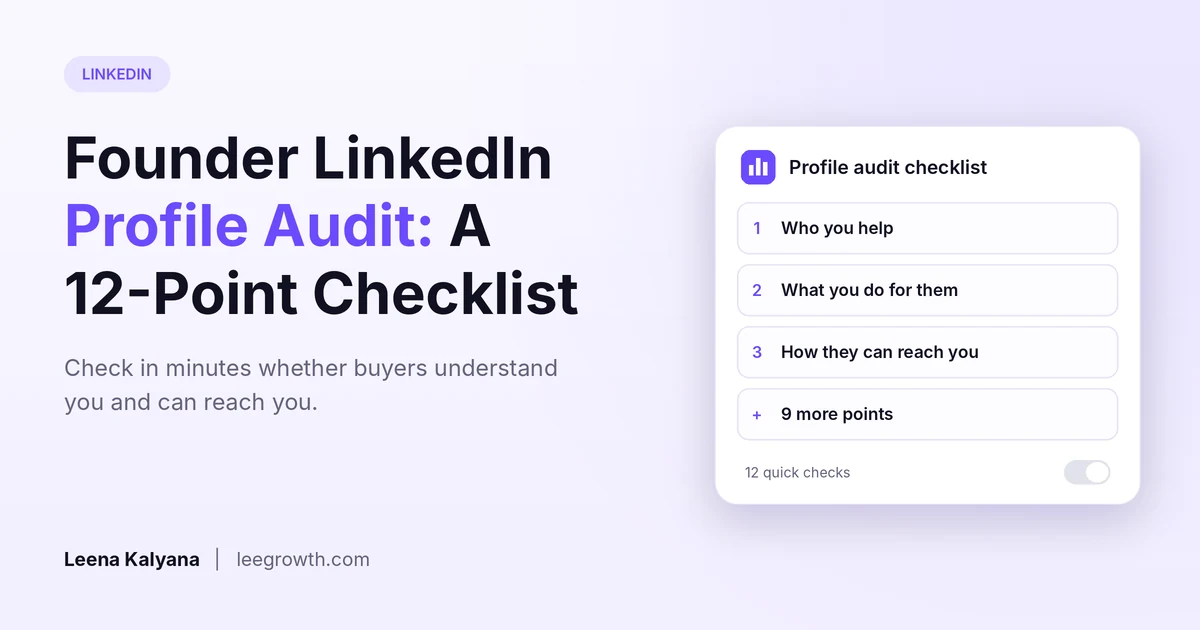
A good founder LinkedIn profile answers three questions in seconds: who do you help, what do you do for them and how can they reach you. Use the 12 points below to check whether yours does, and the scoring section to decide what to fix first.
I am Leena Kalyana, and I review LinkedIn profiles for founders and owners in India. These are the points I check first. Read your profile the way a stranger would, ideally on your phone, because many buyers view it there.
In short
- An audit judges your profile by what a stranger concludes, not by how complete it looks.
- Twelve points cover four areas: the first screen, the About section, proof, and being found.
- Each point has a pass test you can answer yes or no.
- A score of 10 or more means the profile is ready for posting. Below 6, fix the profile before you post.
- Fix the headline, the About opening and the contact route first. They are the most visible.
What is a founder LinkedIn profile audit?
A founder LinkedIn profile audit is a point-by-point check of whether your profile explains your business to a stranger and gives that stranger a next step. It checks the profile as a sales page, not as a resume.
An audit differs from profile SEO. Profile SEO is the work of writing your profile with the words buyers search, and my LinkedIn profile SEO guide covers it in eight steps. An audit comes first or last: it shows what to fix before you optimise, and it confirms the result afterwards.
A founder profile also carries a job that an employee profile does not. A visitor often arrives after a post, a comment or a referral and asks one question: should I talk to this person about my problem? The profile has to answer without a call.
How do you run the ten-second stranger test?
Open your profile on a phone, look at the first screen for ten seconds, then write down three answers: who you help, what you do and how to reach you. An empty or vague answer marks the point where a buyer would leave.
Run the test in three steps:
- Open your profile on a phone. Do not scroll for ten seconds.
- Write the three answers from the first screen only.
- Ask one person outside your network to do the same and compare answers. A colleague or friend knows too much to test fairly.
Test the profile twice, once signed in and once signed out. LinkedIn states that visitors may need to sign in to see a full public profile, so a signed-out view shows what a search-engine visitor sees. Open a private browser window and search your name plus your service and city.
What are the 12 points at a glance?
The 12 points sit in four groups: the first screen, the About section, experience and proof, and being found.
| # | Point | Pass if | Common failure |
|---|---|---|---|
| 1 | Photo | Your face is clear at small size | A logo or group photo |
| 2 | Banner | It states who you help or what you do | A stock image |
| 3 | Headline | It reads as value without the company name | “Founder at” plus a company name |
| 4 | About opening | The first lines name a problem and your answer | “I am a passionate professional” |
| 5 | Proof | Facts a client can check | Invented or vague claims |
| 6 | Next step | One clear action ends the About | Three competing actions, or none |
| 7 | Experience | Roles describe results for others | A list of duties |
| 8 | Featured | Your best proof comes first | Empty, or a random old post |
| 9 | Recent posts | A few recent posts show how you think | An empty activity section |
| 10 | Search words | Buyer terms appear naturally | Internal jargon |
| 11 | Profile link | A short custom address | A default address with random characters |
| 12 | Contact route | A buyer sees how to reach you in seconds | Contact details hidden or blocked |
The first screen: points 1 to 3
The first screen decides whether a visitor reads further. Photo, banner and headline carry that decision, so they come first.
1. Is your photo clear and professional?
Pass if a stranger can recognise your face at small size. A clear, well-lit face, friendly and professional, with nothing distracting behind you, passes.
Your photo appears small in comments, search results and invitations. A face reads at that size, while a logo or a wide group photo does not. A logo as a personal photo also makes the profile look like a company page.
Check the photo’s visibility setting too. LinkedIn lets you choose who sees your profile photo, including people who find you through search tools. Read LinkedIn’s guide to public profile visibility and confirm the setting matches what you want a stranger to see.
2. Does your banner say something useful?
Pass if the banner tells a visitor who you help or what you do in a few words. A stock image with no message wastes the widest space on the page.
Keep the text large enough to read on a phone. Check that your profile photo does not cover the words. A simple line such as “Local SEO for clinics and salons in Delhi NCR” works better than a slogan.
3. Does your headline say who you help and how?
Pass if a buyer understands your value from the headline alone. “Founder at” plus a company name fails, because the company name means nothing to a stranger.
Your headline appears beside your name in comments, search results and connection requests, so it works as your shortest sales line. The examples below are hypothetical.
| Founder type | Weak headline | Stronger headline |
|---|---|---|
| Marketing agency founder | Founder at BrightPath Media | I help clinics and salons in Delhi NCR get more calls from Google Maps |
| Clinic owner | Founder, Healing Hands | Physiotherapist in Dwarka, Delhi: back, neck and knee pain treatment |
| Manufacturer and exporter | MD at Sharma Exports | Stainless steel fittings for global buyers: export orders from Delhi |
Keep the company name, since it adds trust, but put it after the value. My profile SEO guide explains how to choose the exact phrase.
The About section: points 4 to 6
The About section works like a short sales page. Visitors who stay past the first screen read it before they decide to message you.
4. Do the opening lines name the buyer’s problem?
Pass if the first lines state the problem you solve and your answer to it. LinkedIn shows only the first few lines before the “see more” link, so those lines carry the decision.
A weak opening: I am a passionate professional with a drive for excellence. A stronger opening, again hypothetical: Most clinic owners in Delhi pay for ads and still miss calls from Google Maps. I fix the profile, reviews and local pages that bring those calls.
The stronger version names the buyer, the problem and the answer in two sentences. It uses no keyword list and no adjectives.
5. Does the profile show proof you can stand behind?
Pass if a client can check at least two facts in your profile. Facts include the type of clients you serve, the scope of your work, your qualifications, and named work you have permission to show.
Never invent numbers. A founder with no client results yet still has honest proof: the process you follow, the kinds of businesses you work with, your training, and examples labelled as examples. “I work with clinics and salons on local search” is true and specific. A fake “300% growth” is neither.
6. Does the About section end with a next step?
Pass if the About ends with one clear action. Choose one: visit a page, send an email, or message you.
Three competing actions split attention and produce none. Match the step to the contact route in point 12, and use the same wording in your Featured section.
Experience and proof: points 7 to 9
These three points turn a claim into evidence. They show what you did for others and give a visitor somewhere to go next.
7. Does your experience describe results for others?
Pass if each key role says what you achieved for clients, not what your duties were. “Responsible for client accounts” tells a buyer nothing. “Built local search plans for 12 clinics” tells them something, but write it only if it is true.
Keep roles that matter to your buyer prominent and trim the rest. Link your current role to your company page, so the page appears under the role. My guide to creating a LinkedIn company page covers the setup.
8. Does the Featured section put your best proof first?
Pass if the first Featured item matches the promise in your headline and gives a visitor somewhere to go. A service page, a useful guide or a case study all work.
LinkedIn describes the Featured section as a place for posts, articles, external links and uploaded media, and it states that you must have published a post or article on LinkedIn before you can feature it. Read the details in LinkedIn’s Featured section guide.
Check the Add profile section menu too. LinkedIn lists Services among the core sections you can add, and availability can vary by account. A Services section lets a visitor see what you offer without leaving the profile. See LinkedIn’s guide to adding sections to your profile.
9. Do recent posts show how you think?
Pass if a stranger finds at least a few recent posts or comments that show your thinking. An empty activity section makes a profile feel unused.
My rule of thumb, not a LinkedIn rule: three posts or substantial comments in the last 60 days is enough for a visitor to judge your voice. Daily posting is not required. For a posting plan, read my founder LinkedIn content system and my guide to LinkedIn post writing.
Being found: points 10 to 12
These three points decide whether the right people reach the profile and know how to contact you.
10. Do your buyers’ search words appear naturally?
Pass if the terms your buyers search appear in the headline, About section and experience, written in normal sentences. Internal jargon fails. A physiotherapist writes “back pain treatment”, because that is what patients type, not “musculoskeletal rehabilitation”.
Check your public profile settings in the same pass. LinkedIn states that you choose which profile sections are visible to search tools, and that search engines can take time to refresh after a change, which LinkedIn does not control. Open LinkedIn’s guide to controlling your public profile and confirm that your headline, About and experience are visible.
The full method for choosing words is in my LinkedIn profile SEO guide.
11. Is your profile link short and clean?
Pass if you have set a custom public profile address. A short address looks professional on a proposal, an email signature and a business card.
LinkedIn sets the rules: a custom URL runs from 3 to 100 characters, and it cannot contain spaces, symbols, special characters or the word LinkedIn. LinkedIn also allows up to five changes within six months, and the previous URL stays linked to you for six months unless you unlink it. The full rules are on LinkedIn’s page about the custom public profile URL.
Choose once. Then put the address in your email signature, website footer and proposals.
12. Can a buyer see how to contact you in seconds?
Pass if a stranger can find your contact route from the first screen and your settings allow messages. A buyer who has to hunt for a way to reach you leaves.
Do not rely on the Contact info section alone, because LinkedIn shows much of it to connections rather than to strangers. Put the route where everyone sees it: the end of your About section and your Featured section. Then test it from an account that is not connected to you, or ask someone outside your network to try.
How do you score yourself, and what should you fix first?
Give one point for each item you can honestly say yes to, then use the total to choose your next step.
| Score | What it means | What to do |
|---|---|---|
| 10 to 12 | The profile is in good shape | Start or continue posting; the profile will support it |
| 6 to 9 | The profile works partly | Fix the weak points before you post regularly |
| Below 6 | The profile does not yet explain you | Start with the profile, because posts would send visitors to a page that does not explain you |
Fix the failing points in this order, which is my own judgement and not a LinkedIn rule:
- Headline (point 3). Every visitor sees it.
- About opening (point 4). Visitors who stay read it next.
- Contact route (point 12). A good profile without a route loses enquiries.
- Featured section (point 8). It gives interested visitors somewhere to go.
- Everything else. Work through the remaining failing points in numerical order.
Re-run the audit after your edits. A score that rises from 5 to 10 is a better signal than any single metric.
What can the audit not tell you?
An audit shows whether your profile is clear. It does not show your ranking, and it does not create enquiries by itself. LinkedIn does not publish how it ranks profiles, so no audit or tool can show your true position.
A clear profile also needs visitors. Visitors come from posts, comments, referrals and searches. My guide on how founders get inbound leads from LinkedIn explains that process, and my guide to LinkedIn personal branding for founders shows how the profile fits into it.
I do not promise results from a profile change. I do promise that a profile a stranger understands loses fewer visitors than one they do not.
Should founders audit the company page as well?
Yes, with a lighter check. Confirm that the page tagline names your service and city, that the page links to your website, and that your personal profile links to the page under your current role.
For a small or solo business, start with the personal profile. People often reply to a person faster than to a brand page, which is a practical view and not a LinkedIn rule. My guide on personal profile or company page for founders explains how to split the work.
How often should you re-run the audit?
Re-run it every few months, and whenever your offer, role or best proof changes. Four events always justify a re-run: a new service, a rebrand, a new case study, and a decision to start posting regularly.
A ten-minute routine keeps the profile current:
- Run the stranger test on your phone.
- Check the Featured section and replace any outdated item.
- Read your last three posts and confirm they match the headline’s promise.
- Confirm the contact route still works.
Frequently asked questions
How often should I update my LinkedIn profile?
Review it every few months and whenever your offer, role or best proof changes. A new service or a new case study always justifies an update.
Should my headline include my company name?
It can, but lead with who you help and how. The company name alone says little to a stranger, so place it after the value.
Does a profile photo really matter?
Yes. It is one of the first things people see, and a clear, friendly photo makes the profile feel trustworthy. A logo or a group photo does not.
What if I have no client results to show yet?
Use honest proof: your process, the kinds of businesses you serve, your training and clearly labelled examples. Never invent numbers. A true, specific claim beats a large false one.
Can I change my LinkedIn profile URL later?
Yes. LinkedIn allows up to five changes within six months, and keeps the previous URL linked to you for six months unless you unlink it. Update your email signature, website and proposals after any change.
Is a LinkedIn audit the same as LinkedIn SEO?
No. An audit checks whether the profile is clear to a stranger. Profile SEO writes the profile with the words buyers search. Run the audit first, then optimise.
Should I audit my profile myself or hire someone?
Audit it yourself first with this checklist. Hire help when you know your work but have no time to rewrite the profile, or when you want an outside view.
How was this guide checked?
I read LinkedIn Help pages on 21 November 2026. They cover the custom public profile URL, public profile visibility and controls, the Featured section and adding profile sections. I left out character limits for the headline and About section, because LinkedIn’s editor shows the live counter and published figures from other sources disagree. The stranger test, the pass tests, the fix order, the three-posts rule of thumb and the example headlines come from my own review method. The guide labels them that way. It contains no client results. LinkedIn changes menus often, so I refresh this page when a step changes.
Want it checked for you?
I will review your profile for free and send a short list of what I would fix first. See the free LinkedIn profile review. If you want help rewriting it, see LinkedIn profile optimization, or book a free consultation. If you would rather have posts planned and written in your voice, see my LinkedIn ghostwriting and LinkedIn management services.
LinkedIn sources
- Manage your public profile URL (custom URL rules)
- LinkedIn public profile visibility
- Control your public LinkedIn profile
- Featured section on your profile
- Add sections to your profile

Leena Kalyana is an SEO and digital marketing consultant in Delhi NCR and the founder of LeeGrowth. She helps clinics, coaching institutes, consultants and small businesses get found on Google, Google Maps and AI search. She works directly with every client and does not guarantee rankings.