In this article
Written by Leena Kalyana · Last reviewed: 21 November 2026
Inbound leads from LinkedIn are people who contact you first because they have seen your profile, your posts or your comments and want to know more. For a founder, this usually means a message, a comment that turns into a conversation, a form on your website, or a call request. This guide shows the process I follow with founders and owners in India, step by step.
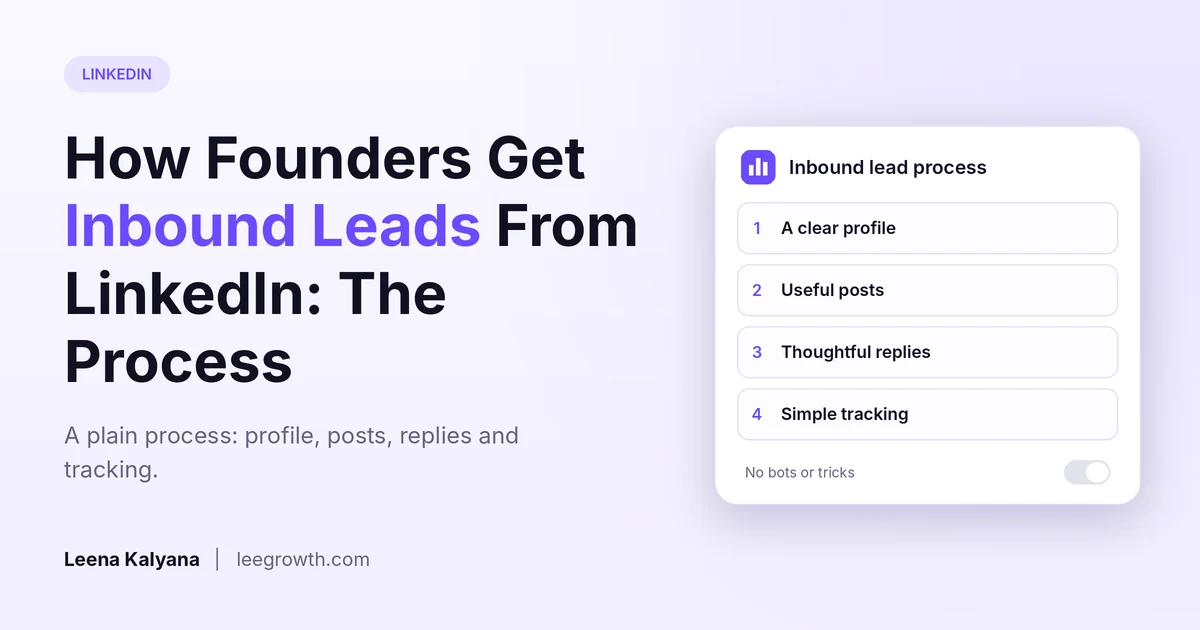
Short answer: Founders get inbound leads from LinkedIn when a clear profile, useful posts and real conversations work together over time. The profile explains you, the posts earn trust, and conversations turn interest into enquiries. There is no shortcut, and automation makes it worse.
I am Leena Kalyana, and I help founders and owners in India with LinkedIn. This is the process I follow. For the wider B2B picture, read how B2B leads come from LinkedIn in India.
Who this is for: founders, owners, consultants and agency heads in India who sell to businesses or professionals, and who want enquiries from LinkedIn without cold messaging or paid ads. It is written for people who can spend a few hours a week, not for full-time content creators.
What you will get: a plain definition of inbound leads, a way to check whether LinkedIn suits your business, the six steps with examples, a weekly routine, a 30-day starter plan, a tracking sheet, what does not work, how long it takes and a final checklist.
Find what you need fast
| If you want to… | Go to |
|---|---|
| Check whether LinkedIn suits your business | Is LinkedIn right for you? |
| Fix your profile | Step 2 |
| Decide what to post | Step 3 |
| Handle comments and messages | Step 4 |
| Track what brings enquiries | Step 6 |
| Get started this month | 30-day plan |
What counts as an inbound lead from LinkedIn?
An inbound lead is someone who reaches out to you because of what they saw, not because you contacted them first. On LinkedIn it can arrive in several forms:
- A direct message asking about your service.
- A comment on your post that turns into a conversation.
- A visit to your profile followed by a connection request and a question.
- A form submission or call request from a link on your profile or posts.
- A referral from someone who read your posts and thought of you.
Not every one is a good lead. A good inbound lead matches the kind of client you want and has a real problem you can help with. Count conversations with the right people, not only the number of messages.
Is LinkedIn the right channel for your business?
LinkedIn works best when your buyers are professionals or business owners who use it. It works less well for local consumer businesses.
| Your business | How well LinkedIn fits |
|---|---|
| B2B services, agencies and consultancies | Strong fit |
| Software and SaaS selling to businesses | Strong fit |
| Professional services, such as finance, legal and training | Good fit |
| Manufacturers and suppliers selling to other businesses | Good fit, especially for relationships and credibility |
| Local shops and services for people nearby | Weak fit. Local SEO may do more |
| Products for general consumers | Weak fit unless you sell to professionals |
If you are unsure, check where your last five clients first heard of you, and whether they would have been on LinkedIn.
Step 1: Decide who you want to attract
Write down the kind of client you want: their role, the problem they have and the question they ask before buying. Everything on your profile and in your posts should speak to that person. If you try to speak to everyone, nobody feels it is for them.
Before you change anything, write down the answers to these six questions:
- Who is the person? Note their role, company size and industry.
- What problem do they have right now?
- What do they search for or ask before they buy?
- What do they worry about or get wrong?
- What do you do for them, in one plain sentence?
- What should they do next if they are interested?
A filled example: “Founders of small Indian software companies who want enquiries from US clients. They have a good product but nobody understands what it does. They ask how to explain it simply. I help them write a profile and posts that make it clear.”
Step 2: Make the profile do the explaining
When a post brings someone to your profile, they should understand in seconds who you help and how to reach you. Fix the headline, About section and featured items first. See LinkedIn profile optimization and the profile audit checklist.
Here is what each part needs:
| Part of the profile | What it should do |
|---|---|
| Photo | A clear, recent face photo, so people trust who they are talking to |
| Banner | A simple line about who you help, or how to start, not a stock image |
| Headline | Say who you help and with what, in plain words, not only your job title |
| About section | Open with the client’s problem, say what you do, show proof, and end with how to contact you |
| Featured | Your best post, your services page, your enquiry form or a short case study |
| Experience | Say what you did and the result, in short lines |
| Contact details | Make it easy to reach you: website link, email or the way you prefer |
A good headline says who you help, what problem you solve and what changes for them. For example: “I help founders of small Indian software companies explain their product clearly on LinkedIn, so the right buyers contact them.” Write it in the words your clients use, and avoid long lists of titles. Do not claim results or clients you cannot prove.
Step 3: Post what your buyers want to know
The posts that lead to enquiries answer real questions: how you solve a problem, what mistakes you see, what a project involves and what you think about your field. Keep them honest and specific. Pitching in every post pushes people away. For structures that work, see the post types that bring enquiries.
Here are six kinds of post you can rotate, with an example opening line for each:
| Post type | What it does | Example opening line |
|---|---|---|
| A question you hear often | Shows you understand the buyer | “Clients often ask me whether they need to post every day.” |
| A mistake you see | Shows experience | “The most common mistake I see on founder profiles is…” |
| How you solve a problem | Shows your method | “This is how I would fix an unclear headline in five minutes.” |
| What a project involves | Removes fear and builds trust | “Here is what happens in the first week of working with me.” |
| Your view on your field | Shows you think for yourself | “I disagree with the advice to post daily, and this is why.” |
| A client story | Shows proof | “A founder came to me with a good product and no enquiries.” |
Rules for good posts:
- One idea per post, written in plain words, with a clear opening line.
- Be specific. An example, a number you can stand behind or a step beats general advice.
- Say something you actually know. Do not copy a trend you do not understand.
- Keep client stories honest and get permission before you name anyone or share details.
- Do not pitch in every post. Add a short invitation only where it fits.
Step 4: Reply to every comment and message
Conversations are where leads start. Answer comments with something useful, not only thanks, and reply to messages quickly and politely. When someone asks a direct question, answer it before you ask for anything. If they want to know more, suggest a short call.
A simple pattern for replies:
- Thank them in one line, and use their name.
- Answer the question in two or three sentences.
- Ask one question back to understand their situation.
- Suggest a next step only when they show real interest, such as a short call or a form.
Example reply to a message that says “Can you help with my LinkedIn profile?”: “Thank you for asking. Yes, I help founders with this. Can you tell me who you want to attract and what your headline says now? Then I can tell you what I would change first.”
In India, many buyers prefer to continue on WhatsApp or a phone call, so offer that when the conversation is going well and the person is comfortable. Keep it respectful and only move to another channel when they agree.
Questions that help you see whether someone is a good fit:
- What are you trying to achieve?
- Who are you trying to reach?
- What have you tried so far?
- When do you want to start?
Step 5: Give interested people a clear next step
A reader who is ready should not have to search. Make the contact route obvious: a link in the Featured section, a line at the end of your About section, and a simple page that explains your service. Your services page and a clear enquiry form on your website help here.
The page people land on should:
- Say who the service is for, what it includes and how it works.
- Show proof, such as an example, a short case study or a clear description of your process.
- Have a short enquiry form, with a few fields, and a visible button.
- Say what happens next and when they will hear back.
- Load fast and read well on a phone, since many people open LinkedIn links on mobile.
Step 6: Track what actually brings enquiries
If you do not track it, you cannot tell what works. A simple sheet is enough.
- Ask every new contact how they found you, and write it down.
- Note which posts led to messages or calls, not only likes.
- Watch profile views and search appearances for the right kind of people.
- Use analytics to see website visits that come from LinkedIn. See how to track enquiries in GA4.
Use one row for each new contact, with six columns: date, name and company, how they found you, the post or action that led to it, the stage (message, call, proposal or client) and notes. A made-up example row looks like this:
| Date | Name and company | How they found me | Post or action that led to it | Stage | Notes |
|---|---|---|---|---|---|
| 12 November | Priya Nair, a finance software company | Commented on my post about unclear headlines | Post on headline mistakes | Call booked | Wants her profile and services page reviewed |
Once a week, look at the sheet and ask: which posts led to real conversations, which kind of person contacted me, and what did they ask? Then plan your next posts from the answers.
What does not work
- Automated connection requests and messages. They break LinkedIn’s rules and annoy the people you want.
- Sending a sales pitch to a new connection straight away.
- Posting every day with nothing to say.
- Buying followers or joining engagement groups. They bring an audience that never buys.
- Copying another person’s posts or templates word for word.
- Tagging people who have not asked to be tagged, to get attention.
How long does it take?
A clearer profile can help quickly. Trust from posts builds over months, and the people who will hire you may read you silently for a long time first. Be consistent and patient, and judge by conversations, not likes.
Signs that it is working, in the order they usually appear:
- More of the right people view your profile.
- People who match your client profile start to follow, like and comment.
- Some of them send questions or messages.
- A few ask for a call or a quote.
- New clients say they found you through LinkedIn.
What weekly routine works for a busy founder?
Choose a pace you can keep, not the most you can do. This routine takes about two to three hours a week:
| When | What to do | Time |
|---|---|---|
| Once a week | Write and schedule two or three posts | 60 to 90 minutes |
| Every day | Reply to comments and messages | 10 to 15 minutes |
| Every day | Leave two or three useful comments on posts by your buyers | 10 minutes |
| Once a week | Update your tracking sheet and plan next week’s posts | 20 minutes |
What does a 30-day starter plan look like?
| Week | What to do |
|---|---|
| 1 | Decide who you want to attract. Rewrite your headline, About section and Featured items. |
| 2 | Write and publish your first two to three posts. Reply to every comment. Set up your tracking sheet. |
| 3 | Add a post about a question clients ask and one about what a project involves. Start leaving useful comments on your buyers’ posts. |
| 4 | Review the sheet. Keep the post types that led to conversations. Improve your services page and enquiry form. Plan the next month. |
What mistakes do founders make?
- Trying to speak to everyone instead of one kind of client.
- A profile that lists jobs but not who they help.
- Posts that sell in every line, or never say what you do.
- Slow replies, or replies that only say thanks.
- No clear next step on the profile or the website.
- Judging success by likes instead of conversations.
- Giving up after two weeks.
If you already made these mistakes:
- Unclear profile: rewrite the headline and About section first, using the sheet from Step 1.
- Posts that sell too much: keep the next five posts to questions, mistakes and how you solve problems.
- No next step: add your enquiry page to Featured and a contact line to About today.
- No tracking: start the sheet this week and ask each new contact how they found you.
What should you check before you start?
- I know who I want to attract and the problem they have.
- My headline says who I help and with what.
- My About section opens with the client’s problem and ends with how to contact me.
- Featured shows my best post, my services page and my enquiry route.
- I have a list of questions my buyers ask, to use as post ideas.
- I can reply to comments and messages every day.
- My services page and enquiry form work well on a phone.
- I have a tracking sheet and ask new contacts how they found me.
- I am not using automation or buying followers.
Want help running this process?
I do this for founders and owners. See LinkedIn personal branding for founders, or start with a free LinkedIn profile review.
Frequently asked questions
How do founders get inbound leads from LinkedIn?
They make a clear profile, post useful answers to real buyer questions, reply to comments and messages, give interested people a clear next step, and track what brings enquiries.
How many posts a week do I need?
Pick a pace you can keep. A steady rhythm that you can sustain beats a burst that stops.
Should I message people directly to sell?
Not as a first move. Start by being useful in comments and posts, and message when there is a real reason, such as a question they asked.
Can LinkedIn work for a small local business?
It works best when your buyers are professionals or business owners. For customers who search nearby, local SEO may do more.
How long does it take to get leads from LinkedIn?
A clearer profile can help quickly. Trust from posts usually builds over months, so judge progress by conversations, not likes.
Do I need a large following?
No. A smaller number of the right people who see your posts matters more than a large audience that will never buy.
Is it safe to use automation tools?
Automation that sends messages or requests for you breaks LinkedIn’s rules and can put your account at risk. Do it by hand.
What should I put in my LinkedIn headline?
Say who you help and with what, in plain words, for example “I help small software companies explain their product clearly”. Do not rely only on your job title.
How do I know if LinkedIn is bringing enquiries?
Ask each new contact how they found you, note which posts led to messages, and check website visits from LinkedIn in your analytics.

Leena Kalyana is an SEO and digital marketing consultant in Delhi NCR and the founder of LeeGrowth. She helps clinics, coaching institutes, consultants and small businesses get found on Google, Google Maps and AI search. She works directly with every client and does not guarantee rankings.