In this article
Last updated: November 2026 · Written by: Leena Kalyana, SEO consultant, Delhi NCR
What is WordPress SEO?
WordPress SEO is the set of settings, content and technical fixes that help a WordPress website appear in Google search results, Google Maps and AI answers. It covers how Google finds your pages, how your pages are described, and how fast and usable your site is. WordPress gives you the tools, but the settings must be correct before they work.
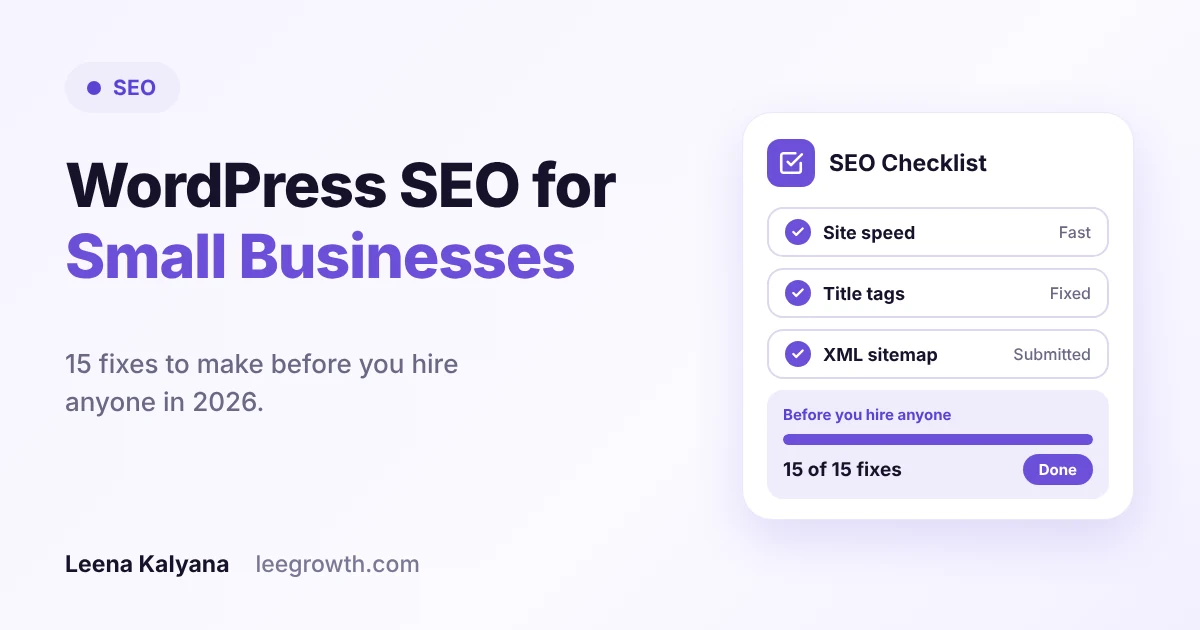
The 15 WordPress SEO fixes at a glance
| # | Fix | Where to do it in WordPress | Level |
|---|---|---|---|
| 1 | Let Google index your site | Settings, then Reading | Beginner |
| 2 | Use Post name permalinks | Settings, then Permalinks | Beginner |
| 3 | Use HTTPS and one domain version | Settings, then General | Beginner |
| 4 | Install one SEO plugin | Plugins, then Add New | Beginner |
| 5 | Submit a sitemap and connect Google tools | SEO plugin and Google Search Console | Beginner |
| 6 | Write unique titles and meta descriptions | SEO plugin box under each page | Beginner |
| 7 | Use one H1 and logical headings | Page editor | Beginner |
| 8 | Target specific, real searches | Page and post content | Intermediate |
| 9 | Compress images and add alt text | Media Library | Beginner |
| 10 | Clean up thin pages and broken links | Posts, Pages and redirect tool | Intermediate |
| 11 | Add internal links | Page editor | Beginner |
| 12 | Speed up the site | Caching plugin and hosting | Intermediate |
| 13 | Check the mobile version | Phone and PageSpeed Insights | Beginner |
| 14 | Complete Google Business Profile and local schema | Google Business Profile and SEO plugin | Intermediate |
| 15 | Keep WordPress updated and backed up | Dashboard, then Updates | Beginner |
Phase 1: Foundation and indexing (fixes 1 to 5)
1. Let Google index your site
The fix: Go to Settings, then Reading, and make sure “Discourage search engines from indexing this site” is unticked.
Why it matters: If that box is ticked, WordPress asks Google not to list your website. This happens often on new sites and on sites rebuilt by a developer. Also check that your important pages are not set to noindex in your SEO plugin.
2. Use Post name permalinks
The fix: Go to Settings, then Permalinks, and choose Post name so your page addresses look like yoursite.com/service-name/ instead of yoursite.com/?p=123.
Why it matters: Clean addresses are easier for visitors and search engines to read. If your site is already live and ranking, do not change permalinks without 301 redirects from the old addresses, or you can lose rankings.
3. Use HTTPS and one domain version
The fix: Under Settings, then General, make sure the WordPress Address and Site Address both start with https:// and use the same format, either with www or without it. Ask your host to redirect the other version to it.
Why it matters: Google can treat the www and non-www versions of a site as two separate websites, which splits your signals. A missing SSL certificate also shows visitors a “Not secure” warning.
4. Install one SEO plugin
The fix: Install Rank Math, Yoast SEO or All in One SEO, run its setup wizard and choose the correct site type, such as local business or online shop. Never run two SEO plugins together.
Why it matters: WordPress does not manage titles, meta descriptions, sitemaps or schema on its own. An SEO plugin handles them without code, and two plugins create duplicate tags.
5. Submit a sitemap and connect Google Search Console and GA4
The fix: Turn on the XML sitemap in your SEO plugin, which is usually at yoursite.com/sitemap_index.xml. Verify your site in Google Search Console, open Sitemaps and submit that address. Then link Google Analytics 4.
Why it matters: A sitemap helps Google find new pages and posts faster. Search Console shows which searches bring visitors and reports indexing errors, so it is how you check whether your fixes work.
Phase 2: On-page and content basics (fixes 6 to 11)
6. Write unique titles and meta descriptions
The fix: For your home page, service pages and key posts, write a title of about 60 characters and a meta description of about 155 characters. Put the main search phrase near the start of the title and never reuse a title on two pages. For example, use “Physiotherapy Clinic in Rohini, Delhi | Book an Appointment” instead of “Home”.
Why it matters: The title and description form your snippet in Google results. They help Google understand the page and help people decide to click.
7. Use one H1 and logical headings
The fix: Give every page exactly one H1, normally the page title, then use H2 for main sections and H3 for sub-points. Do not pick a heading level just for its font size.
Why it matters: Headings show search engines and AI tools how a page is organised and what each section answers.
8. Target specific, real searches
The fix: Write each page for a specific search, not a broad one-word term. For example, target “emergency AC repair in Rohini” instead of “AC repair”, or “SEO for ecommerce stores in India” instead of “SEO”.
Why it matters: Specific searches have less competition and bring visitors who are closer to calling or buying. A small business site rarely ranks for broad terms.
9. Compress images and add alt text
The fix: Resize images before upload, use a plugin that compresses them and converts them to WebP, and add a short plain-English alt text to every meaningful image. For example: “Dentist checking a patient in a Delhi clinic”.
Why it matters: Oversized images are the most common cause of slow small business WordPress sites. Alt text helps visually impaired visitors and helps Google understand the image.
10. Clean up thin pages and broken links
The fix: Review Posts, Categories and Tags. Delete empty tags, merge overlapping categories, and set low-value archive pages to noindex in your SEO plugin. Find broken links with Screaming Frog or a plugin, and send every deleted page to its closest replacement with a 301 redirect, not to the home page.
Why it matters: Many weak pages lower the overall quality of a site, and broken links waste visitors’ time and Google’s crawling.
11. Add internal links
The fix: Each time you publish a post, link it to the related service page and link one or two older posts to it. Use descriptive link text such as “local SEO services in Delhi”, not “click here”. For example, this guide links to my SEO services and my WordPress website services in Delhi.
Why it matters: Internal links help visitors move through the site and show Google which pages matter most.
Phase 3: Speed, mobile, local and upkeep (fixes 12 to 15)
12. Speed up the site
The fix: Test key pages in Google PageSpeed Insights. Use a caching plugin or your host’s cache, delete unused plugins, choose a lightweight theme and upgrade very cheap hosting if it is the cause.
Why it matters: Slow pages lose visitors, and Google measures page experience through Core Web Vitals. Google’s “good” thresholds are Largest Contentful Paint of 2.5 seconds or less, Interaction to Next Paint of 200 milliseconds or less, and Cumulative Layout Shift of 0.1 or less. Aim for a site that feels fast on a phone, not a perfect score of 100.
13. Check the mobile version
The fix: Open your site on a phone. Check that text is readable without zooming, buttons are easy to tap, the phone and WhatsApp buttons are easy to find, and no pop-up covers the page.
Why it matters: Google mainly uses the mobile version of a page for indexing and ranking, and most searches in India happen on phones.
14. Complete your Google Business Profile and local schema
The fix: Claim your Google Business Profile and fill in your name, address, phone number, hours, services and photos. Keep your name, address and phone number identical on your website and every listing. Then choose the Local Business type in your SEO plugin and enter the same details. See my local SEO services in Delhi for more.
Why it matters: For businesses that serve a local area, the Google Maps result often brings more calls than the normal web results. Schema gives Google clear facts about your business, but it does not guarantee rich results or a higher ranking.
15. Keep WordPress updated and backed up
The fix: Update WordPress core, your theme and plugins regularly, keep automatic backups, and review your top pages every few months. Fix outdated details and add a short FAQ with direct answers to the questions customers actually ask.
Why it matters: Outdated software is a leading way WordPress sites get hacked, and a hacked site can be removed from Google. Fresh pages with clear question-and-answer content are also easier for Google AI answers and tools like ChatGPT to understand and quote.
What to fix first if you only have one hour
Do these five: confirm search engines are not discouraged (fix 1), install one SEO plugin and submit your sitemap (fixes 4 and 5), rewrite the titles and descriptions of your home and top service pages (fix 6), compress your largest images (fix 9) and complete your Google Business Profile (fix 14).
When to hire an SEO expert
Hire help if you have done these basics and still get no traffic after a few months, if rankings dropped after a site rebuild, if you are not comfortable changing redirects or schema on a live site, or if you have no time to publish content regularly. Anyone who guarantees a number one ranking is guessing, because Google decides rankings.
If you want a second opinion first, I offer a free SEO audit that lists what to fix first, and I will tell you honestly if you do not need paid help yet. My technical SEO audit checklist covers the deeper checks.
Frequently asked questions
Is WordPress good for SEO?
Yes, WordPress is good for SEO because it produces clean code, flexible page structures and supports plugins for titles, sitemaps and schema. It does not do SEO automatically, and a slow theme, too many plugins or wrong settings can still hold a site back.
Which is better for SEO, Rank Math or Yoast?
Both Rank Math and Yoast SEO handle titles, meta descriptions, sitemaps, redirects and schema well. Choose the one you find easier to use and install only one.
How long does WordPress SEO take to work?
Technical fixes can be picked up by Google within days or weeks, but ranking improvements usually take a few months. The time depends on your starting point and your competitors.
Do I need a paid plugin for WordPress SEO?
Usually no. The free versions of Rank Math and Yoast SEO cover what most small business sites need.
Can I do WordPress SEO myself?
Yes, the 15 fixes above are designed for business owners without a developer. Deeper problems such as indexing errors, site migrations and competitive keywords are faster and safer with an expert.
Does my WordPress theme affect SEO?
Yes, mainly through page speed, mobile layout and clean heading structure. A lightweight, well-coded theme is safer than a heavy theme with features you will not use.
Further reading
Leena Kalyana is an SEO and digital marketing consultant in Delhi NCR and the founder of LeeGrowth. She works directly with small businesses on SEO, local SEO, content and WordPress websites.

Leena Kalyana is an SEO and digital marketing consultant in Delhi NCR and the founder of LeeGrowth. She helps clinics, coaching institutes, consultants and small businesses get found on Google, Google Maps and AI search. She works directly with every client and does not guarantee rankings.