

In this article
Written by Leena Kalyana · Last reviewed: 21 November 2026
SEO and Google Ads are the two main ways a local business gets found on Google. SEO means improving your website and Google Business Profile so you appear in the normal results and on the map without paying per click. Google Ads means paying Google to show your ad at the top of the results, and paying each time someone clicks. This guide helps you decide which to start with, how to compare their real cost, and when to use both.
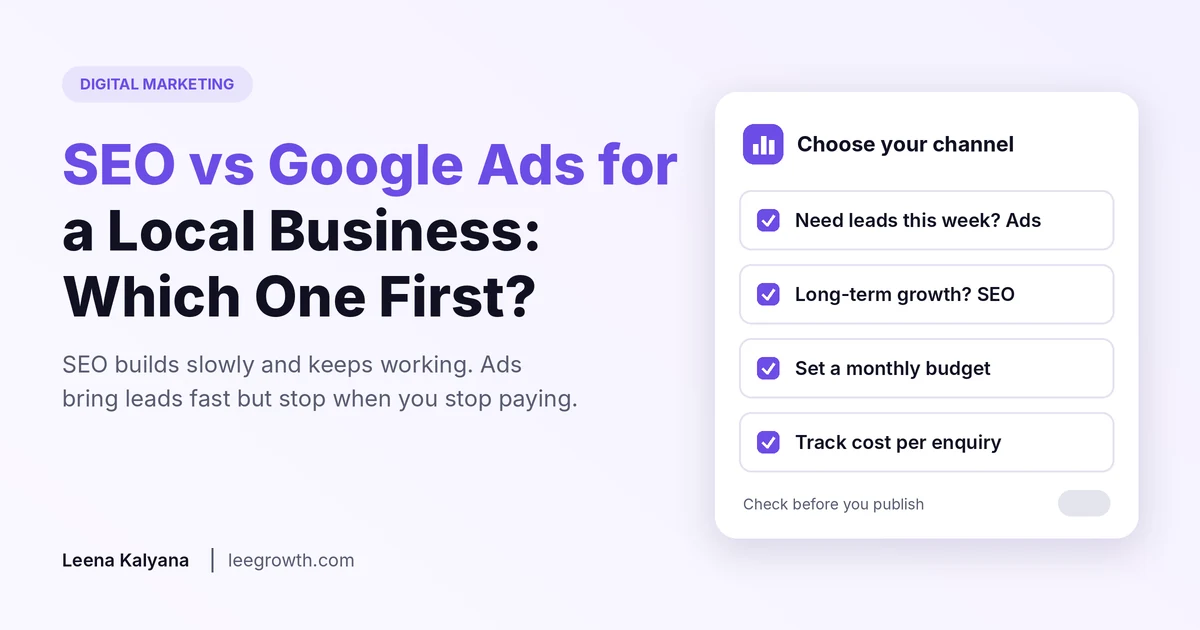
Short answer: Google Ads can bring enquiries within days but you pay for every click and it stops when you stop paying. SEO takes months but builds lasting visibility. Many local businesses do best with a Google Business Profile and basic SEO first, and add ads when they need faster results.
I am Leena Kalyana, a digital marketing consultant in Delhi NCR. I offer both SEO and Google Ads management, so I try to recommend what fits, not what pays me more.
Who this is for: owners and managers of local businesses in India, such as clinics, salons, repair and home services, coaching centres, restaurants and shops, who are deciding where to put their first marketing rupees.
What you will get: how each channel works, how they differ on speed and cost, a simple way to work out what a lead is worth to you, which businesses suit which channel, a readiness check before you spend on ads, a practical order, a 90-day plan, what to measure and mistakes to avoid.
Find what you need fast
| If you want to… | Go to |
|---|---|
| See how they differ | How each one works |
| Compare cost properly | Cost over time |
| Check what a lead is worth | The break-even calculation |
| Match your business to a channel | Which suits which business |
| Check you are ready for ads | Ad readiness |
| Plan your first 90 days | 90-day plan |
In this guide
- How each one works
- Speed
- Cost over time
- What a lead is worth
- Which suits which business
- Questions to decide
- Ad readiness
- A practical order
- Using both together
- A 90-day plan
- What to measure
- Common mistakes
- Final checklist
How does each one work?
Google Ads: you pay when someone clicks your ad. Your ad appears at the top of the results while your budget lasts. When you pause the ads, the traffic stops.
SEO: you improve your site and profile so you appear in the normal results and on the map. You do not pay per click, but the work takes time, and results build slowly.
| Google Ads | SEO | |
|---|---|---|
| What you pay for | Each click on your ad | The work to improve your profile, site and reviews |
| Where you appear | Ad spots in the results | Normal results and the map |
| If you stop | Traffic stops straight away | Visibility fades slowly, if at all |
| Control | You choose keywords, areas, hours and budget | Indirect, because Google decides rankings |
| What you learn | Which searches and ads bring enquiries, quickly | Which pages and profile changes bring enquiries, over months |
How fast does each one work?
Ads can bring visitors the same week you launch. SEO usually takes months. If you need enquiries quickly, ads are the faster tool.
Speed has limits. A new ad campaign usually needs a few weeks of adjusting before it works well, because you learn which searches bring real enquiries and which waste money. And SEO can move faster when your profile has obvious problems that are easy to fix, such as wrong details or missing categories. See how long SEO takes.
How do the costs compare over time?
Ads cost money every month for as long as you want the traffic. SEO costs effort first, then keeps bringing visitors with less ongoing cost. Both need management, and costs depend on your market and competition.
Compare the two by cost per lead and cost per customer, not by cost per click or monthly fee:
- Cost per lead: total spend divided by the number of enquiries.
- Cost per customer: total spend divided by the number of enquiries that became paying customers.
In the early months, SEO often looks expensive per lead, because you are paying before results arrive. Later the cost per lead usually falls. Ads work the other way: they cost per lead from the start, and the cost can stay the same or rise with competition. So compare over at least six to twelve months, not month by month.
A simple method: keep a sheet that records spend and enquiries for each channel each month, then work out the running cost per lead at three, six and twelve months.
Many online guides quote exact cost-per-lead figures for India. They vary a lot and rarely explain how they were measured, so do not plan around them. Work out your own numbers instead.
How much can you afford to pay for a lead?
You can afford to pay a lead up to the profit you expect from it. Work it out with this calculation:
Maximum affordable cost per lead = profit from one customer × the share of leads that become customers
An example with made-up numbers: a Delhi AC repair business earns about ₹1,500 profit per job, and 4 out of every 10 enquiries become paying customers. The most it can afford per lead is ₹1,500 × 0.4 = ₹600. If leads cost more than that, the business loses money on each one.
Then check the ad side. If a click costs ₹40 and 8 in every 100 visitors enquire, one lead costs ₹40 ÷ 0.08 = ₹500, which fits under the ₹600 limit. If only 3 in every 100 enquired, a lead would cost about ₹1,333, which does not. The same ads can work or fail depending on the page and how fast you answer calls.
To stay safe, aim for a cost per lead well below your maximum, and include any management fee in the cost. If you do not know your numbers yet, a few weeks of tracking will show them.
Which suits which business?
- Urgent, local services (emergency repairs, clinics): both help. Start with your Google Business Profile, then consider ads for peak times.
- New business needing quick leads: ads can give early data, while you build SEO in the background.
- Small budget: SEO and a strong Google profile usually give better value over time.
- High-value, long-decision services: SEO content builds trust, and ads can catch people who are ready.
- Seasonal business: ads for the season, with SEO and your profile kept active all year.
- Crowded area where competitors already dominate the map: SEO and reviews take longer, so plan for patience and consider ads for visibility meanwhile.
- Low profit per customer: be careful with ads, because each click and lead must fit within a small margin. Use the calculation above first.
- Business with a long waiting list: you may not need more leads yet, so fix capacity before spending on either.
What questions help you decide?
Answer these six questions, and the right first step usually becomes clear.
- How soon do you need enquiries? This quarter points to ads. A year points to SEO.
- What can you afford to spend each month, and for how long?
- What is a customer worth to you, and how many enquiries become customers?
- How strong is your Google Business Profile and website today? Weak foundations waste both channels.
- How competitive is your area and trade? The more competitive, the more both cost.
- Can you answer calls and messages quickly? Slow replies waste paid leads.
Is your business ready for Google Ads?
Ads send people to your page, so the page and your response must work first. Check these before you spend:
- Your contact step works on a phone: a call button, a WhatsApp option and a short form. See why your website may not get enquiries.
- The page matches the ad, and says what you do, where and what happens next.
- Calls, WhatsApp clicks and forms are tracked. See how to track enquiries in GA4.
- Someone answers calls and messages during the hours the ads run.
- Your Google Business Profile has correct details, hours and reviews.
- You know your numbers: what a customer is worth and what a lead can cost.
If the page does not convert, fixing it comes before ads. A structured conversion audit can show what to fix first.
What is a practical order for most local businesses?
- Fix your Google Business Profile and basic website problems.
- Make sure your contact step works, or ads will waste money. See why your website may not get enquiries.
- Start SEO for your main services and area.
- Add ads for the services or seasons where you need more volume.
If you need enquiries urgently, you can start ads at step 4 sooner, as long as step 2 is done. Run a small test, measure, and adjust before you increase the budget.
How do you use both together?
Use ads for speed and data, and SEO for lasting visibility. They help each other.
- Learn from ads: the search terms report in Google Ads shows what people really type before they enquire. Use these words in your pages and profile.
- Use SEO pages as ad landing pages only when they fit. Ad pages are often shorter and more focused, so I usually keep them separate.
- Keep your profile strong for both, because ads and the map both send people to it.
- Review together: compare cost per lead and cost per customer for each channel every month, and move budget towards what works.
- Do not split the budget by a fixed rule. Start with the business’s urgency and numbers, then adjust as you learn.
What does a 90-day plan look like?
| Period | SEO and profile | Ads |
|---|---|---|
| Weeks 1 to 2 | Fix profile details, categories, photos and hours. Audit the website’s contact step and speed. Start tracking calls, WhatsApp clicks and forms. | Do not start yet. Decide your maximum cost per lead and which services to promote. |
| Weeks 3 to 4 | Ask recent customers for reviews. Improve the main service pages. | Launch a small test for one or two services, in your service area, during hours you can answer. |
| Weeks 5 to 8 | Add pages for other main services and areas. Reply to all reviews. | Review the search terms, add words to exclude and pause what wastes money. |
| Weeks 9 to 12 | Check which pages and profile changes bring calls and enquiries. | Compare cost per lead and per customer. Increase budget only for what pays back. |
After 90 days, decide using your numbers: keep both, shift towards one, or fix what blocks results.
What should you measure for each?
| Channel | What to measure |
|---|---|
| Google Ads | Clicks, enquiries, cost per lead, cost per customer, and the search terms that bring enquiries |
| SEO and profile | Profile calls, direction requests, website visits and enquiries from search, new reviews, and searches your pages appear for |
| Both | Enquiries that became customers, and what customers say when you ask how they found you |
Rankings and clicks are useful, but the goal is enquiries and customers.
What mistakes do local businesses make?
Running ads to a page that does not convert, expecting SEO to work in a few weeks, and not tracking calls, so you cannot tell which channel works. Read how to track enquiries in GA4.
More mistakes to avoid:
- Starting ads without knowing what a customer is worth.
- Targeting too wide an area, so clicks come from people you cannot serve.
- Running ads when nobody can answer the phone.
- Stopping SEO work after a few weeks because rankings have not moved.
- Judging by clicks or impressions instead of enquiries and customers.
- Paying for ads to bring people to a profile or website with wrong details.
If you already made these mistakes:
- Ads to a weak page: pause them, fix the page, and restart with a small budget.
- No tracking: set it up now and ask each new customer how they found you.
- Too wide an area: narrow the locations and check where clicks come from.
- Gave up on SEO early: restart with the profile and main service pages, and give it at least three months.
See also how to generate leads without ads, and use the local SEO checklist to check your profile and pages.
What should you check before you decide?
- [ ] I know what one customer is worth and what share of enquiries become customers.
- [ ] I know the most I can pay for a lead.
- [ ] My Google Business Profile details, hours and reviews are in good shape.
- [ ] My website has a working call button, WhatsApp option and short form on mobile.
- [ ] Calls, WhatsApp clicks and forms are tracked.
- [ ] Someone answers promptly during the hours I want leads.
- [ ] I have chosen a first step based on urgency and budget, not on what is fashionable.
- [ ] I will review cost per lead and cost per customer each month.
Frequently asked questions
Is SEO cheaper than Google Ads? Over a long period it often is, because you are not paying for each click. But it takes longer to work, and it needs steady effort.
Can I do both together? Yes, and many businesses do. Ads give speed while SEO builds lasting visibility.
Which is better for a new clinic? A strong Google profile first, then SEO for your main services. Ads can help with early visibility if your budget allows and your booking step works.
Which should a local business do first, SEO or Google Ads? Most should fix their Google Business Profile and website first, then start SEO. Add ads when you need faster results and your contact step and tracking are ready.
How much should I spend on Google Ads? Start with a small test you can afford to lose, then work out your cost per lead and cost per customer. Increase the budget only when the numbers pay back.
How long does SEO take for a local business? Usually a few months to show steady results, so plan for at least three months before judging.
What happens to my leads if I stop Google Ads? Traffic from the ads stops straight away. SEO visibility usually fades much more slowly.
Do I need a website for Google Ads? Yes, in most cases you need a page that explains your service and has an easy way to contact you. A weak page wastes ad money.
Which gives better quality leads? It depends on the business and the setup. Measure cost per customer for each, not only cost per lead.
Want help finding what is holding your site back?
Send me your website and I will tell you what I would fix first, with no obligation. Start with the free website SEO audit, or book a free consultation.

Leena Kalyana is an SEO and digital marketing consultant in Delhi NCR and the founder of LeeGrowth. She helps clinics, coaching institutes, consultants and small businesses get found on Google, Google Maps and AI search. She works directly with every client and does not guarantee rankings.