

In this article
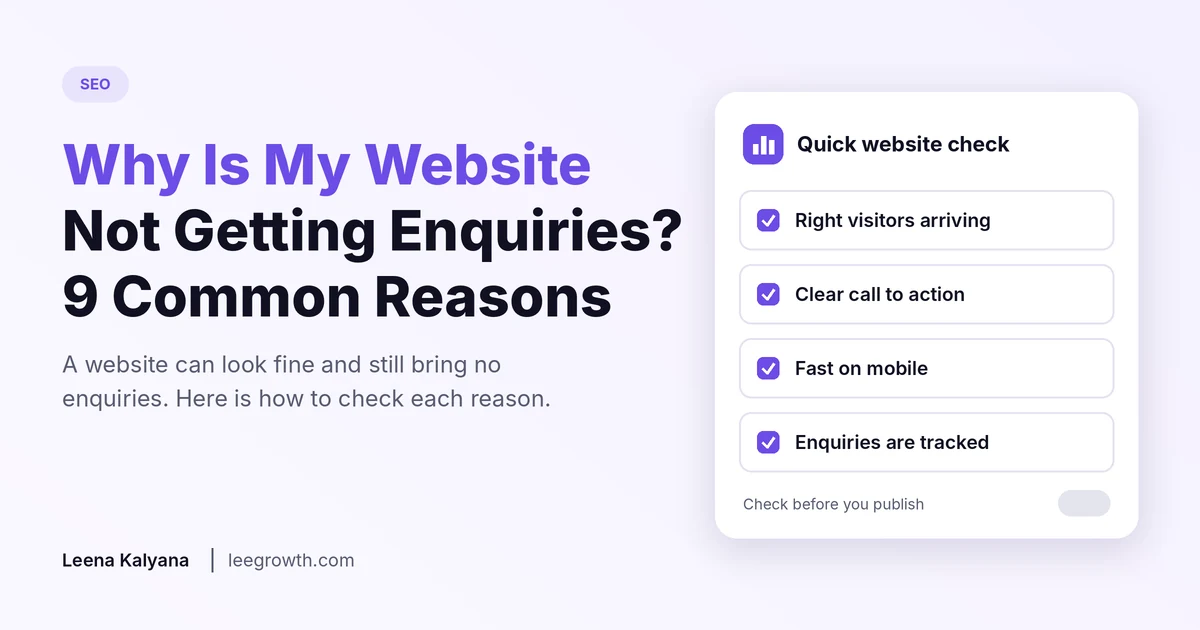
A website gets few enquiries for one of two reasons: too few of the right people visit, or visitors cannot see what you offer, trust you or contact you easily. Nine specific problems cause most cases, and most need no full redesign.
I am Leena Kalyana, a digital marketing consultant in Delhi NCR. These are the problems I check first when an owner says “my website gets no enquiries”.
An enquiry is any contact from a visitor: a call, a WhatsApp message or a form submission.
Do you have a visibility problem or a conversion problem?
A visibility problem means too few people reach your site. A conversion problem means people arrive and leave without contacting you. The fixes differ, so diagnose first.
Open Google Analytics or Search Console. Count the monthly visits to your key pages and the monthly enquiries. Then match your numbers to the table.
| Few enquiries | Many enquiries | |
|---|---|---|
| Few visits | Visibility problem, and probably a conversion problem too | Protect what works and grow visits |
| Many visits | Conversion problem: fix the page | Keep tracking and scale |
No universal number separates “few” from “many”. Compare your own month-to-month figures and your own goals.
A visibility problem calls for SEO, Google Maps work and better content. My local SEO services and SEO services cover that. A conversion problem calls for the nine fixes below, in this order.
1. Can visitors tell what you do in five seconds?
Your first screen must state what you do, who it is for and where. “Welcome to our website” says nothing. “Dental clinic in Dwarka for families” says everything.
Check: Read your home page as a stranger. Cover everything below the first screen.
Fix:
- Write one headline that names the service, the customer and the place.
- Add one line that states the main benefit.
- Place one clear button under it.
2. Is the contact step easy to find?
A visitor must reach a call or WhatsApp button without scrolling or searching. Many sites hide contact details in the footer or on a separate page.
Check: Open your site on your phone and try to contact yourself in under 10 seconds.
Fix:
- Add a call button and a WhatsApp button to every page.
- Keep both buttons visible on mobile.
- Show your phone number in the header.
3. Does the form ask for too much?
Every extra field loses visitors. A first enquiry needs three fields: name, phone number and a short message.
Check: Count your form fields.
Fix:
- Remove every field that you do not need for the first reply.
- Mark only the phone number as required.
- Confirm on screen that the message was sent.
4. Is your site fast and easy to read on a phone?
Slow pages and tiny text push mobile visitors away. Check the device report in Google Analytics to see how many of your visitors use a phone.
Check: Load your key pages on mobile data, not on office Wi-Fi.
Fix:
- Compress heavy images.
- Remove scripts and plugins you do not use.
- Increase text size and button size.
For ongoing speed and security work, see my website maintenance services.
5. Does your site show proof that you are real?
Visitors look for signs of trust: real photos, a named person, genuine reviews, a clear address and policies. Never invent any of these. A few genuine reviews beat a page of claims.
Check: Look for proof within one scroll of your contact button.
Fix:
- Add real photos of your place and your team.
- Name the person who answers the enquiry.
- Show genuine reviews near the contact step.
- Publish your address, phone number and policies.
My guide on how to get more Google reviews shows a safe routine.
6. Does each page answer the question that brought the visitor?
Each page must answer the search that brings people to it. A visitor who searched “how much does X cost” and lands on a page without a price leaves.
Check: Pick your three top pages. Write the search each one should answer. Then read the page and look for that answer in the first screen.
Fix:
- Put the direct answer at the top of the page.
- Give a price range or explain what decides the price.
- Use the words your customers use, including Hindi and Hinglish phrases. See my Hinglish keyword research guide.
For a page-by-page review list, use the landing page checklist for a local business.
7. Do the right people reach your site?
Traffic from loosely related searches does not enquire. Visitors who cannot buy from you inflate your visit count and hide the real problem.
Check: Open Google Search Console and read the searches that bring people to your site. Mark each one as buyer or not buyer. My guide to Google Search Console for small businesses shows where to look.
Fix:
- Write pages for the searches your buyers use.
- Remove or rewrite pages that attract the wrong visitors.
- Add your location and service to titles and headings.
My keyword research services find the searches your customers actually make.
8. Do you measure enquiries?
Untracked calls, WhatsApp clicks and form sends hide your real results. You may receive enquiries that you cannot see, and you cannot tell which pages work.
Check: Ask whether your analytics counts calls, WhatsApp clicks and form submissions as separate events.
Fix:
- Set up call, WhatsApp and form tracking.
- Review the counts every month.
- Record which page each enquiry came from.
Follow my guide to tracking enquiries in GA4.
9. Is your offer clear and attractive?
A clear first step makes it easier to say yes. A vague offer loses visitors even when the page looks good.
Check: Ask a friend to name your next step after reading your page. A wrong answer shows an unclear offer.
Fix:
- Offer one first step, such as a free audit or a free consultation.
- Explain what happens after the visitor says yes.
- State what the first step costs, including when it costs nothing.
In what order should you fix these problems?
Fix clarity first, then contact, then speed, then trust, then tracking. The order follows effort and impact: the first fixes take minutes and change what every visitor sees.
- Make the first screen clear.
- Add a call button and a WhatsApp button to every page.
- Shorten the form.
- Test mobile speed and fix the biggest problems.
- Add real proof near the contact step.
- Set up tracking.
Which professional review fits your problem?
A conversion review fits a visitor-but-no-enquiry problem. An SEO audit fits a few-visitors problem. My website conversion audit checks up to five key pages and gives you a ranked list of fixes. The free website SEO audit shows what holds back your Google visibility.
What do owners ask most?
How long should you wait before judging your website?
A new site needs months before SEO traffic builds, but conversion fixes show results within days. A clearer first screen or a visible contact button takes effect as soon as you publish it.
Do you need more traffic or better conversion?
Read your numbers first. Few visitors means a visibility problem. Many visitors and no enquiries means a conversion problem.
Is a redesign the answer?
Not usually. A clearer first screen, a better contact step and faster pages fix many sites without a redesign.
How many enquiries should a website get?
No universal number exists. The figure depends on your service, your area and your traffic. Compare your own month-to-month results.
What is your next step?
Send me your website and I will tell you what I would fix first, with no obligation. Start with the free website SEO audit, or book a free consultation.
Which guides should you read next?
- Landing page checklist for a local business
- How to track enquiries in GA4: calls, WhatsApp clicks and forms
- Local SEO pricing in India: what you pay and what you get
- How to get more patients from Google (for clinics in India)

Leena Kalyana is an SEO and digital marketing consultant in Delhi NCR and the founder of LeeGrowth. She helps clinics, coaching institutes, consultants and small businesses get found on Google, Google Maps and AI search. She works directly with every client and does not guarantee rankings.