


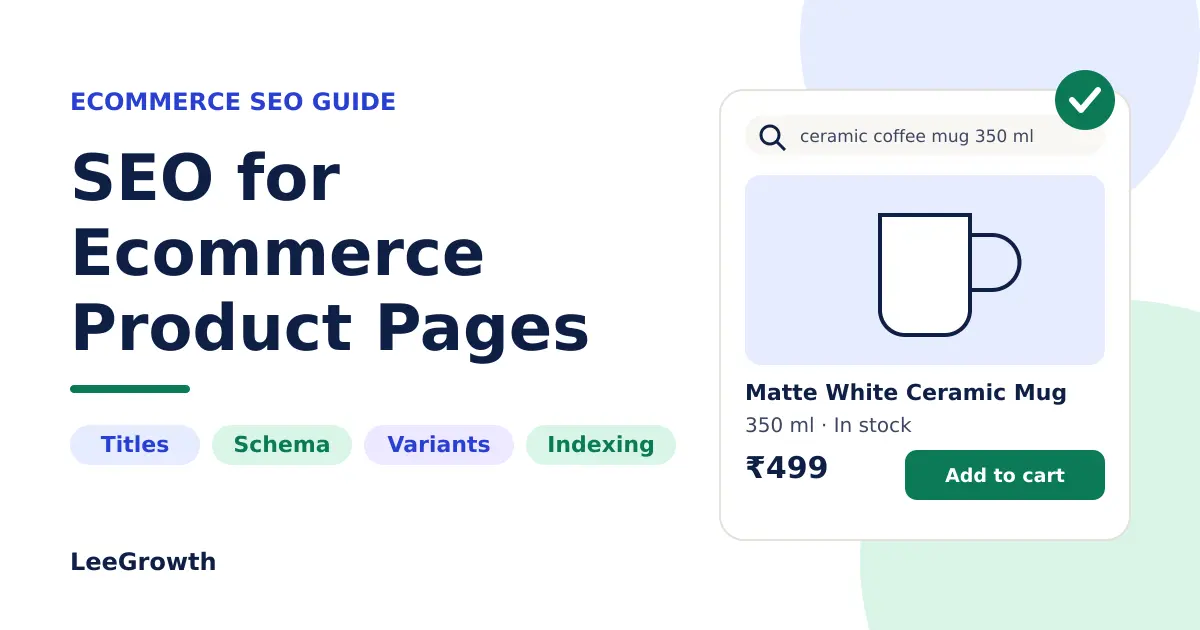
Quick answer: SEO for ecommerce product pages means making each product URL easy for search engines to find, understand and index, and easy for shoppers to trust and buy from. Start with an accurate title, a unique description, clear images, a clean URL, correct Product structured data and internal links from relevant category pages. Then check indexing and sales in Google Search Console and your analytics tool. Nothing here guarantees rankings, but these fundamentals remove the most common blockers.
Last reviewed: 12 October 2026
This guide to SEO for ecommerce product pages walks through the fixes that matter most. A shopper who searches “350 ml ceramic coffee mug” is often close to buying. If the matching page is thin, duplicated or hard to index, the sale goes elsewhere. Where a rule comes from Google’s documentation, the text says so; otherwise it is professional judgement. The advice suits Shopify, WooCommerce, WordPress and custom stores. If you want an expert review of your own store, Lee Growth’s SEO services cover it.
Why SEO for Ecommerce Product Pages Matters
| Page type | Typical search | Job of the page |
|---|---|---|
| Category page | “ceramic coffee mugs” | Help shoppers compare options |
| Product page | “350 ml ceramic coffee mug matte white” | Help a shopper decide on one item and buy it |
| Blog post or buying guide | “how to choose a coffee mug” | Answer a question and link to products |
Product pages sit closest to the purchase, yet usually have the least text and the most repetition from reused supplier copy.
How to Find the Right Keywords for Product Pages
Good SEO for ecommerce product pages starts with what the product is called. Then add what shoppers add: model numbers, attributes (size, material, compatibility), buyer questions such as “dishwasher safe”, and intent. Good sources are Search Console queries, Google autosuggest, “People also ask”, customer emails, return reasons and on-site search. For more on choosing phrases, see Lee Growth’s SEO keywords examples.
Map each keyword to one page
Give every product page one main topic. Use a category page for broad queries and a product page for one item or one specific set of attributes. Search the phrase yourself first: if mostly category pages rank, a single product page is unlikely to be the best match.
How to Optimise Product Titles and Meta Descriptions
Titles and descriptions are the most visible part of SEO for ecommerce product pages. Google creates title links and snippets automatically and can rewrite them, so treat character counts as guidance. Put the most identifying words first.
- Weak title: Coffee Mug | Shop Now
- Improved title: 350 ml Ceramic Coffee Mug, Matte White
- Weak description: Buy the best coffee mug online. Best price. Order now!
- Improved description: Matte white ceramic mug that holds 350 ml, with a wide handle. Microwave and dishwasher safe. See care and delivery details.
Only include true details and avoid repeating a keyword. On a large catalogue, set a template first, then hand-write for best sellers and high-impression products.
How to Write Product Descriptions That Rank and Convert
Answer the questions a shopper would ask in a shop: accurate specifications, features tied to buyer benefit, evidence-backed differences, care or sizing, and delivery and returns answers. Write your own text rather than pasting the manufacturer’s. There is no ideal word count; add information only when a shopper would use it, in line with Google’s guidance on helpful, reliable, people-first content.
Example (made up, replace with real facts): This slim bifold wallet is full-grain leather with a cotton lining, 11 x 9 x 1.5 cm closed. It has six card slots, two note pockets, a zip coin pocket and a snap closure. Wipe with a dry cloth and keep away from water.
Product Images, Alt Text and Image SEO
Per Google’s image SEO guidance:
- Use standard
imgelements; CSS background images are not indexed. - Use descriptive file names, for example
matte-white-ceramic-coffee-mug-350ml.jpg. - Write accurate alt text describing the image, not a keyword list. Use
alt=""for decorative images. - Use supported formats (WebP and AVIF often give smaller files) and responsive
srcsetwith a fallbacksrc. - Compress images, set dimensions, lazy-load lower images, but load the main product image straight away.
Product URLs and Page Structure
Google’s ecommerce URL guidance favours descriptive paths over IDs, one consistent pattern, and no session IDs in internal links. Do not change established URLs without a permanent redirect; see Google’s guide to redirects and Google Search. A clear page has one H1, price and buy button near the top, a spec list, shipping and returns, genuine reviews, related products and breadcrumbs. Keep key content in the HTML, not only behind scripts.
Product Variants, Duplicate Content and Canonical URLs
- A canonical tag is a hint, not a command.
- Some duplication is normal; aim for clarity.
- With optional parameters like
?color=green, Google recommends the parameter-free URL as canonical. - Fragments such as
#blackare treated as the same page. - Equally important variants on separate URLs each point to themselves.
See Google on canonicalization and product variant structured data. Then ask these three questions (professional judgement, not a Google rule):
| Question | If yes | If no |
|---|---|---|
| Do people search for this variant on its own? | May deserve its own URL | Keep on the main page |
| Does it have different photos, copy or specs? | Separate pages can add value | One page covers it |
| Does price, stock or margin differ meaningfully? | Treat as distinct | Consolidate |
Illustrative example, a T-shirt in 3 colours and 5 sizes: keep all sizes on one page, with the canonical pointing to the parameter-free URL. Give colours their own self-canonical pages only if people search for them and you have colour-specific photos; otherwise one page avoids near-duplicates. Platforms differ, so view the source of a real product and confirm its canonical tag.
Product Structured Data and Rich Results
Structured data is a key part of SEO for ecommerce product pages. It labels what is already visible on the page. It does not replace good content. Merchant Center feeds are separate files; Google says providing both markup and a feed maximises eligibility. Google’s introduction to Product structured data explains the two main kinds. For merchant listings, a name, an image and an offer with a price above zero and a currency are required; description, brand, GTIN/SKU/MPN, availability, shipping, returns and genuine reviews are recommended.
<script type="application/ld+json">
{
  "@context": "https://schema.org/",
  "@type": "Product",
  "name": "Matte White Ceramic Coffee Mug, 350 ml",
  "image": ["https://www.example.com/images/mug-1x1.jpg"],
  "description": "A 350 ml ceramic mug with a matte white glaze.",
  "sku": "MUG-350-WHT",
  "brand": { "@type": "Brand", "name": "Example Brand" },
  "offers": {
    "@type": "Offer",
    "url": "https://www.example.com/mug-350ml-matte-white",
    "priceCurrency": "INR",
    "price": 499,
    "availability": "https://schema.org/InStock"
  }
}
</script>- Mark up single-product pages, not category pages.
- Keep price and availability identical to the page; use one currency per URL.
- Add ratings only when genuine reviews appear on the page.
- Prefer markup in the initial HTML. Test live URLs with the Rich Results Test so themes and plugins don’t create conflicting blocks.
Valid markup does not guarantee a rich result; Google decides what to show.
Internal Linking for Ecommerce Product Pages
Per Google’s guide to ecommerce site structure, link menus to categories, categories to subcategories, and subcategories to every product you want indexed. Add breadcrumbs, related and complementary products, and buying guides. Lee Growth’s article on how to build topical authority for a small website explains how guides and related pages support each other. Use normal <a href> links with descriptive anchor text, and link best sellers from prominent places.
How to Handle Out-of-Stock and Discontinued Products
- Temporarily out of stock: keep the page live, show status, offer back-in-stock alerts, link alternatives and update availability data.
- Discontinued with a close replacement: permanent redirect to that product or a closely related category.
- Discontinued, no equivalent: return 404 or 410, or keep a labelled page if it still helps (spares, manuals).
Avoid redirecting everything to the home page, and avoid “not found” messages on pages returning a 200 status (a soft 404). Check clicks and backlinks before removing a page.
Common Ecommerce Product SEO Mistakes
| Priority | Mistake | Why it matters |
|---|---|---|
| Critical | Blocked, noindex or wrongly canonicalised product pages | Google cannot index the page you want |
| Critical | Markup or feed price/availability differing from the page; invented ratings | Misleads shoppers; risks ineligibility or manual action |
| High | Thin or duplicated descriptions; unlinked products; no variant plan | No reason to prefer your page; wasted crawling |
| Medium | Generic titles, poor alt text, broken links, slow mobile pages | Weaker relevance, clicks and experience |
| Lower | Small URL imperfections on ranking pages | Rarely worth the risk of changing |
This ranking is professional judgement, not a list of Google ranking weights.
How to Diagnose Indexing and Ranking Problems on Product Pages
- Inspect the URL in Search Console and compare your declared canonical with the one Google selected.
- Check access: normal status, not blocked in robots.txt, no noindex.
- Make the canonical tag, redirects, sitemap and internal links agree.
- Confirm the URL is in the sitemap and linked from a relevant category page.
- Improve or consolidate thin or near-identical pages.
Not indexed: access, canonical, discovery or thin content. Impressions but few clicks: title, snippet, price or query mismatch. Clicks but few sales: price, delivery cost, stock, trust, images or mobile usability. For more checks, see Lee Growth’s technical SEO audit checklist.
How to Measure Product-Page SEO Performance
To measure SEO for ecommerce product pages, use Search Console for impressions, clicks, queries and position (filter by your product path), analytics for behaviour after landing, and ecommerce reporting for purchases and revenue. Lee Growth’s guide to Google Search Console checks for small businesses explains the main reports. Visibility is not revenue. Be careful with cause and effect: promotions, price, stock and festivals like Diwali all move sales. Change one thing on a group of pages, record the date, and compare with unchanged pages and last year.
SEO for Ecommerce Product Pages: Checklist
- One main topic matching a real search; broad queries left to the category page
- Title names the product and key attributes; meta description is accurate
- Original description with real specifications
- Descriptive image file names, accurate alt text, compressed files
- Product markup matches visible name, price, currency and availability, with no critical errors in the Rich Results Test
- Linked from a relevant category page, breadcrumbs and related products
- Indexed with the intended canonical, clean stable URL, listed in the sitemap
- Readable and easy to buy from on a real phone
- Clicks, impressions and purchases tracked, with change dates recorded
Frequently Asked Questions
What is SEO for ecommerce product pages?
It is the practice of optimising individual product pages so they can be found, indexed and chosen in search results, and so they persuade visitors to buy. It covers keywords, titles, descriptions, images, URLs, structured data, internal links and measurement.
Do product descriptions need to be long to rank?
No. Be as long as a shopper needs, no more.
Should every product have a unique description?
Wherever you can manage it. Prioritise best sellers and high-impression pages; for near-identical products write the shared text once and add what differs.
How can I check whether a product page is indexed?
Paste the full URL into the URL Inspection tool in Search Console. A site: search gives a hint, but inspection is more reliable.
Does product schema guarantee rich results?
No. It makes a page eligible; Google decides what to display.
Get a Second Opinion on Your Product Pages
Need help with SEO for ecommerce product pages? Lee Growth offers a free website SEO audit that reviews technical SEO, on-page SEO and content, with no obligation to hire afterwards. You can also read about Lee Growth’s SEO services or contact Lee Growth to discuss your website and SEO priorities.

I’m Leena Kalyana, a Delhi-based freelance digital marketer and graphic designer. I work across SEO, content marketing, social media, and digital design. I’m interested in helping businesses build a stronger online presence through practical SEO strategies, useful content, and creative digital marketing.