

In this article
Written by Leena Kalyana · Last reviewed: 21 November 2026
The cost of a WordPress website is the total of designing it, building it, writing and preparing its content, setting it up for search, launching it, and keeping it running afterwards. Prices in Delhi vary widely because two sites that look alike can involve very different amounts of work. This guide explains what changes the price, which costs people forget, what a good quote includes and how to compare quotes properly.
Short answer: the cost of a WordPress website depends mostly on how many pages it has, how custom the design is, what features it needs and who writes the content. A clear written scope matters more than the headline price, because two quotes that look the same can include very different work.
I am Leena Kalyana, and I offer WordPress website development from Delhi NCR. I quote each job after I know what it needs, so this guide explains the factors rather than giving a made-up price list.
Who this is for: owners and managers of small and medium businesses in Delhi NCR who are planning a new WordPress website or a rebuild, and want to understand what they are paying for before they compare quotes.
What you will get: the rough ranges that other guides publish (and why to treat them with care), the factors that change the price, the costs people forget, what a good quote includes, how to compare quotes and spot warning signs, who can build the site, a timeline, ways to keep costs sensible and a final checklist.
Find what you need fast
| If you want to… | Go to |
|---|---|
| See rough published ranges | What published guides say |
| Understand what changes the price | What changes the price |
| Find hidden costs | Costs people forget |
| Know what a quote should contain | A good quote |
| Compare quotes | Comparing quotes |
| Choose who builds it | Who builds it |
In this guide
- What published guides say
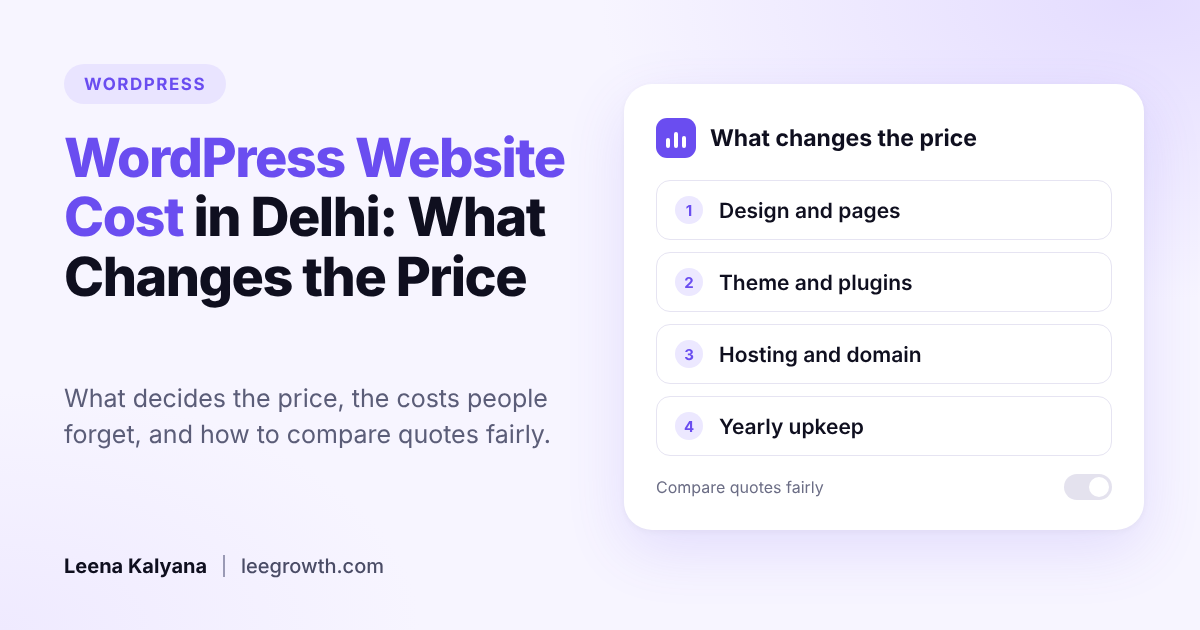
- What changes the price
- Costs people forget
- Build cost and yearly cost
- Who builds it
- What a good quote includes
- Comparing quotes
- Red flags
- What the site must do
- Ownership
- Timeline
- Keeping cost sensible
- Final checklist
What do published guides say about WordPress website cost?
Published guides from Indian agencies and hosting companies give wide ranges. For a small business site of about five to ten pages, many quote roughly ₹15,000 to ₹50,000. For a more custom professional site, ranges of ₹30,000 to ₹1,50,000 or more are common. Online shops start higher and can run into several lakhs. Domain and hosting are often quoted at a few thousand rupees a year.
Treat these as rough guides only. They are agencies’ own estimates, they disagree with each other, and they rarely say exactly what is included. A ₹20,000 website and a ₹60,000 website may both have “five pages”, and still differ in design, content, search setup, testing and support. That is why I do not publish a fixed price list. I scope each job first, then give a quote that lists exactly what it covers.
What changes the price?
- Number of pages. A five-page business site is a different job from a fifty-page one. Each page needs layout, writing, images and checking.
- Design. A ready-made theme with your branding costs less than a fully custom design. A custom design needs more planning, more design time and more testing.
- Features. Booking, payments, an online shop, a members area or multiple languages all add work. Each feature also adds things to test and maintain.
- Content. Who writes the text and prepares the photos? Good content takes time, and it is often the biggest cause of delay.
- SEO setup. Titles, descriptions, structure and speed built in from the start save money later.
- Migration. Moving from another platform needs care. See the Wix to WordPress SEO checklist.
Other factors that affect the quote:
- Integrations, such as a CRM, email tool, payment gateway or WhatsApp chat.
- Speed and performance work, such as image handling, caching and clean code.
- Security setup, including backups and protection against common attacks.
- Training, so your team can edit the site themselves.
- Deadline. A very short timeline can raise the price.
A rough guide to how different features change the amount of work:
| Feature | Extra work it usually adds |
|---|---|
| Contact form and click-to-call | Small |
| Blog or news section | Small to medium |
| Booking or appointment system | Medium |
| Multiple languages | Medium to large |
| Online shop with payments | Large |
| Members area or customer accounts | Large |
| Custom tools, such as calculators or portals | Large |
What costs do people forget?
- Domain name and hosting, paid every year.
- Premium plugins or themes with yearly licences.
- Security, backups and updates. See website maintenance.
- Photography or stock images.
- Changes after launch.
- Business email, if it is not included with hosting.
- Paid tools for forms, bookings, email or analytics.
- Your own time for approvals, which is a cost even when it is not on the invoice.
What’s the difference between the build cost and the yearly cost?
The build cost is what you pay once to create the site, and the yearly cost is what keeps it running. Plan for both, because the site needs care after launch.
| Build cost (once) | Yearly or monthly cost | |
|---|---|---|
| What it covers | Design, development, content setup, search setup, testing, launch | Domain, hosting, licences, security, backups, updates, small changes |
| When you pay | Before and at launch | Every year or month |
| If you skip it | The site is not finished | The site can become slow, outdated or unsafe |
Ask for the yearly costs to be listed in the quote, so there are no surprises in month thirteen.
Who can build your website?
Different builders suit different needs. None is always best, so match the builder to the job.
| Builder | Often suits | Things to watch |
|---|---|---|
| Do it yourself with a theme | Very simple sites and tight budgets | Takes your time, and quality depends on your skills |
| Freelancer or consultant | Small and medium business sites with a clear scope | Check who handles support if they are unavailable |
| Small agency | Sites that need design, content and search setup together | Ask who does the work, not only who sells it |
| Large agency | Large, complex or multi-team projects | Higher cost and sometimes slower changes |
Whoever you choose, ask to see past work that is live, and ask how they handle ownership, support and updates.
What does a good quote include?
- The list of pages and features.
- Who provides content and images.
- Number of revision rounds.
- Mobile design and speed checks.
- Basic SEO setup.
- Who owns the website and accounts after launch (it should be you).
- What happens after launch: support period and maintenance.
A good quote also states:
- Timeline and milestones, with what you need to provide and by when.
- Payment schedule, tied to clear stages.
- What is not included, such as extra pages, paid plugins or photography.
- Testing: which devices and browsers are checked.
- Handover: training, documentation and all logins.
How do you compare quotes?
Put the quotes side by side and compare scope line by line. A cheaper quote that leaves out content, SEO setup or revisions can cost more in the end. Ask what is not included.
Make a simple sheet with one column for each quote, and one row for each of these items:
- Number of pages.
- Design type: ready-made theme or custom design.
- Features included.
- Who writes the content, and who prepares the photos.
- SEO setup.
- Number of revision rounds.
- Mobile and speed testing.
- Hosting, domain and licences: who pays, and how much per year.
- Ownership of the site and accounts.
- Support after launch.
- Timeline.
Fill in the same sheet for each quote. The differences show where the price really comes from. For example, one quote may be lower because the builder expects you to write all the content and pay for the plugins yourself, while another includes both.
What are the red flags in a quote?
- A price with no list of pages or features.
- Nothing said about who owns the domain, hosting and admin accounts.
- No mention of mobile design, speed or basic search setup.
- Unlimited revisions promised with no limit on scope, or no revisions at all.
- A theme or plugins that come from unofficial sources, because they can carry security risks.
- No backups, updates or support after launch.
- Pressure to pay everything up front.
- No examples of live sites you can visit.
What must the website do?
A website is a tool to bring enquiries. Before you build, decide the main action you want visitors to take, such as a call, a WhatsApp message, a booking or a form. Then check the finished site with a landing page checklist.
If you are rebuilding an old site, read the website redesign SEO checklist so you do not lose the traffic you have.
Who should own the website?
You should. Ask for the domain, hosting and admin accounts to be in your name from the start. If a builder registers the domain or hosting in their own name, you may find it hard to move or change the site later.
Check these before you pay the final instalment:
- You are the registered owner of the domain.
- The hosting account is in your name, or you have full access to it.
- You have admin logins for WordPress.
- You have copies of the site’s files and a backup.
- You know which themes and plugins are used, and whose licences they are.
How long does it take?
It depends on the size and how quickly content and feedback arrive. Slow approvals are the most common cause of delays.
| Stage | What happens |
|---|---|
| Planning | Goals, pages, features and content are agreed |
| Design | Layouts are prepared and approved |
| Build | The site is built and content is added |
| Testing | Devices, speed, forms and tracking are checked |
| Launch | The site goes live, and redirects and search settings are checked |
| After launch | Fixes, support period and handover |
To keep to the timeline, prepare your text, photos and logo early, and agree who approves each stage.
How can you keep the cost sensible without hurting results?
- Start with the pages that bring enquiries, and add more later.
- Use a clean, well-supported theme instead of a fully custom design, if your brand allows.
- Prepare your own content early, or agree a clear content scope.
- Skip features you do not need yet.
- Decide the main action first, so the design supports it.
- Pay for basic search setup now, because fixing a site later costs more.
- Plan for maintenance, so small problems do not become expensive ones.
What should you check before you sign?
- [ ] The quote lists the pages, features and what is not included.
- [ ] It says who provides content and images.
- [ ] Revision rounds and the timeline are stated.
- [ ] Mobile design, speed checks and basic SEO setup are included.
- [ ] Hosting, domain and licence costs are listed, with the yearly amount.
- [ ] You will own the domain, hosting and admin accounts.
- [ ] Support after launch and maintenance are described.
- [ ] You have seen live examples of the builder’s work.
- [ ] You know the main action the site must encourage.
Frequently asked questions
How much does a WordPress website cost in Delhi? It depends on the number of pages, the design, the features and the content. Published guides give wide ranges, so ask for a written scope and compare what is included, not only the price.
Is WordPress good for a small business? Yes. It is flexible, widely supported and works well for business sites, if it is built cleanly and kept updated.
Do I own my WordPress website? You should. Ask for the domain, hosting and admin accounts to be in your name from the start.
How long does it take to build? It depends on the size and how quickly content and feedback arrive. Slow approvals are the most common cause of delays.
What yearly costs should I expect after the site is built? Domain and hosting, any premium plugin or theme licences, security and backups, updates and small changes after launch.
Is a cheaper website always worse? Not always, but a low price often means less design, content, testing or support. Compare what is included before you decide.
Do I need to write the content myself? Either you or the builder must. Agree this in writing, because writing and preparing photos takes time and affects the price.
Will a new website help my Google rankings? A well-built site gives you a good base, but rankings also depend on content, your Google Business Profile, reviews and competition. Make sure basic search setup is part of the quote.
Want help finding what is holding your site back?
Send me your website and I will tell you what I would fix first, with no obligation. Start with the free website SEO audit, or book a free consultation.

Leena Kalyana is an SEO and digital marketing consultant in Delhi NCR and the founder of LeeGrowth. She helps clinics, coaching institutes, consultants and small businesses get found on Google, Google Maps and AI search. She works directly with every client and does not guarantee rankings.