

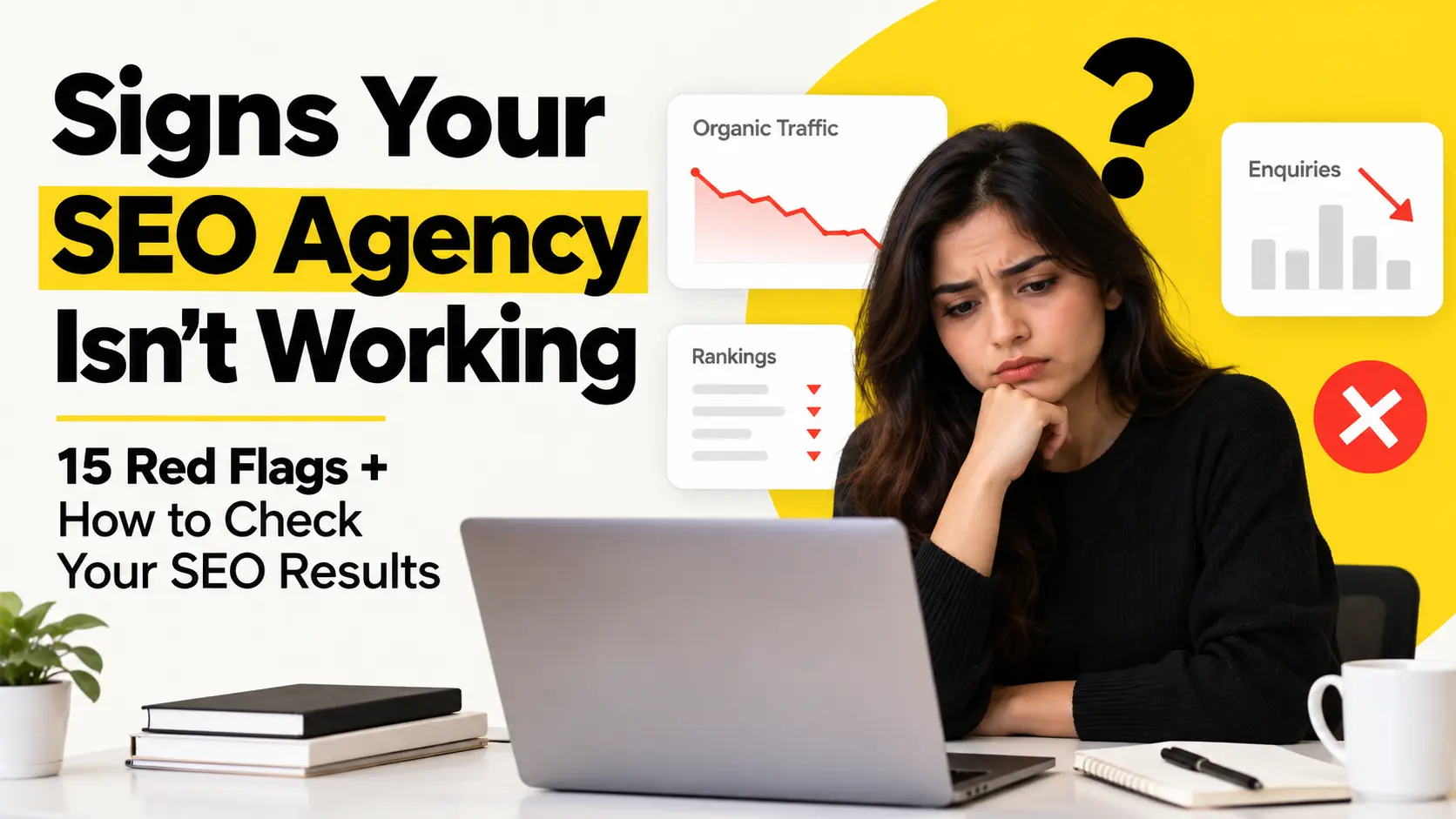
Picture a business owner who has paid an SEO agency every month for most of a year. Each month a report lands in the inbox with keyword lists, colorful charts and a list of tasks done. The owner skims it, nods, and still can’t answer one simple question: is any of this bringing in customers?
SEO doesn’t always show up as an instant jump in sales. Early progress can be quiet, and that’s normal. But slow progress is not the same as vague reports, unexplained work and numbers you can’t check. You have every right to understand what you’re paying for.
This guide covers the signs your SEO agency isn’t working, but it also does something more useful. It shows you how to investigate the work yourself, using free tools you probably already have. Don’t judge an agency by one ranking or one monthly report. Look at what was done, what changed because of it, whether the traffic is the right kind, and whether any of it leads to enquiries or sales.
If you’ve been wondering about the signs your SEO agency isn’t working, here’s a practical way to find out.
Table of Contents
First, What Does “SEO Working” Actually Mean?
SEO (search engine optimization) means helping your website show up when people search for what you offer. Progress usually comes in stages:
- Technical improvements: fixing problems that stop search engines from finding or understanding your pages.
- Better visibility: your pages showing up in more relevant searches.
- Relevant keyword growth: appearing for the phrases your customers really use.
- Organic traffic: visitors who arrive from unpaid search results.
- Qualified traffic: visitors who are likely to need what you sell.
- Enquiries and conversions: calls, forms, bookings and purchases.
- Business results: customers and revenue.
The first few are early signs. The last ones are business outcomes. Early signs usually move first, and websites don’t all improve at the same speed. A useful way to think about it is a chain: activity → impact → business outcome. The agency does something (activity), something changes in search (impact), and that change brings you customers (outcome). If your agency can only show you the first link, you should ask about the rest.
15 Signs Your SEO Agency Isn’t Working
One sign alone doesn’t prove an agency is bad. These signs your SEO agency isn’t working are reasons to look closer, not automatic proof that you need to leave. Several checks below use Google Search Console and Google Analytics, and I explain both in the next section.
1. Your agency can’t clearly explain the strategy
What it looks like: You ask what the plan is and get a fuzzy answer about “improving authority” or “optimizing the site.”
Why it matters: If you can’t understand the plan, you can’t tell whether it fits your business.
How to check: Ask for a one-page summary. It should say who you’re trying to reach, which pages matter most, and what the priorities are for the next few months.
Ask your agency: “What are our three biggest priorities right now, and why those?”
2. Your reports are full of numbers but say nothing
What it looks like: Lots of charts, no explanation.
Why it matters: A chart with no story behind it is decoration. A useful report tells you what happened, why, and what comes next.
How to check: Pick any chart in the report. Can you find a sentence explaining what it means?
Ask your agency: “What’s the story behind these numbers?”
3. Rankings are going up, but the keywords aren’t valuable
What it looks like: The agency proudly reports ranking gains for phrases that don’t match what you sell.
Why it matters: A keyword is just a word or phrase people type into a search engine. Imagine a dental clinic that now ranks for “history of teeth whitening.” That’s a ranking, but the people searching are probably curious readers, not patients. “Teeth whitening near me” might be worth far more. Rankings alone don’t prove SEO is working.
How to check: For each keyword, ask three things. Is it relevant to what I sell? Would a likely customer search it? Does it lead to a page that helps them?
Ask your agency: “Why did you pick these keywords?”
4. Organic traffic is flat or falling, and nobody explains why
What it looks like: Organic traffic (visits from unpaid search results) hasn’t moved in months, or it’s dropping, and the report doesn’t mention it.
Why it matters: Traffic can dip for fair reasons: seasons, a website change, tougher competitors, a Google update. A dip alone doesn’t mean the agency failed. Having no explanation and no plan is the real concern.
How to check: In Google Analytics, compare organic traffic across a long enough period to cover seasons, ideally the same months last year. Note when any website changes happened.
Ask your agency: “What do you think caused this, and how did you check?”
5. Traffic is growing, but enquiries aren’t
What it looks like: More visitors, same number of calls and forms.
Why it matters: More traffic isn’t automatically better SEO. It only helps if the visitors are the right ones. There’s another possibility too: your tracking might be broken, so real enquiries aren’t being counted.
How to check: Look at which pages gained the extra traffic. Do they connect to something you sell? Then check whether conversion tracking is set up at all.
Ask your agency: “Which pages are gaining traffic, and what are those visitors doing?”
6. The agency talks about activity, not results
What it looks like: “We published 10 blog posts and built 20 links.”
Why it matters: That’s what was done, not what changed. Both matter, but only the change tells you whether the money is working. More on this below.
How to check: Next to every task in the report, look for a result or an early sign attached to it.
Ask your agency: “What changed because of this work?”
7. Important technical problems stay unfixed
What it looks like: The same technical issues show up in report after report.
Why it matters: Technical SEO is the behind-the-scenes health of your site, like whether search engines can find and load your pages. If problems linger, good content may not get a fair chance. That said, not every flagged issue is serious, and a long list isn’t automatically a failure.
How to check: Ask for a list of known issues with a priority and a status for each. In Search Console, the page indexing report shows which pages Google has added to its index and which it hasn’t.
Ask your agency: “Which technical problems remain, which matter most, and what’s holding them up?”
8. Content is published with no clear search purpose
What it looks like: A new blog post every week, but nobody can say what search each one is meant to answer.
Why it matters: Articles written just to keep the blog busy may not match anything people actually search for.
How to check: For each new page, ask what search it targets and who it’s for. A few weeks later, check Search Console to see whether the page earned any impressions and clicks.
Ask your agency: “What search is this page targeting, and how will we know it’s working?”
9. Your agency can’t say where backlinks come from
What it looks like: The report says “15 new backlinks” but gives no details.
Why it matters: A backlink is a link from another website to yours. Links from relevant, trustworthy sites can help. Links made mainly to manipulate rankings are what Google calls link spam in its spam policies, and they may bring little or no lasting benefit.
How to check: Ask for the list: which website, and which page. Visit a few. Do they look like real sites your customers might read?
Ask your agency: “Where did these links come from, and why are they relevant to us?”
10. Your agency guarantees rankings or results
What it looks like: The pitch promises “page one,” “#1,” or a set number of leads by a set date.
Why it matters: Nobody outside Google controls search results. Outcomes depend on competition, your site’s starting point and many other things. An agency can promise effort, honesty and a sound process. It can’t responsibly promise a specific ranking, traffic number, lead count or timeline. The same goes for showing up in AI-generated answers.
How to check: Read the proposal and contract for guarantee language.
Ask your agency: “What exactly are you committing to, and what’s outside your control?”
11. You can’t get into your own data
What it looks like: Your Search Console or Analytics accounts belong to the agency, and you have no login.
Why it matters: Without access you can’t verify anything. Your business should own its data.
How to check: Try logging in to your own Search Console and Analytics today. Are you listed as an owner?
Ask your agency: “Can you confirm I have owner-level access to all our SEO and analytics accounts?”
12. Same strategy, no thought for your business
What it looks like: The plan reads like a template. It could belong to any client in any industry.
Why it matters: A local plumber, an online shop and a software company need very different SEO.
How to check: Does the plan mention your customers, your location or market, and your real competitors?
Ask your agency: “How is this strategy specific to us?”
13. The agency can’t explain what changed and why
What it looks like: Numbers move, and the explanation is “that’s SEO.”
Why it matters: If nobody knows why something changed, nobody can repeat the wins or fix the losses. “We’re not sure yet, here’s how we’re finding out” is an honest answer. No answer is a problem.
How to check: Pick one recent change in your numbers and ask for the explanation plus the evidence.
Ask your agency: “What changed this month, and how do you know that’s the cause?”
14. The same recommendations keep appearing but nothing happens
What it looks like: “Fix the slow pages” appears in report after report.
Why it matters: Sometimes the agency isn’t following up. Sometimes the delay is on your side or your developer’s. Either way, nothing improves until someone owns the task. The implementation section below shows how to work out which it is.
How to check: Compare this month’s recommendations with last month’s. Which are still open, and who is responsible for each?
Ask your agency: “Which recommendations are still waiting, and what’s blocking them?”
15. Your strategy ignores how people now search
What it looks like: Nobody has ever mentioned AI search.
Why it matters: Google now shows AI-generated summaries for some searches, and some people ask questions in AI tools like ChatGPT. That doesn’t mean every business needs an AI strategy. It does mean someone should have thought about whether it matters for yours.
How to check: Ask whether your agency has looked at AI search for your market, and what it decided.
Ask your agency: “Is AI search relevant to our audience, and have you considered it?”
How to Check Whether Your SEO Agency’s Claims Are True
You don’t need to be an SEO expert to investigate the signs your SEO agency isn’t working. You need a few free tools and a bit of patience.Not every business has every tool set up, and if one is missing, that’s worth knowing too. For each tool, I’ll tell you what it can show you and what it can’t.
Check 1: Google Search Console
Google Search Console (GSC) is a free tool that shows how your site appears in Google Search. Its Performance report uses these terms:
- Clicks: how many times people clicked from Google to your site.
- Impressions: how many times your site appeared in results. Lots of impressions with few clicks means people see you but don’t choose you.
- CTR (click-through rate): clicks divided by impressions.
- Average position: Google describes it as the average position of your topmost result. It’s an average across many searches, so use it to spot trends, not as an exact rank.
- Queries: the searches that showed your site.
- Pages: which of your pages appeared and earned clicks.
What to look for: Compare the last three months with the three before, or with the same period last year if your business is seasonal. Are clicks and impressions heading in a sensible direction? Do the queries match what you sell? Are the pages your agency worked on getting seen? Rankings naturally move up and down, so look at the trend, not one day’s number.
What it can’t tell you: what visitors did after they arrived. For that you need analytics. If you’d like a deeper walkthrough, we have a Google Search Console guide for small businesses.
Check 2: Google Analytics (GA4)
Google Analytics 4 (GA4) shows what people do on your website. Filter your reports to organic search, then look at:
- Organic traffic: is it growing, flat or falling over comparable periods?
- Landing pages: which pages do organic visitors arrive on? Are they the pages that matter to your business?
- Engagement: GA4 counts a visit as an “engaged session” if it lasted longer than 10 seconds, had two or more page views, or included a conversion. The engagement rate is the share of visits that met at least one of those. Don’t read it as a quality score. A short visit can be a success. Someone might land on your page, find your phone number and call you.
- Conversions: actions you’ve set GA4 to count, like form submissions or calls.
What it can’t tell you: anything it hasn’t been set up to measure. If conversion tracking was never installed properly, GA4 will show traffic but few results. That might be a setup gap, not an SEO failure. Any conclusion about conversions is only as reliable as the tracking behind it.
Check 3: Your important keywords
Don’t try to watch hundreds of rankings. Track the searches that really matter to your business. There’s no magic number. A small, simple business might get by with a list of 10 to 20. A bigger site with many services will need more.
For each important search, write down:
- Relevance: does it match what you sell?
- Intent: is the searcher ready to buy or hire, or just curious?
- Trend: how has it moved over weeks and months?
- Clicks: is it bringing visitors? (Check Search Console.)
- Landing page: is the right page showing up?
- Conversions: do those visits turn into enquiries?
Check 4: Your content
For any page the agency created or improved, ask:
- What search is it meant to answer, and who is it for?
- Is it the right page for that search? (A service page won’t satisfy someone looking for a how-to guide, and the reverse.)
- Has it earned impressions and clicks in Search Console?
- Do the visitors it brings do anything useful?
A page can be well written and still not work, because it doesn’t match what people are looking for. That’s a strategy problem, and worth raising with your agency.
Check 5: Technical SEO
Ask your agency about these, and check what you can yourself:
- Indexing: are your important pages in Google’s index? Search Console’s page indexing report shows which are and aren’t. Not every excluded page is a problem, since some pages are meant to be excluded.
- Broken links: a page that returns a “not found” (404) error matters most if it used to get traffic or still has links pointing to it.
- Redirects: when a page moves, does the old address send visitors to the right new page?
- Sitemap: an XML sitemap is a file listing the pages you want search engines to know about. Does one exist, and has it been submitted?
- Mobile experience: open your key pages on a real phone. Are they easy to read and use?
- Page performance: Core Web Vitals are Google’s measures of loading speed, responsiveness and visual stability. Search Console has a Core Web Vitals report based on real visitor data.
- Internal links: do your pages link to each other in a way that makes sense?
- Structured data: also called schema, this is extra code that describes your content to search engines. It’s useful for some pages and not needed for others.
You don’t have to fix everything at once. A sensible process puts the most important issues first and explains the order. Google’s own Core Web Vitals guidance suggests starting with the issues that affect the most pages, or your most important pages.
Check 6: Backlinks
Ask for a list of referring domains. That just means the separate websites that link to yours. Then sort what you see into three groups:
- Relevant, legitimate links: sites connected to your industry, location or audience. A local business association, a supplier, a news mention, a directory your customers actually use.
- Ordinary low-quality links: almost every website collects a few random links from scrapers and low-value directories. They’re common, and a handful isn’t a sign anyone did anything wrong. No need to panic.
- Deliberate manipulation: a pattern that looks manufactured. Many links from unrelated sites, near-identical pages, link swaps arranged only for rankings, or links your agency can’t explain. This is the kind of thing Google’s spam policies call link spam.
More backlinks don’t automatically mean better SEO. A few relevant links usually tell you more than a pile of irrelevant ones.
Check 7: Conversions
The chain you want to see is: search → website page → action → enquiry or customer. Actions might be a contact form, a phone call, a WhatsApp click, a quote request, a booking or a purchase. Check that each one is tracked, then see how many come from organic search.
If you serve a local area, your Google Business Profile also shows calls, direction requests and website clicks. If you want help with that side, our local SEO services page explains what we do. Only connect revenue to SEO where your tracking is reliable. Otherwise, treat the figure as an estimate.
SEO Activity vs SEO Impact
Activity is what the agency did. Impact is what changed because of it. Both matter, since some work, like technical fixes, takes time to show up. The trick is to keep asking: what changed because of the work?
| Activity | A better question |
|---|---|
| “Published 8 articles.” | Did those articles get seen, earn clicks, bring useful traffic or lead to enquiries? |
| “Built 30 backlinks.” | Where did those links come from, and are they relevant? |
| “Improved 50 keywords.” | Were those keywords relevant to the people we want to reach? |
A report heavy on activity and quiet about impact doesn’t prove anything is wrong. It just means you haven’t been given the information you need to judge.
How to Set an SEO Baseline
You can’t tell if things got better without a starting point. Write these down at the beginning of an engagement, or today if you never did:
| Area | Record before/at the start |
|---|---|
| Search visibility | Impressions |
| Search traffic | Organic clicks/users |
| Rankings | Important target keywords |
| Website | Indexed pages and major technical issues |
| Authority | Relevant referring domains |
| Leads | Organic enquiries |
| Conversions | Organic conversions |
Save dated screenshots or exports, because Search Console only keeps a limited history. Later, compare the same measures over equal time periods, ideally allowing for seasons. There’s no “good” number that applies to everyone. Starting points, competition and demand differ, so websites improve at different speeds. You’re looking for your own trend, and whether your agency can explain it.
If you never captured a baseline, you can often rebuild part of one from older Search Console and Analytics data, as long as those accounts were already collecting it.
What Should a Good Monthly SEO Report Include?
A useful report answers five questions: What happened? What did the agency do? Why did they do it? What changed? What happens next?
Performance
☐ Organic clicks
☐ Impressions
☐ CTR
☐ Average position
☐ Organic traffic
Work completed
☐ Technical fixes
☐ Content work
☐ On-page changes (titles, headings and text on existing pages)
☐ Internal linking
☐ Link and authority work
Business results
☐ Leads and enquiries
☐ Conversions
☐ Revenue, where reliably tracked
Problems
☐ What isn’t improving
☐ Why, or what’s being looked into
Next steps
☐ Priorities
☐ The reason for each action
Most of all, the report should help you understand the story behind the numbers, not just show them to you.
Is Your SEO Agency Failing, or Does SEO Just Need More Time?
Sometimes it’s a bit of both, and there’s no universal timeline. Results can be slower because of:
- strong competition
- your website’s history
- low authority (how established and trusted your site looks)
- technical problems
- content quality
- low search demand
- a narrow target market
- slow implementation
- website changes or migrations
- search algorithm updates
But “SEO takes time” isn’t a free pass. It doesn’t excuse:
- having no clear strategy
- no measurable work
- reports you can’t understand
- missing tracking
- the same problems staying unfixed
- targeting irrelevant keywords
- suspicious link building
Here’s a fair test. Even when results are slow, your agency should be able to show what it has done, why, which early signs it’s watching, and what comes next. If it can’t, time probably isn’t the whole story.
Is the Problem Your SEO Agency, or the Implementation?
SEO results depend on work actually getting done, and that usually involves more than one person. When a result stalls, the cause could be:
- Agency execution: the work wasn’t done, was done badly or wasn’t followed up.
- Client-side delays: approvals, budget or access were held up on your side.
- Developer delays: fixes are sitting in a queue.
- Content approval delays: pages are waiting for sign-off, photos or expert input.
- Tracking or setup problems: analytics or conversion tracking isn’t installed properly, so results can’t be seen.
- Website changes: a redesign or plugin update undid earlier work.
- Strategy problems: the plan itself targets the wrong searches or audience.
- Unrealistic expectations: the goals or timeframe never fit the competition and budget.
Here’s a simple example. The agency says, “Fix the broken redirects.” That sounds like one task, but it could belong to the agency, your developer, you as the website owner, or your content team. If the ticket has been sitting in your developer’s queue for four months and rankings haven’t improved, that’s not necessarily the agency’s fault. A reasonable agency would still flag the delay and follow up.
To find out who’s responsible for a stalled recommendation, build a simple ownership table:
| Task | Owner | Status | Blocker | Next action |
|---|---|---|---|---|
| Fix slow loading on service pages | Developer | Not started | Waiting on developer’s time | Agency sends a clear brief; owner confirms a date |
| Approve new service-page copy | Business owner | Draft sent | Awaiting sign-off | Owner reviews by an agreed date |
| Set up tracking for the contact form | Agency and developer | In progress | Needs website access | Owner grants access |
| Redirect old URLs after redesign | Developer | Done | None | Agency checks the result in Search Console |
Once it’s filled in, the pattern is usually obvious. If most items are stuck with the agency, that’s an execution problem. If they’re stuck on approvals, access or developers, you need a better process, and switching agencies won’t fix that. If everything is done and nothing improves, look at the strategy.
It also helps to match what you’re seeing with likely causes before you blame anyone:
| What you see | Worth checking first |
|---|---|
| Traffic dropped | Seasonality, a website change, competitors, a tracking change, then the agency’s work |
| Rankings fell | Normal movement, a recent site edit, a search update, then your content and links |
| Lots of traffic, few enquiries | Wrong keywords, weak landing pages, missing conversion tracking |
| Pages not indexed | Technical blocks, thin or duplicate content, or pages that are meant to be excluded |
| Few conversions | Tracking setup, page design, offer, price, or lead quality |
| Slow results overall | Competition, a young site, slow implementation, unrealistic goals |
Being fair to your agency also gets you better information if you do decide to switch.
How to Check an SEO Agency’s Case Study
Case studies are marketing, so read them like a detective. Ask:
- What was the starting point?
- What was the timeframe?
- What work was actually done?
- Which tool measured the results? Search Console, Analytics, a ranking tracker?
- What changed, by how much?
- What was the business outcome? More enquiries, or just more traffic?
- What else might have contributed? A new website, a sales season, a big offer, a PR mention?
That last question is important. A case study doesn’t prove cause just because traffic rose after the agency was hired. Other things may have changed at the same time.
Here’s a made-up example, with illustrative numbers only. A claim like “traffic increased 300%” means very little alone. A site that went from 10 visitors to 40 has technically quadrupled. Another site may have gained plenty of visitors who never became customers. Without a starting point, a timeframe and business results, a percentage doesn’t tell you much. Feel free to ask an agency to walk you through its case studies the way this guide walks you through your own data.
What About AI Search and SEO?
Search now includes more than a list of blue links:
- Google AI Overviews are AI-written summaries that appear at the top of some Google searches. Google also has a mode called AI Mode.
- AI answer tools like ChatGPT can answer questions directly and sometimes show their sources.
- Citations are the sources those tools point to.
- Entities are the people, brands, places or things search systems recognize. Clear, consistent information about your business helps them understand who you are.
- Topical authority is an industry term for being seen as a thorough, trusted source on a subject. It’s an idea, not a score you can measure.
- GEO (generative engine optimization) means making your content more likely to be useful to AI answer systems.
Treat this as an extra thing to think about, not a replacement for ordinary SEO. Google’s own guidance on AI features says specific optimization isn’t required to appear in AI Overviews or AI Mode, and that standard SEO fundamentals are still worthwhile. It also says sites that appear in these features are counted in your overall search traffic in Search Console, so they aren’t reported separately there. How other AI tools pick their sources varies, and nobody can guarantee a mention.
If you want to look into it, you can try a few simple things yourself:
- Ask AI tools and Google the questions your customers would ask. Does your brand show up?
- If answers include sources, are they pages from your site?
- Which competitors appear?
- Is it even likely that your customers use AI tools to find businesses like yours?
The honest question to ask your agency is: “Is AI search relevant to our audience, and have you considered it?” A thoughtful answer in either direction is fine. A promise of guaranteed AI visibility is not.
Questions to Ask Your SEO Agency
- What are our three biggest SEO priorities right now?
- Why were these keywords selected?
- Which pages are you improving?
- What changed this month?
- What measurable impact did that work have?
- Which technical problems remain?
- Which recommendations are waiting for implementation, and who owns each one?
- Where did our new backlinks come from?
- Which organic pages generate enquiries?
- What will you change next month, and why?
- Do we have owner-level access to all our SEO and analytics accounts?
- How do you track results connected to real leads?
- What are you unsure about, and how are you finding out?
- Have you considered AI search for our business, and what did you decide?
SEO Agency Performance Checklist
Save this and run through it every few months.
Strategy
☐ Clear priorities
☐ Business alignment
☐ Relevant search intent
Technical SEO
☐ Important pages can be crawled and indexed
☐ Problems have owners
☐ Fixes are followed up
Content
☐ Clear purpose
☐ Relevant topics
☐ Matches search intent
☐ Existing pages improved
Authority
☐ Links are explainable
☐ Referring domains can be reviewed
☐ No unexplained link patterns
Performance
☐ Search Console reviewed
☐ Organic traffic reviewed
☐ Relevant traffic assessed
☐ Conversions tracked where possible
Reporting
☐ What happened
☐ What was done
☐ Why it was done
☐ What changed
☐ What happens next
Ownership
☐ Business owns the important accounts
☐ Search Console access
☐ Analytics access
☐ Website access
☐ Tasks have owners
When Should You Consider an Independent SEO Audit?
An SEO audit is a structured review of a site’s search performance, technical health, content and links. An independent one comes from someone who isn’t being paid by your current agency. It can help when:
- the agency’s reports are unclear
- the strategy is hard to understand
- traffic has dropped a lot
- technical issues remain unresolved
- backlinks look suspicious
- rankings focus on irrelevant terms
- you can’t tell what work has actually been done
- you and the agency disagree about performance
If your reports are clear, your numbers are moving sensibly and you understand the plan, you probably don’t need one. If you do want a second opinion, we offer a free website SEO audit, or you can ask any reputable independent SEO professional.
Before You Change Agencies
Whatever you decide, do this first:
- Collect your baseline, your Search Console and Analytics data, and the last several reports.
- Fill in the ownership table, so you know which delays were the agency’s and which weren’t.
- Put your questions in writing and give the agency a fair chance to answer.
- Make sure you hold owner-level access to your accounts and to any content created for you.
If the agency still can’t explain its strategy, work or results, keeps your data from you, leans on guarantees or shady tactics, or ignores your feedback, you’ll have clear reasons to move on, and the information a new provider will need. If you’d like to see how we approach SEO, our SEO services page explains it.
Conclusion
Don’t judge SEO from one number. Follow the chain instead: strategy, then work, then search visibility, then relevant traffic, then conversions, then business outcomes. Check each link, and when one isn’t improving, find out why. The cause might be the agency. It might also be a delayed fix, a tracking gap, a tough market, normal ups and downs, or expectations that were never realistic.
An agency that’s doing its job should welcome these questions, because the answers show whether the work is making a difference.
Frequently Asked Questions
How do I know if my SEO agency is working?
Compare trends in Search Console and Analytics against your baseline: clicks, impressions, relevant rankings, qualified traffic and enquiries. Then ask whether your agency can explain what changed and why.
How long should I give an SEO agency to see results?
There’s no honest one-size-fits-all answer. It depends on competition, your site’s starting point, how fast work gets implemented and more. Instead of waiting for a date, look for steady early signs, like better indexing or growing impressions, and clear explanations along the way.
What are the signs your SEO agency isn’t working?
The signs your SEO agency isn’t working can include guaranteed rankings, no access to your own data, reports you can’t understand, backlinks nobody can explain, and no clear link between the work and your business goals. Look for patterns, not a single slip.
Should an SEO agency guarantee rankings?
No. Google decides its results, and many factors are outside any agency’s control. Be careful with anyone who guarantees rankings, traffic or AI visibility.
How can I check my SEO agency’s work myself?
Open your own Search Console and Analytics, test a short list of important searches, ask for task and link lists, and compare everything against your baseline.
What if SEO results are slow?
Slow isn’t always a failure. Check competition, technical issues, content, tracking and whether recommendations have been implemented. If your agency can show clear work, reasons and next steps, patience may be reasonable. If it can’t, raise it.
What should an SEO report include?
Performance numbers, work completed, business results, problems and next steps, with plain explanations of what the numbers mean.
Can SEO guarantee leads or sales?
No. SEO can improve your chances of being found by the right people, but leads and sales also depend on your offer, website, pricing, competition and many other things.

I’m Leena Kalyana, a Delhi-based freelance digital marketer and graphic designer. I work across SEO, content marketing, social media, and digital design. I’m interested in helping businesses build a stronger online presence through practical SEO strategies, useful content, and creative digital marketing.