

In this article
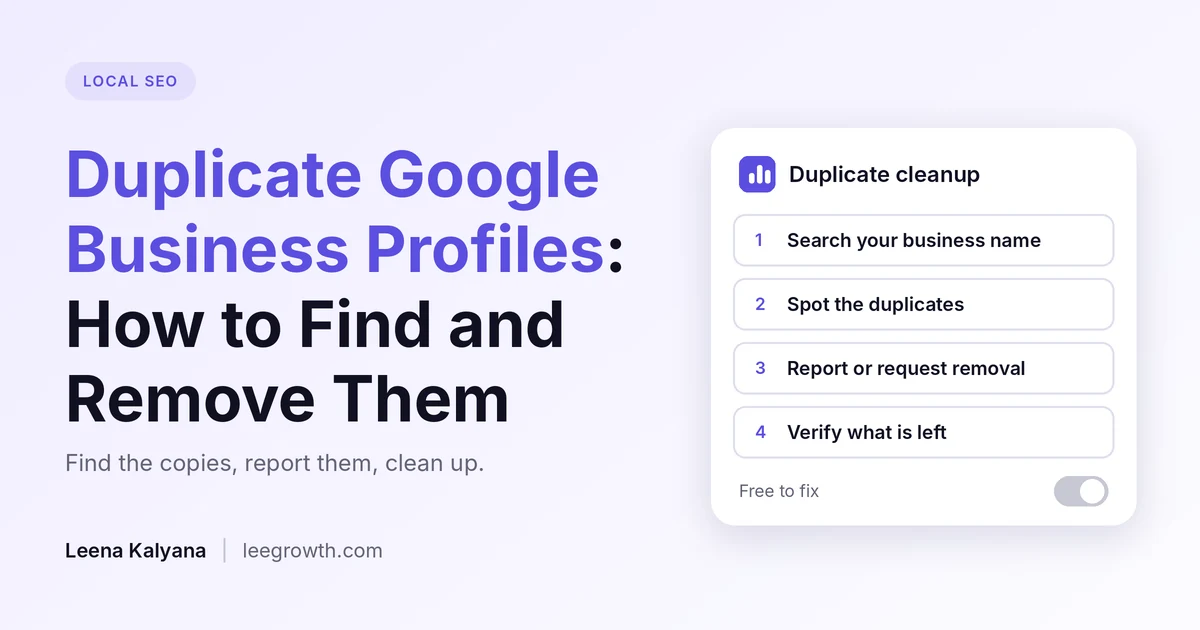
Short answer: A duplicate Google Business Profile is a second listing for the same business at the same location. A duplicate splits your reviews and shows customers wrong details. Search your name, phone number and address to find it, then request a merge or removal through Google.
I am Leena Kalyana. A duplicate Google Business Profile is a common problem in Delhi NCR, especially after a move, a rebrand or a change of agency. This guide belongs to my wider guide to local SEO in India. Google renames menu options often, so follow Google’s current help page on duplicate profiles for exact button names.
(Insert the Rank Math Table of Contents block here.)
What is a duplicate Google Business Profile?
A duplicate Google Business Profile shares the business, address and service area of another profile. Google sets a clear merge test: you “must genuinely represent the same business at the same location” (Google Business Profile Help).
Two entries with the same name, address and phone are duplicates. Entries for different locations, or for separate practitioners, are not.
Why does a duplicate Google Business Profile appear?
Six causes produce most duplicates:
- An agency or former employee created a new profile instead of claiming the old one.
- The business moved and the old address stayed live.
- The business name changed, or two names describe one shop.
- Google generated a listing from public data and nobody claimed it.
- Address variants created separate entries. In Delhi NCR, one shop can appear under a shop number, a market name, a landmark or a sector.
- Data aggregators copied a bad listing to other sites. Vendasta notes that aggregators can spread extra listings across the web.
How does a Google Business Profile duplicate hurt your business?
- Reviews split. Two profiles each show part of your reputation, so neither looks strong.
- Customers reach wrong details. Callers dial an old number and visitors walk to an old address.
- The weaker profile can rank. Search Engine Journal notes Google can show an incomplete duplicate and filter out the stronger listing.
- Compliance risk rises. Whitespark lists duplicate profiles among common Google Business Profile spam types.
Specialists disagree on how much a duplicate affects rankings. Customer confusion and split reviews are the reliable costs.
How do you find a duplicate Google Business Profile?
- Search Google Maps for your current name, former names, phone number and street address.
- Search your category plus your area, for example “dentist Lajpat Nagar”, and scan for lookalike entries.
- Search the old address if you moved.
- Sign in to every Google account your team or agency used. Open each profile listed.
- Record each profile in a sheet: name, address, phone, category, review count, owner account and verification status.
- Screenshot each profile, including reviews and photos.
The sheet and screenshots protect you. If a removal goes wrong, you hold the data needed to rebuild the profile.
Is it a duplicate or a legitimate second profile?
Google allows separate pages for individual practitioners and for departments within larger organisations (Google guidelines).
| Situation | Duplicate? | Action |
|---|---|---|
| Same name, address and phone on two profiles | Yes | Merge or remove |
| Business moved, old address still live | Yes | Update the main profile, then close the old listing |
| Two doctors, lawyers or CAs, each public-facing, at one practice | Usually no | Keep both if each follows Google’s practitioner rules |
| A department with its own entrance and hours | Usually no | Keep both |
| A storefront profile and a service-area profile for one business | Not mergeable | Choose one model. Sterling Sky reports Google support will not merge them |
| A profile on a virtual office address | Invalid | Remove it. Google states such a location “isn’t eligible for a Business Profile” |
Which profile should you keep?
Keep the profile that scores highest on three tests, in this order:
- Verified. Google advises for flagged duplicates: “If you own both profiles, keep the verified profile” (Google Business Profile Help).
- Reviews and history. Prefer the profile with more genuine reviews and the older history.
- Fixable details. Choose the profile whose name, address and phone you can correct.
When the tests conflict, keep the profile you own and have verified, then request a merge so reviews from the other profile move across.
How do you remove a duplicate Google listing?
The route depends on what you own.
| You own | Route |
|---|---|
| Both profiles | Request a merge through Google’s help flow. Semrush and Vendasta report that when both profiles are verified, Google asks you to unverify one first. |
| One profile | Use Suggest an edit on the other listing in Google Maps. Request ownership if it holds reviews you need. |
| Neither profile | Request ownership or report the duplicate on Google Maps. Do not remove either listing before you know which one to keep (SocialPilot). |
Follow these steps:
- Choose the profile to keep.
- Correct its name, address, phone, hours and category.
- Submit the merge request. Google reviews every request.
- Use removal instead when the duplicate has no reviews. Sterling Sky calls removal the easiest route for a duplicate without reviews.
- Recheck after two to three weeks. Resubmit with a clear explanation if the duplicate persists.
Google takes from a few days to several weeks. A duplicate with reviews is harder to remove, because reviews add legitimacy (Whitespark).
What happens to reviews, photos and posts?
Removal deletes content. Removing a profile from your account, or marking a place as nonexistent, deletes its reviews, photos and posts. Choose a merge request when the duplicate holds reviews.
An approved merge combines reviews, but replies can be lost (FitSmallBusiness). Copy your review replies into a document first.
Removing a duplicate you created by mistake does not affect your verified listing (Google).
What if Google marks your profile as a duplicate?
Google hides profiles it flags as duplicates, so they do not show on Maps. Google’s page on profiles marked as duplicate explains how to report a profile flagged by mistake.
Check this when a practice has several practitioners. Two valid profiles at one address can trigger a wrong flag.
Which mistakes make a duplicate worse?
- Opening a new profile instead of claiming the old one.
- Removing the profile that holds your reviews.
- Marking a live competitor as closed. Google can treat false reports as abuse.
- Adding keywords or a city to the business name. Search Engine Land lists keyword stuffing among common suspension causes.
- Using a virtual office or co-working address to create a second profile.
- Fixing the address on one directory only, which leaves conflicting data elsewhere.
How do you prevent a new duplicate Google Business Profile?
- Keep one document with your standard name, address format, phone number and the Google account that owns the profile.
- Give agencies Manager access, never Owner access.
- Use one address format everywhere: shop number, market or sector, city, PIN code.
- Update every listing when you move or rebrand. See directories that still matter in India.
- Redirect customers from the old address by updating your website, description and signage.
A profile suspended during cleanup follows a separate process. Read what to do about a suspended profile.
FAQ
Will I lose my reviews?
A merge combines reviews on the profile you keep. A removal without a merge deletes the removed profile’s reviews. Request the merge first.
Can an old, closed listing hurt me?
Yes. Customers who see wrong hours or an old address call and visit the wrong place. Mark the old listing closed or report it as a duplicate.
How long does Google take to act?
Google takes from a few days to several weeks. Recheck after two to three weeks.
Can two doctors at one clinic each have a profile?
Yes, when each doctor is a public-facing practitioner and follows Google’s practitioner guidelines. The clinic keeps its own profile too.
I cannot fix this myself. Who can help?
I can check your listings and prepare the requests. See Google Business Profile optimization in Delhi.
Sources
- Google Business Profile Help, Merge duplicate Business Profiles
- Google Business Profile Help, Profiles marked as duplicate
- Google Business Profile Help, Guidelines for representing your business on Google
- Google Business Profile Help, Resolve duplicate profiles and ownership issues
- Whitespark, GBP spam fighting 101 and Google My Business duplicates
- Sterling Sky, Can you merge two Google Business Profiles?
- Search Engine Land, Why Google Business Profiles get suspended
- Search Engine Journal, Delete and merge duplicate listings
- FitSmallBusiness, Remove duplicate Google Business Profiles
- SocialPilot, Find and fix duplicate GBP listings
- Semrush, How to merge Google Business Profiles
- Vendasta, Merge Google Business listings

Leena Kalyana is an SEO and digital marketing consultant in Delhi NCR and the founder of LeeGrowth. She helps clinics, coaching institutes, consultants and small businesses get found on Google, Google Maps and AI search. She works directly with every client and does not guarantee rankings.