


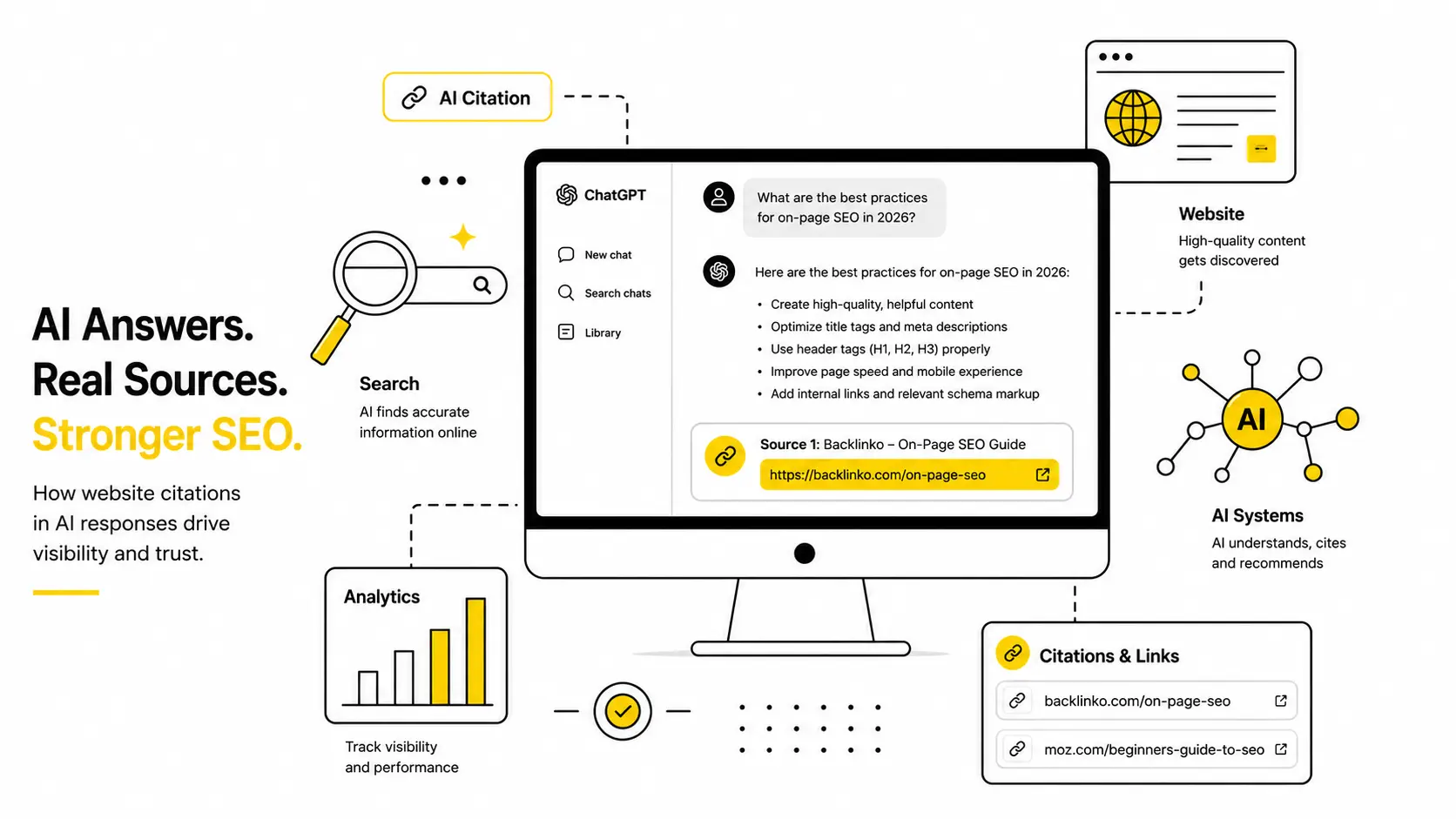
If you’ve been wondering how to check if ChatGPT is citing your website, you’re not alone — it’s one of the most common questions business owners are quietly asking themselves right now.
You’ve spent months on SEO. Your Google rankings look decent. But now a growing chunk of your customers aren’t Googling anymore — they’re just asking ChatGPT, Perplexity, or Gemini a question and going with whatever answer they get. If your site isn’t part of that answer, you’re invisible to them. And the frustrating part is, your Google Analytics won’t shout about it. You have to go looking.
The good news: checking this doesn’t require a fancy paid tool or a marketing degree. There are two free methods — one takes five minutes, the other takes a few weeks to show a real pattern. Do both, and by the end of this guide you’ll know exactly where you stand and exactly what to do next.
Table of Contents
Why This Even Matters Now
A few years ago, “search” meant Google. Today, a huge and growing number of people ask an AI assistant instead — and the AI doesn’t send them a list of links to click through. It just answers. If it pulls that answer from your website, great, you get a mention, maybe even a click. If it doesn’t, a competitor gets that moment instead, and you never find out unless you check.
This is exactly why ai citation tracking has become something small business owners need to understand, not just big brands with marketing teams. The tools built for this are often expensive or built for large SaaS companies tracking hundreds of keywords. You don’t need any of that to get a clear, honest answer today.
If you’re not even sure your site is visible on regular Google search yet, it’s worth first working through why your website might not be ranking on Google — AI visibility tends to follow traditional SEO health, not replace it.
How to Check If ChatGPT Is Citing Your Website: Quick Overview
Before the step-by-step detail, here’s the short version:
- Method 1 — Ask ChatGPT directly (5 minutes, completely free)
- Method 2 — Check your Google Analytics for ChatGPT referral traffic
- Bonus — Check Bing Webmaster Tools, since ChatGPT Search runs on Bing’s index
Run through both methods below, log your results in the free tracking template further down, and you’ll have a genuinely reliable answer — not just a guess based on one lucky (or unlucky) test.
Method 1: Just Ask ChatGPT (5 Minutes, Completely Free)
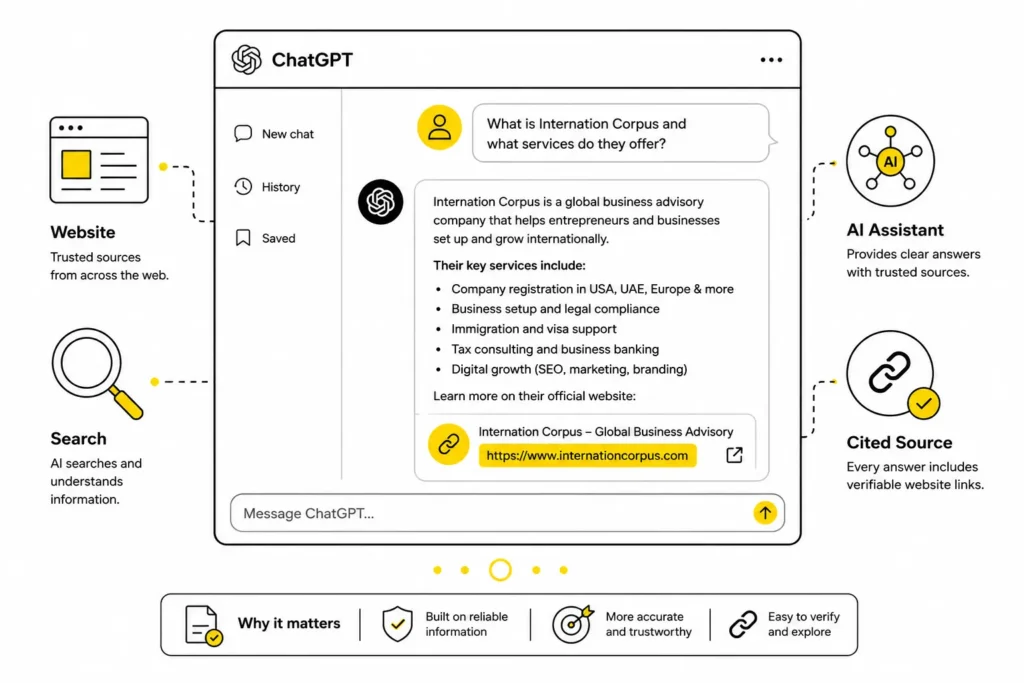
This is the fastest way to find out if your site is in ChatGPT, and it’s also the most honest one — you’re seeing exactly what your customers would see.
Open ChatGPT (or Perplexity, or Gemini — do all three if you have time) and ask it a mix of questions:
- Brand-level questions: “What do you know about [your business name]?” or “Tell me about [yourwebsite.com].”
- Industry-level questions: the kind of question your actual customers would type. If you run a local bakery, that’s “best bakery in [your city],” not “tell me about baking.”
- Problem-based questions: the questions people ask before they know which brand they want. “How do I fix a slow WordPress site?” is a much more realistic test than “is [your agency] good?”
Ask 8 to 10 of these. Write down, in a simple note or spreadsheet, whether your brand or website came up, whether it was linked as a source, or whether it wasn’t mentioned at all. That’s the entire test.
A quick but important distinction — because most guides gloss right over this:
- A mention means the AI said your brand’s name somewhere in the answer.
- A citation means the AI actually linked to your website as a source.
- A click-through means someone actually visited your site because of that citation.
All three matter, but they’re not the same thing, and knowing which one you’re getting tells you what to fix next.
One honest note: AI answers aren’t fixed. Ask the same question twice and you might get two different answers. That’s normal — these systems don’t return the exact same result every time, and they update as they crawl the web. So this isn’t a one-time check. Run this same short list of prompts once a week and keep a simple log. Patterns matter more than any single answer.
Method 2: Check If ChatGPT Is Already Sending You Traffic (Google Analytics)
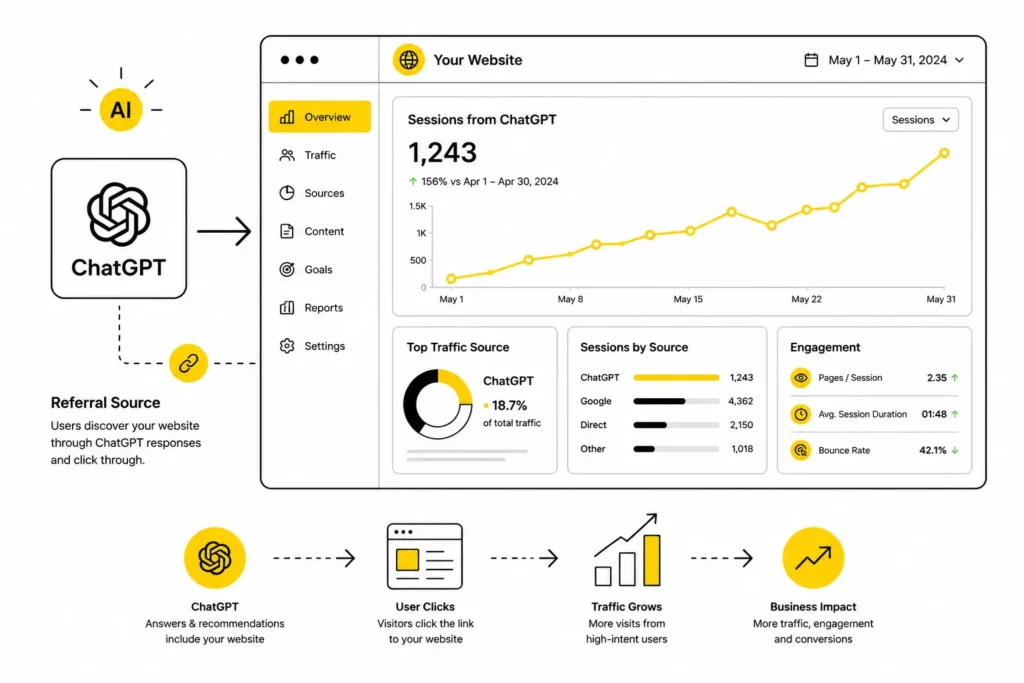
Method 1 tells you whether you’re mentioned. This one tells you whether people are actually clicking through to your site from ChatGPT — which is honestly the number that matters most for your business.
If your website is connected to Google Analytics (GA4), here’s exactly where to look:
- Open GA4 and go to Reports → Lifecycle → Acquisition → Traffic Acquisition (Google’s own help page walks through exactly where to find this report if your menu looks different).
- Change the dimension at the top from the default view to “Session source / medium.”
- Type “chatgpt” into the search bar on that report.
If you see an entry like chatgpt.com / referral, congratulations — ChatGPT is already sending you real visitors, and you now know exactly which sessions came from it. Click into it to see how many sessions, how long people stayed, and which pages they landed on. Those landing pages are your strongest performers in AI’s eyes — worth knowing so you can build more content like them.
If you see nothing, don’t panic. A few things could be going on:
- You might not be cited yet at all — Method 1 will tell you.
- You might be cited, but the click isn’t tracking as “chatgpt.com.” Some ChatGPT links include a utm_source=chatgpt.com parameter, and depending on how a user opens the link (a browser vs. the ChatGPT desktop app, for instance), it can sometimes show up as “Direct” traffic instead of a clean referral. It’s a known quirk, not something you’re doing wrong.
One more place worth a quick look: ChatGPT’s search feature runs on Bing’s index behind the scenes. So if you have Bing Webmaster Tools set up (it’s free, and worth setting up if you haven’t), it’s a useful second data point alongside GA4 — Bing has even started adding reporting there specifically for how often your content gets cited in AI-driven results, so it’s not a replacement for the checks above, just extra confirmation.
Your Free Tracking Template
You don’t need to buy a citation-tracking subscription to stay organized. Copy this simple table into a spreadsheet and fill it in once a week:
| Date | Question Asked | Platform | Mentioned? | Cited (linked)? | Notes |
| ChatGPT / Perplexity / Gemini | Yes / No | Yes / No |
Run your 8–10 prompts, log the results, and after 3–4 weeks you’ll start to see a real pattern instead of a single lucky (or unlucky) snapshot.
Common Mistakes to Avoid
- Testing only once and assuming that’s your permanent status — AI answers shift over time and between sessions.
- Only asking brand-name questions and skipping the industry- and problem-based ones your actual customers use.
- Confusing a “mention” with a “citation” and reporting the wrong number to a client or manager.
- Giving up after a week — indexing and re-crawling for AI tools genuinely takes longer than for regular Google search.
- Ignoring GA4’s “Direct” traffic bucket, where some AI-referred clicks quietly hide.
You Checked, and You’re Not Being Cited. Now What?
This is where most articles on this topic trail off into vague advice like “improve your content.” Here’s an actual order of operations, starting with the fastest wins:
1. Rewrite your strongest pages to answer the question immediately. AI tools pull information from the parts of a page that answer a question clearly and quickly — not the parts that build up to it. Look at your two or three most relevant pages and make sure the first couple of sentences directly answer the question a customer would ask, before any of the usual scene-setting.
2. Add an FAQ section with clear, direct answers. Short, specific question-and-answer pairs are exactly the format AI tools favor when pulling information to cite. If you don’t already have a well-structured FAQ page, this is one of the highest-leverage changes you can make — it’s something we build into every SEO content and blog writing project for exactly this reason.
3. Build a little proof outside your own website. AI tools trust information more when it shows up in more than one place — a review, a mention on another relevant site, a forum answer, a directory listing. You don’t need dozens of these. A few genuine, relevant mentions elsewhere go a long way.
4. Check back in a few weeks, not a few days. ChatGPT Search typically takes a couple of weeks to pick up new or updated content, and Google’s AI Overviews can take even longer. Don’t judge a content change after 48 hours — give it time to actually get crawled and considered.
None of this needs to be complicated or expensive. If you’d rather have someone run this audit and fix the technical pieces for you, our SEO services cover exactly this kind of AI and search visibility work — or start with a free website SEO audit to see where things stand before deciding what to fix first. But even doing just the two free checks above will tell you more about where you actually stand than most businesses currently know about themselves.
Quick Answers
How do I know if ChatGPT mentions my brand?
Ask it directly. Type in a handful of brand-level and industry-level questions your customers would realistically ask, and read the answers carefully to see if your business comes up.
What’s the difference between an AI mention and an AI citation?
A mention is your brand name appearing in the answer text. A citation is the AI actually linking to your website as the source. A citation is more valuable because it can send you a click.
Does schema markup guarantee I’ll get cited?
No — nothing guarantees a citation. But clean, well-structured content with clear answers and FAQ-style formatting genuinely improves your odds, because it’s easier for AI tools to extract and trust.
How often should I check this?
Weekly is realistic. AI answers shift over time, so a single check only tells you about that one moment — a running log tells you the real trend.
Do I need a paid tool to track this?
No. Everything in this guide can be done for free with ChatGPT itself and Google Analytics. Paid tools like Frase, Ahrefs, or similar platforms just automate the process across more prompts and platforms once you’re ready to scale it up.
That’s the complete picture on how to check if ChatGPT is citing your website, whether it’s already sending you visitors, and exactly what to fix if the answer to either is “not yet.”

I’m Leena Kalyana, a Delhi-based freelance digital marketer and graphic designer. I work across SEO, content marketing, social media, and digital design. I’m interested in helping businesses build a stronger online presence through practical SEO strategies, useful content, and creative digital marketing.